
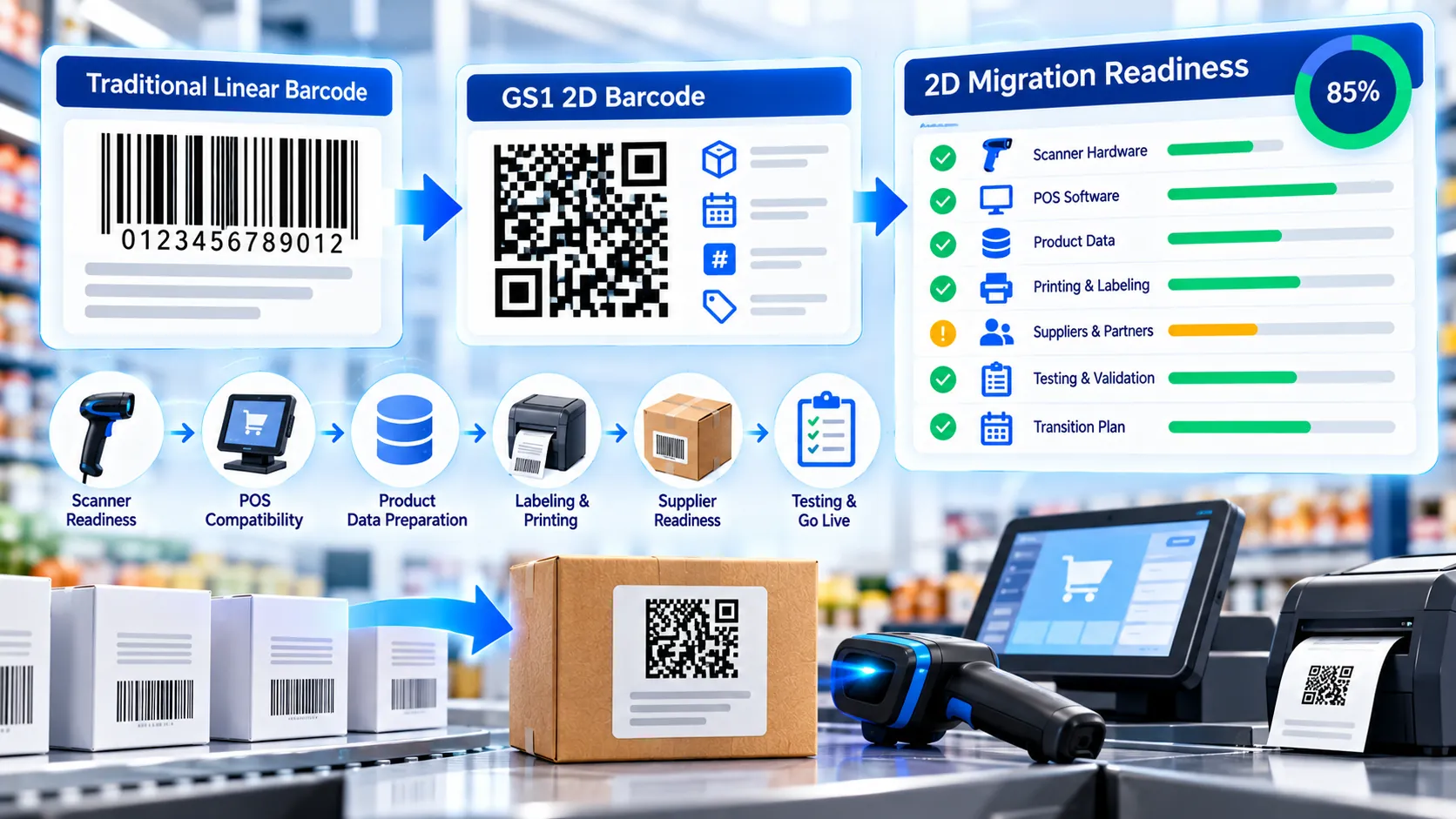
The GS1 2D Migration Readiness Checker helps retailers, brands, manufacturers, and supply-chain teams assess the practical capabilities required for moving from linear barcodes toward GS1 2D barcodes. Define your migration environment, target 2D carrier, and transition approach, then mark scanner, POS, software, data, printing, supplier, pilot, and transition capabilities as Ready, Partial, Gap, or Not checked. The tool calculates a planning indicator from the capabilities you have actually assessed and highlights priority actions. It is a planning assessment, not GS1 certification.
GS1 2D Migration Readiness Checker
Assess your POS, software, printing, data, packaging, testing, and rollout preparation for a GS1 2D barcode migration.
1. POS & Scanning
LIVE2. Barcode & Data Strategy
3. Printing & Packaging
4. Coexistence & Rollout
Readiness Assessment
Complete the checklist to generate a readiness profile.
How to Use the GS1 2D Migration Readiness Checker in Simple Steps
- Choose the Primary Environment, such as Retail POS, Brand/Manufacturer, Retailer Private Label, Supply Chain/Distribution, or Mixed Ecosystem. Then select the intended 2D carrier and transition approach.
- Work through the Capability Checklist and mark each capability as Ready, Partial, Gap, or Not checked. Use Not checked when the relevant supplier, POS team, scanner team, or operational owner has not yet verified the capability.
- Review the Readiness Summary, Priority Actions, and Detailed Review. The readiness percentage is calculated only from weighted items that have been assessed, so unverified capabilities do not artificially lower or raise the current indicator.
- Copy the report or JSON, download the JSON report, use Load Example to inspect a representative migration scenario, or select Clear to start a fresh assessment.
Technical Breakdown: How the GS1 2D Migration Readiness Checker Works
The checker is based on the practical capability areas described in the GS1 2D Barcodes at Retail Point-of-Sale Implementation Guideline Release 1.1.0, ratified in December 2025. It is designed as an operational planning assessment rather than a formal GS1 certification test.
The first configuration identifies the environment being assessed. Retail POS, brand/manufacturer, retailer private-label, supply-chain, and mixed ecosystems can have different technical and operational requirements, so defining the scope before scoring the checklist prevents unrelated capabilities from being mixed together.
The target carrier selector covers common GS1 2D migration scenarios, including QR Code with GS1 Digital Link URI, GS1 DataMatrix with GS1 Element String, Data Matrix with GS1 Digital Link URI, and dual or multiple 2D-carrier scenarios.
The transition approach identifies whether the organization expects to use dual marking, move to a single 2D carrier where the ecosystem is ready, conduct a controlled pilot first, or has not yet decided the approach.
The capability checklist covers twelve weighted areas:
- 2D-capable POS/scanner hardware: imaging devices must be capable of capturing the selected 2D symbol.
- GS1 DataMatrix processing: relevant scanner and POS software must recognize and process GS1 DataMatrix data where that carrier is used.
- QR Code with GS1 Digital Link processing: software may require support for QR Codes carrying GS1 Digital Link URIs.
- Data Matrix with Digital Link processing: Digital Link handling is a distinct software requirement from ordinary Data Matrix decoding.
- URI-to-GS1 data conversion: systems using Digital Link URI syntax need a defined way to convert the decoded URI into the GS1 data representation required downstream.
- Multiple-barcode handling: during transition, a product may carry both a linear and a 2D symbol, so POS behavior must prevent unintended duplicate transactions.
- Additional GS1 data handling: systems may need to capture and use batch, expiry, or other information encoded beyond the GTIN.
- Printing and artwork capability: the organization needs a production process capable of creating and verifying the selected 2D symbol.
- GS1 data quality: identifiers, qualifiers, dates, and related data require controlled sources and validation.
- Dual-marking transition planning: organizations may need linear and 2D symbols to coexist until the relevant ecosystem is ready.
- Controlled pilot testing: scanner, POS, data, printing, and operational workflows should be tested together before wider deployment.
- Supplier engagement: scanner, POS, printer, and integration suppliers may need to provide software updates, configuration, or testing support.
Each capability has a different weight reflecting its relative importance within this planning model. Ready receives the full item weight, Partial receives half of the item weight, Gap receives zero, and Not checked is excluded from the assessed total.
The resulting percentage therefore represents only the capabilities that have been assessed. If ten items are marked while two remain Not checked, the two unverified items do not silently affect the percentage. This makes the indicator an assessment of verified readiness rather than an assumption about unknown capabilities.
The tool also generates a Priority Actions section. Marked gaps and partial capabilities are ordered by their checklist weight so that higher-weight unresolved areas appear first. This helps teams turn the assessment into a practical verification list.
The Detailed Review section preserves every checklist item and its current state. This is useful when an assessment needs to be shared with scanner suppliers, POS integrators, packaging teams, IT teams, or other project owners.
The result is not a certification score. A high planning percentage does not prove that a particular scanner, POS system, printer, resolver, product database, or trading-partner workflow will work correctly. Those components still require real testing.
All answers are processed locally in the browser. The assessment does not require sending the entered information to PKCapra.
For creating the Digital Link that may be carried in a QR Code, use the GS1 Digital Link QR Generator. For constructing more complex GS1 Digital Link data, use the GS1 Digital Link Data Builder. To inspect an existing Digital Link URI, use the GS1 Digital Link Validator.
Developer Snippets (Automate This Tool Offline)
The following examples show how a development team can represent a migration-readiness checklist offline. They reproduce the assessment concept but do not constitute GS1 certification or replace supplier and end-to-end testing.
Python: Calculate a Basic Readiness Indicator
items = [
    {"name": "2D scanner capability", "weight": 12, "status": "ready"},
    {"name": "QR + Digital Link processing", "weight": 10, "status": "partial"},
    {"name": "POS data handling", "weight": 8, "status": "ready"},
    {"name": "Printing workflow", "weight": 8, "status": "not"},
    {"name": "Supplier engagement", "weight": 5, "status": "ready"}
]

assessed = 0
earned = 0

for item in items:
    if item["status"] == "ready":
        assessed += item["weight"]
        earned += item["weight"]
    elif item["status"] == "partial":
        assessed += item["weight"]
        earned += item["weight"] * 0.5
    elif item["status"] == "not":
        assessed += item["weight"]

readiness = round((earned / assessed) * 100) if assessed else None

print("Readiness:", readiness if readiness is not None else "Not assessed")
PowerShell: Represent Migration Capabilities
$capabilities = @(
    @{
        Name = "2D scanner capability"
        Weight = 12
        Status = "Ready"
    },
    @{
        Name = "QR + Digital Link processing"
        Weight = 10
        Status = "Partial"
    },
    @{
        Name = "Printing workflow"
        Weight = 8
        Status = "Gap"
    }
)

$capabilities | ConvertTo-Json -Depth 5
Node.js: Create a Migration Assessment Record
const assessment = {
  scope: "retail",
  targetCarrier: "qr-dl",
  transitionApproach: "dual",
  capabilities: [
    { id: "imager", weight: 12, status: "ready" },
    { id: "qr-dl", weight: 10, status: "partial" },
    { id: "multi", weight: 10, status: "ready" },
    { id: "printing", weight: 8, status: "ready" }
  ]
};

console.log(JSON.stringify(assessment, null, 2));
These examples are useful for internal project tracking, but an automated percentage should not be treated as evidence that a production environment is ready. Real scanner, POS, printer, data, and operational tests remain necessary.
Native Software Workaround: Organize a GS1 2D Migration Assessment
Native spreadsheet and project-management software can complement the checker when several teams or locations need to contribute evidence.
In Microsoft Excel, create columns for capability, owner, supplier, system version, status, evidence, test date, and next action. This makes it possible to maintain a central migration register alongside the browser assessment.
In Microsoft Access, store each capability as a record linked to a project, store location, POS system, scanner model, or product group. This is useful when the migration covers multiple stores or systems.
In Microsoft Teams or SharePoint, maintain a shared evidence folder containing scanner specifications, POS release notes, printer capabilities, test results, and supplier confirmations. Link each evidence item to the corresponding migration capability.
In Visual Studio Code, maintain a JSON representation of the assessment when the migration is managed programmatically. This can be integrated with internal testing scripts or deployment workflows.
For actual scanner and POS testing, create controlled test cases covering normal 2D scans, products carrying both linear and 2D symbols, data-rich symbols containing additional GS1 information, damaged or low-quality symbols, and the downstream handling of decoded data.
The planning assessment should therefore be treated as one layer of the migration process: define the scope, verify capabilities, run controlled tests, document supplier dependencies, and then repeat the assessment as the environment changes.
Frequently Asked Questions
What is a GS1 2D Migration Readiness Checker?
A GS1 2D Migration Readiness Checker is a planning tool that assesses operational, hardware, software, data, printing, testing, supplier, and transition capabilities relevant to a GS1 2D barcode migration.
What does the readiness percentage mean?
The readiness percentage is a planning indicator calculated from the weighted checklist items that have been assessed. It is not a GS1 certification score.
Why are Not checked items excluded from the percentage?
Not checked items are excluded because their actual state is unknown. Including them as either Ready or Gap would create an assumption rather than an evidence-based assessment.
What does Ready mean?
Ready means the user has marked that capability as currently available or verified for the migration scope being assessed.
What does Partial mean?
Partial means the capability exists or has been verified only in part and still requires additional work, configuration, testing, or confirmation.
What does Gap mean?
Gap means the capability is currently missing or has been identified as requiring action before the relevant migration scenario can proceed.
Does a high readiness percentage guarantee 2D scanning will work?
A readiness percentage does not guarantee interoperability. Actual scanner, POS, software, printing, data, and operational testing remains necessary.
Can the checker test my scanner?
The checker does not directly connect to or certify a scanner. It records whether the relevant scanner or imaging capability has been verified as part of the assessment.
Can the checker test my POS?
The checker does not directly test a POS system. It identifies POS capabilities that should be verified and lets the user record their current status.
Why is multiple-barcode handling included?
Multiple-barcode handling matters during migration because products can carry linear and 2D symbols simultaneously. POS behavior needs to avoid unintended duplicate transactions.
Why is URI-to-data conversion included?
Digital Link URI workflows can require downstream systems to convert the decoded URI into the GS1 data representation needed by existing retail or business processes.
Does the checker certify GS1 compliance?
The checker does not provide GS1 certification. It is a planning assessment intended to identify readiness gaps and next actions.
Does the tool send my assessment data to PKCapra?
The assessment is processed locally in the browser and does not require sending the entered checklist answers to PKCapra.
Can I export the assessment?
The tool provides Copy Report, Copy JSON, and Download JSON actions so that the assessment can be retained or shared with project teams.
What should I do after completing the assessment?
Use the Priority Actions and Detailed Review to identify unresolved capabilities, assign owners, obtain supplier confirmation, and run controlled end-to-end tests before expanding the migration.