
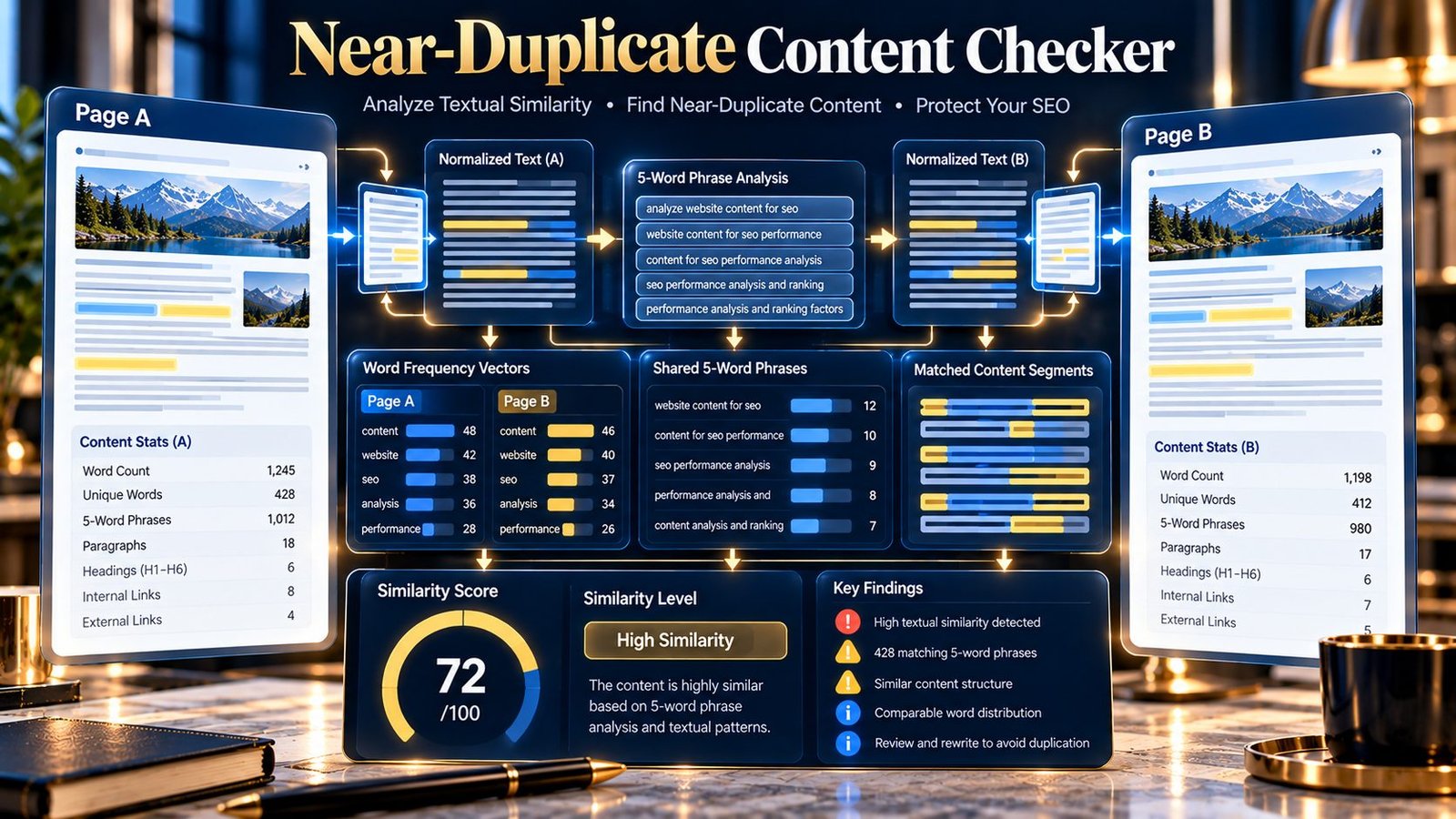
Near-Duplicate Content Checker helps you determine whether two webpages or content sources contain substantial textual overlap without requiring them to be exactly identical. Enter two public webpage URLs, two pieces of pasted HTML/content, or a combination of URL and pasted content to compare normalized wording, 5-word phrase overlap, word-frequency similarity, word-count balance, and an overall similarity signal.
Near-Duplicate Content Checker
Compare two webpages or content inputs for high textual similarity using deterministic normalized-word and phrase analysis.
| Signal | Result | Meaning |
|---|
The similarity score is a deterministic PKCapra diagnostic based on normalized words and 5-word phrase shingles. It is not a Google score and does not perform semantic or AI similarity analysis.
Public URLs are fetched by the PKCapra analysis endpoint. Pasted content is sent to the same endpoint for comparison. Do not submit confidential or sensitive material.
What Is Near-Duplicate Content?
Near-duplicate content refers to two pieces of content that are not exactly identical but share a substantial amount of wording, structure, or repeated text.
For example, two pages might have:
- The same main topic
- The same paragraphs with a few changes
- Rewritten introductions but mostly identical body content
- Shared sections with only minor edits
- The same information with a few additional sentences
An exact duplicate checker may report these pages as different because even a small textual change can break an exact match.
A near-duplicate analysis looks beyond exact equality and measures how much normalized textual structure the two sources share.
What Does the Near-Duplicate Content Checker Analyze?
The current PKCapra tool compares two supplied sources using deterministic textual signals.
It analyzes:
- Normalized visible words
- 5-word phrase shingles
- Shared 5-word phrases
- 5-word phrase-set similarity
- Word-frequency similarity
- Word-count balance
- Overall similarity
- Source word counts
- Normalized character lengths
- Priority findings
- Near-duplicate checks
- Diagnostic score
- Diagnostic grade
- JSON export
- PDF report
The tool does not use AI or an external semantic similarity service.
Why Near-Duplicate Content Matters
Two pages do not have to be completely identical to deserve investigation.
Near-duplicate pages can occur when:
- A page is copied and lightly edited
- Several location pages use almost the same content
- Product or service pages share most of their wording
- Old and new versions overlap heavily
- Content is republished with minor changes
- Multiple pages target similar subjects using substantially repeated text
- Templates contain large repeated sections
The purpose of the checker is to help identify these patterns so you can investigate whether the pages have sufficiently distinct purposes and information.
Exact Duplicate vs. Near Duplicate
These are different comparisons.
Exact duplicate
Two normalized content sources are identical.
The Duplicate Content Checker is designed for this type of comparison.
Near duplicate
Two normalized sources are different but share substantial textual patterns.
The Near-Duplicate Content Checker is designed for this investigation.
A pair of pages can therefore be:
- Exactly identical
- Highly similar but not identical
- Moderately similar
- Somewhat similar
- Only weakly overlapping
The similarity result depends on the normalized text and the signals calculated by the tool.
How the Near-Duplicate Content Checker Works
1. Provide Source A
Source A can be either:
- A public webpage URL
- Pasted HTML/content
2. Provide Source B
Source B can independently be:
- A public webpage URL
- Pasted HTML/content
This supports:
- URL vs URL
- Content vs content
- URL vs content
- Content vs URL
3. Run the comparison
For public URLs, PKCapra retrieves the source HTML through the analysis endpoint.
For pasted content, the supplied material is sent to the same endpoint.
The tool then extracts visible text and normalizes it before calculating the similarity signals.
4. Review the results
The report provides an overall similarity score and supporting measurements.
You can inspect:
- Similarity percentage
- Source A word count
- Source B word count
- Shared phrase count
- 5-word phrase similarity
- Word-frequency similarity
- Word-count balance
- Near-duplicate checks
- Priority findings
- Source details
This allows you to investigate why the two sources received their result.
Understanding Visible Text Extraction
For HTML sources, the tool focuses on visible textual content rather than comparing raw HTML markup.
It removes non-visible or non-content elements such as:
scriptstylenoscripttemplatesvghead
The remaining text is normalized before comparison.
This means two pages can use different HTML markup while still producing a similar textual comparison.
Understanding Text Normalization
Before similarity calculations, the extracted text is normalized.
The implementation:
- Decodes HTML entities
- Converts text to lowercase
- Collapses repeated whitespace
- Trims surrounding whitespace
This helps prevent superficial formatting differences from dominating the comparison.
For example, differences in capitalization or multiple spaces do not automatically make otherwise identical wording appear different.
Understanding 5-Word Phrase Similarity
The tool creates overlapping groups of five normalized words, known as 5-word phrase shingles.
For example, a sentence can produce sequences such as:
technical SEO tools help
followed by the next five-word sequence.
The tool compares the sets of these normalized 5-word phrases between the two sources.
This helps identify repeated wording even when the complete pages are not identical.
The report displays the resulting 5-word phrase similarity percentage.
Understanding Shared 5-Word Phrases
The report also shows the number of identical normalized 5-word phrases shared by both sources.
A higher shared-phrase count can indicate substantial repeated wording.
However, shared phrases can also occur naturally.
For example, technical documentation may repeatedly use standard terminology such as:
- HTTP status code
- search engine optimization
- canonical URL
- internal linking
- XML sitemap
Common terminology should therefore be interpreted in context.
Understanding Word-Frequency Similarity
The analyzer also compares the frequency distribution of normalized words in both sources.
This is calculated using a deterministic word-frequency vector comparison.
The result indicates how similarly the two sources use their normalized vocabulary.
A high word-frequency similarity can support a near-duplicate finding, particularly when it occurs together with strong 5-word phrase overlap.
It should not be interpreted as semantic understanding.
Understanding Word-Count Balance
Two pages can share many phrases while having very different lengths.
The tool therefore calculates a word-count balance signal based on the normalized word counts of the two sources.
For example:
| Source A | Source B | Interpretation |
|---|---|---|
| 1,000 words | 1,020 words | Very similar length |
| 1,000 words | 700 words | Noticeable length difference |
| 1,000 words | 150 words | Large length difference |
Word-count balance does not determine whether content is duplicate or useful. It provides additional context for interpreting the similarity result.
Understanding the Overall Similarity Score
The current PKCapra implementation combines two main similarity signals:
- 5-word phrase-set similarity: 60% of the combined score
- Word-frequency similarity: 40% of the combined score
The resulting diagnostic score is presented on a 0–100 scale.
This is a deterministic PKCapra similarity signal.
It is not:
- A Google score
- A search-ranking score
- An AI similarity judgment
- A plagiarism score
- A semantic relevance score
The score should be used to identify pages that deserve further investigation.
Understanding the Similarity Grades
The current diagnostic grades are:
| Score | Grade |
|---|---|
| 85–100 | Very High Similarity |
| 70–84.9 | High Similarity |
| 50–69.9 | Moderate Similarity |
| 30–49.9 | Limited Similarity |
| Below 30 | Low Similarity |
These grades describe the result of the tool’s deterministic comparison.
They do not establish whether two pages should be merged, redirected, canonicalized, removed, or retained.
What a Very High Similarity Result Means
A very high similarity result means the two normalized sources share a substantial amount of the textual structure measured by the analyzer.
This is a strong reason to inspect the pages.
Ask:
- Why do both pages exist?
- Do they serve different users?
- Do they provide different information?
- Are the differences meaningful?
- Is one page simply a lightly modified copy of the other?
- Could the pages be consolidated?
The score itself does not make the final technical decision.
What a High Similarity Result Means
A high similarity result indicates substantial overlap in wording and phrase structure.
Review the overlapping sections and determine whether the pages provide enough distinct value.
Pay particular attention to pages created from the same template or copied from an existing resource.
What a Moderate Similarity Result Means
A moderate result indicates noticeable textual overlap without a strong near-identical pattern.
This can occur naturally when pages cover the same subject.
For example, two technical guides about the same concept may legitimately share terminology and explanations.
Inspect the actual pages before deciding that duplication is a problem.
What a Limited or Low Similarity Result Means
A limited or low result means that the current normalized-text signals show relatively little overlap.
This does not mean that the pages are completely unrelated.
They may still cover the same subject or serve similar search intents while using substantially different wording.
Why Similarity Does Not Automatically Mean a Problem
Websites naturally reuse some content.
Examples include:
- Navigation
- Footer text
- Legal notices
- Product attributes
- Standard technical terminology
- Repeated instructions
- Brand descriptions
- Template components
The current analyzer focuses on normalized textual content, so contextual review remains important.
A similarity result is an investigation signal, not an automatic SEO action.
Near-Duplicate Content and Search
Near-duplicate content can be relevant when several URLs provide substantially overlapping main content.
The appropriate response depends on why the pages exist and whether they provide distinct value.
For example, separate pages may be justified when they serve genuinely different audiences, products, services, locations, or user needs.
On the other hand, several pages that differ only slightly may deserve consolidation or stronger differentiation.
The Near-Duplicate Content Checker helps identify the overlap. It does not determine the correct site architecture.
Near-Duplicate Content vs. Canonicalization
Near-duplicate analysis and canonicalization answer different questions.
The checker asks:
How much normalized textual overlap exists between these two sources?
Canonicalization asks:
Which URL should represent a particular piece of content?
If the similarity result suggests that two URLs need investigation, inspect their canonical signals separately.
The Canonical URL Checker can help examine canonical information on individual pages.
Near-Duplicate Content vs. Redirects
A similarity result does not automatically mean that one page should redirect to another.
A redirect may be appropriate in some site migrations or when an obsolete URL should no longer represent an independent resource.
Other situations may require keeping both pages but making their content more distinct.
Use the Redirect Checker to investigate redirect behavior separately.
Near-Duplicate Content vs. Thin Content
A page can be:
- Near-duplicate and substantial
- Near-duplicate and thin
- Unique and thin
- Unique and substantial
Near-duplicate analysis measures textual overlap between two sources.
Thin-content analysis asks whether a page provides sufficient useful substance for its intended purpose.
The Thin Content Checker is designed for that separate investigation.
Near-Duplicate Content vs. Exact Duplicate Content
Use the tools for different situations.
| Situation | Tool |
|---|---|
| Two sources appear exactly identical | Duplicate Content Checker |
| Two sources appear substantially similar but not identical | Near-Duplicate Content Checker |
| One page may have insufficient useful content | Thin Content Checker |
| One URL may have canonicalization problems | Canonical URL Checker |
| Redirect behavior needs investigation | Redirect Checker |
This separation helps prevent one diagnostic from being used for a problem it was not designed to measure.
Practical Near-Duplicate Content Audit Workflow
Use the following workflow when investigating possible near-duplicate pages:
- Identify two pages that appear substantially similar.
- Run the Near-Duplicate Content Checker.
- Review the overall similarity score.
- Check the 5-word phrase similarity.
- Review the shared 5-word phrase count.
- Check word-frequency similarity.
- Review word-count balance.
- Read the priority findings.
- Inspect the actual pages side by side.
- Determine whether the overlap is intentional.
- Identify whether the pages serve genuinely different purposes.
- Improve differentiation where necessary.
- Consider consolidation or another technical solution when appropriate.
- Re-run the comparison after substantial changes.
The objective is not to force every page to have completely different wording.
The objective is to understand whether the overlap reflects a legitimate relationship or unnecessary duplication.
Practical Example
Suppose a website has two service pages:
/service-a//service-b/
Both pages contain around 1,000 words.
The pages use many of the same paragraphs, terminology, and five-word phrase sequences, but each has a small amount of unique information.
The checker may produce a high similarity signal.
The next step is not automatically to delete one page.
Instead, investigate:
- Whether the services are genuinely different
- Whether users need separate pages
- Which information is unique
- Which sections are unnecessarily repeated
- Whether each page answers a distinct user need
If the pages serve different purposes, strengthen their unique information.
If they serve essentially the same purpose, evaluate whether consolidation would make the site clearer.
Content Differentiation Workflow
When two pages are too similar, consider differentiating them around their actual purposes.
Define the unique user need
Identify the specific question or task each page is intended to address.
Add genuinely distinct information
Depending on the subject, this may include:
- Different procedures
- Different specifications
- Different examples
- Different use cases
- Different limitations
- Different audiences
- Different implementation guidance
Remove unnecessary repetition
If a paragraph exists only because it was copied from another page, determine whether it is actually needed.
Preserve necessary shared terminology
Do not rewrite technical terms simply to reduce a similarity score.
Important terminology may legitimately appear across related pages.
Recheck the result
After meaningful changes, run the comparison again and review whether the pages now have clearer distinctions.
Common Near-Duplicate Problems
Two pages use almost the same introduction
Review whether the introductions should address different user needs.
If both pages answer the same question in almost the same way, the overlap may be unnecessary.
Location pages contain identical body copy
Location pages can legitimately share some structure, but investigate whether each page contains useful location-specific information.
Avoid replacing repeated text with artificial keyword variations simply to create superficial differences.
Product pages contain nearly identical descriptions
Check whether the products actually have different specifications, use cases, compatibility information, or purchasing considerations.
Where meaningful differences exist, make them clear.
A new page was copied from an old page
Review the purpose of the new page before publishing it.
Determine what information needs to remain shared and what should be updated or differentiated.
Shared phrases are standard terminology
Do not treat every shared phrase as a duplication problem.
Technical subjects naturally contain recurring terminology.
Review the surrounding content and the purpose of each page.
How to Interpret Shared Phrase Findings
A shared phrase count is evidence of textual overlap, not proof of copied content.
For example, two pages about XML sitemaps may naturally share phrases such as:
- XML sitemap
- search engine crawlers
- sitemap URL
- sitemap index
- crawl and indexing
The more useful question is whether the pages also share substantial sequences of meaningful prose.
The tool’s 5-word phrase analysis provides one measurable signal for that investigation.
Source Limits
The current implementation supports:
- Up to 200,000 characters for each pasted source
- Up to 3 MB of fetched response data per public URL
- Public HTTP and HTTPS URL inputs
- Up to 20,000 normalized tokens per analyzed source
These limits help keep the analysis manageable and predictable.
Very large pages may therefore be analyzed using a capped normalized token set after extraction.
Public URL Analysis
When a public URL is supplied, the tool uses the PKCapra analysis endpoint to retrieve the page.
The report can include:
- Requested URL
- Final URL
- HTTP status
- Normalized word count
- Normalized character length
The tool is intended for public HTTP/HTTPS resources.
Private or local network targets are blocked by the URL validation layer.
Pasted Content Analysis
Pasted content is useful when the material is:
- Not yet published
- Behind a workflow that prevents public access
- Being compared before migration
- Being reviewed by an editorial team
- Available as HTML but not as a public URL
The same normalization and similarity process is applied to the supplied material.
JSON and PDF Reports
After analysis, the tool provides Copy JSON for the structured result.
The report includes the similarity score, grade, source measurements, similarity signals, checks, and findings.
A PDF reporting option is also provided from the results interface for preserving or reviewing the comparison report.
What the Tool Does Not Do
The Near-Duplicate Content Checker deliberately focuses on deterministic textual similarity.
It does not:
- Use AI to understand meaning
- Perform semantic similarity analysis
- Determine whether two pages have the same search intent
- Predict search rankings
- Determine Google’s canonical selection
- Decide whether a page should be deleted
- Automatically recommend redirects
- Automatically choose a canonical URL
- Crawl an entire website
- Compare every URL on a domain
- Detect every type of copied content
- Determine whether shared text is legally or editorially acceptable
- Guarantee that a high similarity score represents a search-engine problem
It measures the supplied sources using normalized words, 5-word phrase shingles, word-frequency similarity, and word-count balance.
Limitations
The similarity signal is a deterministic PKCapra diagnostic.
It is not a plagiarism verdict, Google score, ranking score, or semantic-quality score.
Results can be influenced by:
- Common terminology
- Boilerplate text
- Navigation or other visible repeated text
- Page length differences
- Repeated phrases that are natural for the subject
- Content extraction differences
- The amount of source content available for analysis
The tool also does not know why the pages exist.
A high similarity result should therefore lead to human review rather than an automatic technical change.
Privacy and Processing
When you provide public webpage URLs, PKCapra retrieves the pages through the analysis endpoint for comparison.
When you paste HTML or content, the supplied material is sent to the same endpoint for analysis.
Do not submit confidential, private, or sensitive material unless you understand the processing involved.
The tool does not require an AI API, paid semantic database, or external similarity service.
Frequently Asked Questions
What is a Near-Duplicate Content Checker?
It compares two webpages or content sources to identify substantial textual overlap without requiring the sources to be exactly identical.
How is it different from the Duplicate Content Checker?
The Duplicate Content Checker focuses on exact normalized-text matches.
The Near-Duplicate Content Checker measures degrees of textual similarity using 5-word phrase overlap and word-frequency similarity.
Can I compare two URLs?
Yes. Enter a public URL for Source A and another public URL for Source B.
Can I compare pasted content?
Yes. Both sources can be supplied as pasted HTML or content.
Can I compare a URL with pasted content?
Yes. Each source can independently use a public URL or pasted content.
Does the tool understand the meaning of the content?
No. The current implementation is deterministic textual analysis.
It does not use AI or semantic understanding.
What are 5-word phrase shingles?
They are overlapping sequences of five normalized words used to measure repeated phrase structure between the two sources.
Why does the tool use word-frequency similarity?
Word-frequency similarity provides another signal showing how similarly the two sources use their normalized vocabulary.
Why can two pages with the same topic have high similarity?
Related pages naturally share terminology and sometimes common explanations.
A high similarity result should therefore be reviewed in context.
Does a high similarity score mean I should delete one page?
No.
First determine whether both pages serve legitimate and distinct purposes.
Does a high similarity score mean Google will penalize the pages?
No.
The PKCapra score is a deterministic diagnostic and does not reproduce Google’s internal systems.
Should I rewrite every shared sentence?
No.
Some shared wording may be necessary, especially for technical terminology, product specifications, legal information, or standard instructions.
What if the pages have different word counts?
The tool reports word-count balance so that length differences can be considered alongside the other similarity signals.
What if the pages share many phrases but are different topics?
Inspect the shared phrases and the actual pages.
Common terminology can contribute to phrase overlap without making two resources true near duplicates.
Does the tool crawl my entire website?
No. It compares the two sources you provide.
Does it check images or visual similarity?
No. The current comparison is based on normalized textual content.
Does it check canonical URLs?
No. Use the Canonical URL Checker for canonical analysis.
Does it check redirects?
No. Use the Redirect Checker for redirect analysis.
What should I do after finding high similarity?
Review the two pages, identify their intended purposes, determine which information is genuinely unique, reduce unnecessary repetition where appropriate, and then recheck the pages after meaningful changes.
What other PKCapra tools can I use with this checker?
For a broader content and technical investigation, use the Duplicate Content Checker, Thin Content Checker, Canonical URL Checker, Redirect Checker, and On-Page SEO Checker.