
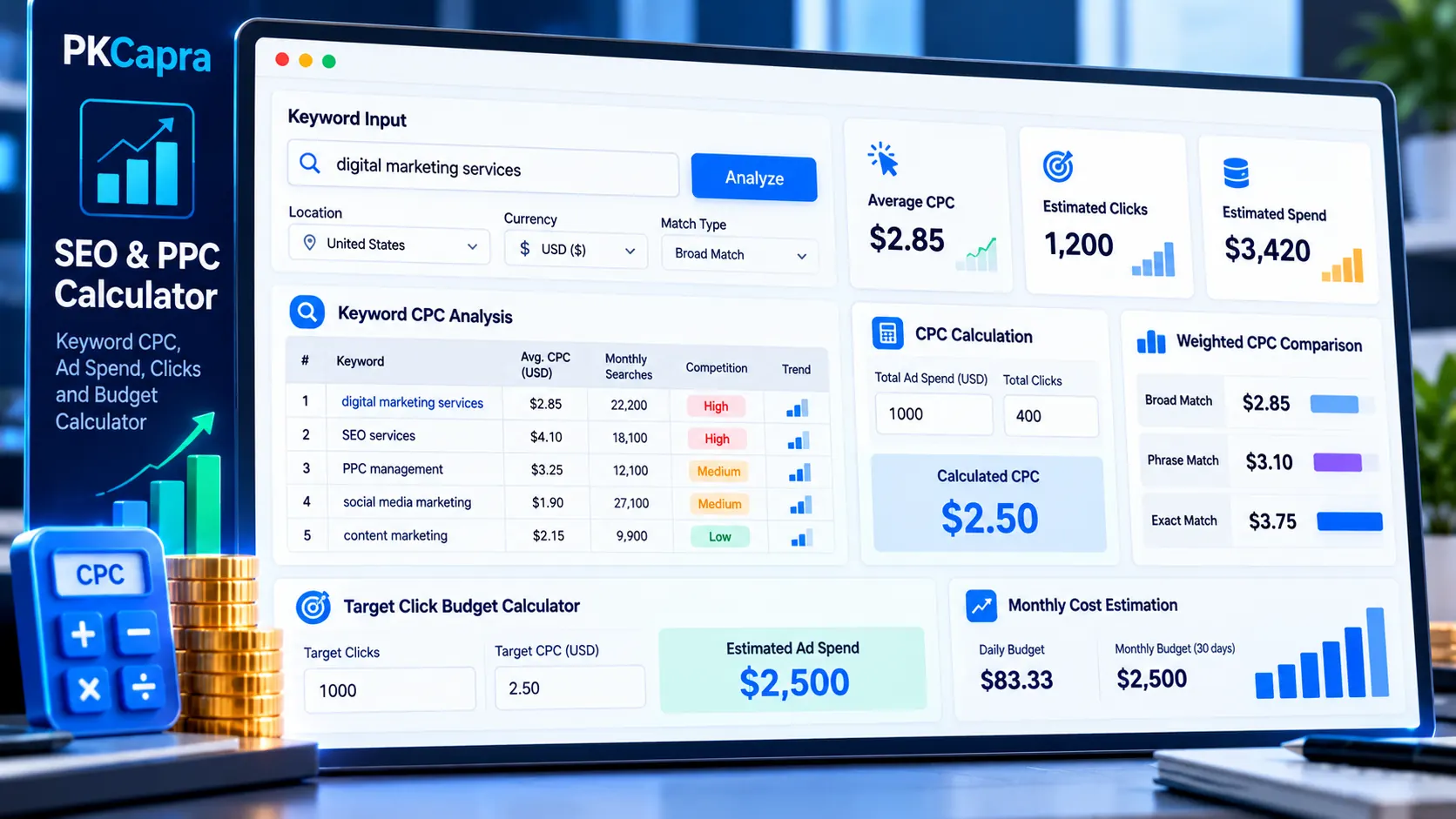
Calculate CPC From Your Advertising Data
A CPC calculator helps you determine how much you are paying for each advertising click. Enter your total ad spend and clicks to calculate actual CPC, or compare multiple keyword CPC values to find average, weighted, lowest, and highest CPC.
This calculator works entirely in your browser. It does not fetch live CPC data from Google Ads or another advertising API, so the numbers you enter remain under your control.
Keyword CPC Calculator
Calculate actual cost per click, compare keyword CPC values, estimate click budgets, and get weighted CPC results with precise local calculations. No sign-in, account, API, or data upload required.
1. Calculate CPC from real campaign data
2. Compare keyword CPC values
| Keyword | CPC | Clicks | Estimated cost |
|---|
Part 1 — Main Page Content
Calculate CPC From Your Advertising Data
A CPC calculator helps you determine how much you are paying for each advertising click. Enter your total ad spend and clicks to calculate actual CPC, or compare multiple keyword CPC values to find average, weighted, lowest, and highest CPC.
This calculator works entirely in your browser. It does not fetch live CPC data from Google Ads or another advertising API, so the numbers you enter remain under your control.
What Is CPC?
CPC stands for cost per click. In paid advertising, it describes the cost associated with getting a click on an advertisement.
For actual campaign data, the basic calculation is:
CPC = Total Ad Spend ÷ Total ClicksFor example, if a campaign spent $250 and generated 400 clicks:
$250 ÷ 400 = $0.625 CPCGoogle Ads defines average CPC as total cost divided by the total number of clicks. The actual amount charged for an individual click can vary, so an average CPC summarizes the cost across the clicks in the selected period. Google Help
What This Keyword CPC Calculator Does
The tool has two separate calculation workflows.
Calculate CPC From Real Campaign Data
Use this section when you already know the actual spend and click totals from a campaign.
Enter:
- Keyword, if you want to label the result
- Total ad spend
- Total clicks
- Target clicks
The calculator then determines:
- Actual average CPC from your supplied campaign totals
- Estimated cost for your target number of clicks
- The underlying calculation used for the result
Compare Keyword CPC Values
Use this section when you have CPC data for several keywords.
You can enter one keyword per line using:
keyword, CPCor include click volume:
keyword, CPC, clicksFor example:
running shoes, 2.40, 120
trail running shoes, 3.10, 80
running shoes for women, 1.85, 150
running shoes near me, 4.20, 50
The calculator can then compare the supplied CPC values and calculate weighted CPC using the supplied click volumes.
How to Calculate CPC
Step 1: Enter Your Campaign Spend
Enter the total amount spent during the period you want to analyze.
For example:
250Step 2: Enter Total Clicks
Enter the number of clicks associated with that spend.
For example:
400Step 3: Calculate
The calculator divides spend by clicks:
250 ÷ 400 = 0.625Your resulting CPC is therefore:
$0.625If your clicks are zero, CPC cannot be calculated because division by zero is undefined.
Actual CPC vs Maximum CPC
These terms should not be confused.
Actual CPC is the amount ultimately charged for a click.
Maximum CPC is a bid limit or bid amount representing what you are willing to pay under the relevant bidding setup.
Google explains that actual CPC can be lower than the maximum CPC because the auction determines the amount required for the ad to compete and show. Google Help
That means a CPC calculator based on campaign spend is calculating from observed cost and clicks, not predicting what Google will charge for a future auction.
Average CPC vs Weighted CPC
When comparing multiple keywords, the method used to calculate the average matters.
Simple Average CPC
A simple average gives every keyword the same weight.
For four CPC values:
$2.40
$3.10
$1.85
$4.20
the calculation is:
($2.40 + $3.10 + $1.85 + $4.20) ÷ 4
= $2.8875
Rounded to three decimal places:
$2.888This tells you the average of the supplied keyword CPC values, but it does not account for how many clicks each keyword generated.
Weighted CPC
Weighted CPC accounts for click volume.
The calculation is:
Weighted CPC =
Sum of (CPC × Clicks)
÷
Total Clicks
Using the example data:
| Keyword | CPC | Clicks |
|---|---|---|
| running shoes | $2.40 | 120 |
| trail running shoes | $3.10 | 80 |
| running shoes for women | $1.85 | 150 |
| running shoes near me | $4.20 | 50 |
The weighted calculation is:
($2.40 × 120) +
($3.10 × 80) +
($1.85 × 150) +
($4.20 × 50)
which produces:
$1,023.50Dividing by the 400 supplied clicks:
$1,023.50 ÷ 400 = $2.55875So the weighted CPC is approximately:
$2.559Weighted CPC can be more representative when keyword click volumes differ substantially.
When Should You Use Weighted CPC?
Weighted CPC is particularly useful when comparing keywords that have very different click volumes.
Consider two keywords:
Keyword A: $1 CPC, 10 clicks
Keyword B: $5 CPC, 1,000 clicks
A simple average would be:
($1 + $5) ÷ 2 = $3But that does not reflect the fact that most of the clicks came from the $5 CPC keyword.
A weighted calculation accounts for the actual click distribution and therefore gives a different picture of the cost represented by the supplied data.
The important point is that weighted CPC is meaningful only when the click volumes are relevant to the same analysis period or dataset.
Estimate the Cost of Your Target Clicks
The calculator can estimate the cost of a target number of clicks using the calculated CPC.
For actual campaign data:
Estimated Cost = Actual CPC × Target ClicksFor keyword comparison data:
Estimated Cost = Weighted CPC × Target ClicksFor example, if your weighted CPC is $2.55875 and your target is 1,000 clicks:
$2.55875 × 1,000 = $2,558.75This is a mathematical estimate based on the CPC data you supplied. It is not a Google Ads forecast or guarantee.
Future advertising costs can change because auctions, competition, bids, targeting, ad quality, user behavior, budgets, and other campaign conditions can change. Google also notes that keyword and campaign forecasts depend on factors such as bid, budget, seasonality, location targeting, ad quality, and user behavior. Google Help
How to Compare Keyword CPC Values
For a keyword comparison, prepare your data before pasting it into the calculator.
Option 1: CPC Only
Use:
keyword, CPCExample:
web design, 4.20
web development, 5.10
website design agency, 6.30
This lets the calculator compare CPC values without click-volume weighting.
Option 2: CPC Plus Clicks
Use:
keyword, CPC, clicksExample:
web design, 4.20, 100
web development, 5.10, 50
website design agency, 6.30, 25
This enables weighted CPC and click-based estimated costs.
What the CPC Comparison Results Mean
Average CPC
The simple arithmetic average of the CPC values you supplied.
It answers:
What is the average CPC if every keyword receives equal weight?
Weighted CPC
The CPC weighted according to the click volumes you supplied.
It answers:
What CPC does this keyword set represent when each keyword is weighted by its clicks?
Lowest CPC
The smallest CPC value in your comparison list.
Highest CPC
The largest CPC value in your comparison list.
CPC Spread
The difference between the highest and lowest CPC:
CPC Spread = Highest CPC − Lowest CPCA larger spread means the supplied keywords have a wider range of CPC values.
Total Supplied Clicks
The sum of the click values included in your comparison dataset.
Estimated Cost for Target Clicks
The estimated cost based on the weighted CPC and your target-click value.
Why CPC Can Differ Between Keywords
CPC is not a fixed universal price for a keyword.
Advertising auctions can produce different actual costs depending on competition, ad quality, auction context, targeting, bids, and other factors. Google explains that actual CPC is influenced by auction-time factors including Ad Rank, competition, ad quality, and the context of the search. Google Help
This is why two related keywords can have substantially different CPC values.
For example, commercial searches such as:
buy running shoesmay behave differently from broader informational searches such as:
best running shoesThe intent, competition, audience, landing page, location, device mix, and campaign configuration can all affect the resulting advertising economics.
CPC Is Not the Same as Keyword Value
A low CPC does not automatically mean a keyword is better.
Suppose:
| Keyword | CPC | Conversion Rate |
|---|---|---|
| Keyword A | $1.00 | 1% |
| Keyword B | $4.00 | 8% |
Keyword B costs more per click, but it may generate considerably more conversions.
For PPC analysis, CPC should therefore be considered alongside metrics such as:
- Click-through rate
- Conversion rate
- Cost per conversion
- Conversion value
- Return on ad spend
- Search intent
- Lead quality
- Customer value
A CPC comparison tells you about click cost. It does not tell you the complete profitability of a keyword.
CPC vs CPA
CPC measures the cost associated with clicks.
CPA, or cost per acquisition, measures the cost associated with conversions or acquisitions.
For example:
$500 ad spend
100 clicks
10 conversions
CPC:
$500 ÷ 100 = $5CPA:
$500 ÷ 10 = $50The same campaign can therefore have a $5 CPC and a $50 CPA.
Looking only at CPC would hide what happened after the click.
CPC vs CTR
CTR measures the percentage of impressions that resulted in clicks.
A simplified formula is:
CTR = Clicks ÷ Impressions × 100CPC answers:
How much did the clicks cost?
CTR answers:
How often did people click after seeing the ad?
A campaign can have a strong CTR and still have expensive clicks, or a low CPC and poor CTR. These metrics describe different parts of the advertising funnel.
Use Real Data When You Can
The most useful CPC calculation usually comes from actual campaign data rather than a generic industry number.
If you have campaign spend and clicks, calculate your observed CPC directly.
If you are researching new keywords before launching a campaign, use a current keyword research or advertising platform to obtain the CPC or bid information you want to compare, then enter those values into this calculator.
Google Keyword Planner provides keyword ideas and estimates related to searches and advertising costs, while its forecasts also take factors such as bids, budgets, seasonality, and other campaign conditions into account. Google Help
This Tool Does Not Fetch Live Google Ads CPC
The calculator deliberately does not claim to provide live Google Ads CPC data.
It does not connect to the Google Ads API and does not automatically retrieve current keyword bids.
Instead, you provide the CPC values you want to analyze.
This makes the tool useful for:
- Campaign exports
- Keyword research datasets
- Agency reports
- Spreadsheet analysis
- Historical campaign data
- Manual PPC planning
- Comparing keyword groups
- Quick budget calculations
The advantage is that the calculation itself is immediate and local, without requiring an account or sending your dataset to a third-party CPC service.
Currency and CPC Calculation
You can select the currency used for displaying the calculator results.
The calculator does not perform foreign-exchange conversion.
For example, entering:
100 USDdoes not automatically convert the amount into AED, EUR, GBP, or another currency.
The currency selection controls how the result is displayed. Your spend and CPC inputs should therefore be expressed in the same currency.
Common CPC Calculation Mistakes
Dividing Spend by Impressions
CPC is based on clicks, not impressions.
Incorrect:
Spend ÷ ImpressionsCorrect:
Spend ÷ ClicksConfusing CPC With CPM
CPC is cost per click.
CPM is cost per 1,000 impressions.
They answer different questions and should not be substituted for one another.
Averaging Already-Averaged CPC Values
If you have CPC values from different datasets with different click volumes, a simple average can be misleading.
When reliable click volumes are available, a weighted calculation can provide a more representative combined CPC.
Mixing Different Time Periods
Avoid comparing one keyword’s CPC from one month with another keyword’s CPC from a completely different period unless that difference is intentional.
Auction conditions can change over time.
Mixing Different Currencies
Do not combine CPC values in USD, AED, GBP, and EUR as though they were directly comparable.
Convert them to a common currency first if a cross-currency comparison is required.
Treating Estimated Cost as a Guarantee
A target-click calculation is mathematical:
CPC × Target ClicksIt is not a promise that an advertising platform will deliver that number of clicks for that exact amount.
A Practical PPC CPC Workflow
For a clean keyword-cost analysis:
Collect data → Clean the dataset → Check currency → Calculate CPC → Compare keywords → Weight by clicks when appropriate → Estimate target cost → Evaluate conversions
1. Collect Your Data
Export or record the CPC and click information you want to analyze.
2. Clean the Dataset
Remove:
- Duplicate keywords
- Blank rows
- Invalid CPC values
- Invalid click values
- Data from unrelated campaigns
- Mixed currencies
- Unrelated date ranges
3. Calculate Actual Campaign CPC
If you have total spend and total clicks, calculate the observed campaign CPC first.
4. Compare Individual Keywords
Use the comparison section to identify low, high, average, and weighted CPC values.
5. Use Weighted CPC When Click Volumes Matter
If keywords have different click volumes, weighted CPC is usually more informative than a simple average for understanding the combined cost represented by those clicks.
6. Estimate Target Click Costs
Use the relevant CPC and target-click number to calculate a mathematical budget estimate.
7. Evaluate Business Outcomes
Do not stop at CPC. Compare the cost data with conversions, revenue, lead quality, and other business outcomes.
Privacy and Browser Processing
The Keyword CPC Calculator performs its calculations locally in your browser.
It does not require:
- Sign-in
- An account
- A Google Ads API connection
- A third-party CPC API
- Uploading your keyword dataset
Because the tool does not retrieve live CPC data, the accuracy of the comparison depends on the data you provide.
The calculator is responsible for performing the mathematical calculations; it does not independently verify whether an entered CPC came from Google Ads, Keyword Planner, another advertising platform, or a manual source.
Frequently Asked Questions
What is a CPC calculator?
A CPC calculator determines cost per click from advertising cost and click data. The basic formula is total spend divided by total clicks.
How do I calculate CPC?
Use:
CPC = Total Ad Spend ÷ Total ClicksFor example, $250 spent across 400 clicks produces a CPC of $0.625.
What is average CPC?
Average CPC represents the average amount paid for clicks. Google Ads calculates average CPC by dividing the total cost of clicks by the total number of clicks. Google Help
What is weighted CPC?
Weighted CPC accounts for different click volumes among keywords. It is calculated by dividing the sum of each keyword’s CPC multiplied by its clicks by the total supplied clicks.
Why is weighted CPC different from average CPC?
A simple average gives every keyword equal weight. Weighted CPC gives more influence to keywords that generated more clicks.
Can I calculate CPC for multiple keywords?
Yes. Enter one keyword per line with its CPC, optionally followed by its click volume.
Does this tool provide live Google Ads CPC?
No. It does not connect to Google Ads or another external CPC API. You provide the CPC data, and the calculator performs the analysis locally.
Does CPC tell me which keyword is most profitable?
No. CPC only describes click cost. Profitability also depends on conversion rate, conversion value, lead quality, customer value, and other business metrics.
What if a keyword has zero clicks?
An actual CPC cannot be calculated from spend divided by zero clicks. The tool requires a positive click count for the campaign CPC calculation.
Can I use CPC data from Keyword Planner?
Yes. You can enter CPC or bid-related data from your keyword research workflow into the calculator, as long as you understand what the source metric represents. Google Keyword Planner provides estimates and forecasts rather than guaranteeing the future amount you will pay. Google Help
Does a high CPC mean a keyword is bad?
No. A higher CPC can be acceptable when the keyword generates valuable clicks and conversions. CPC should be evaluated alongside business outcomes.
Can I use this calculator for PPC budgeting?
Yes, as a mathematical planning tool. Enter an observed or supplied CPC and multiply it by your target number of clicks. Treat the result as an estimate rather than a guaranteed advertising budget.
Continue Your Keyword and PPC Research
CPC analysis becomes more useful when combined with organized keyword research.
Use Keyword Clustering to organize related keywords into meaningful groups, or use Keyword Grouping when you need to structure a larger keyword dataset.
For broader technical and search-marketing workflows, explore the SEO & Website Tools collection.
The important distinction is simple: CPC tells you what clicks cost; your conversion and revenue data tell you whether those clicks were worth buying.