
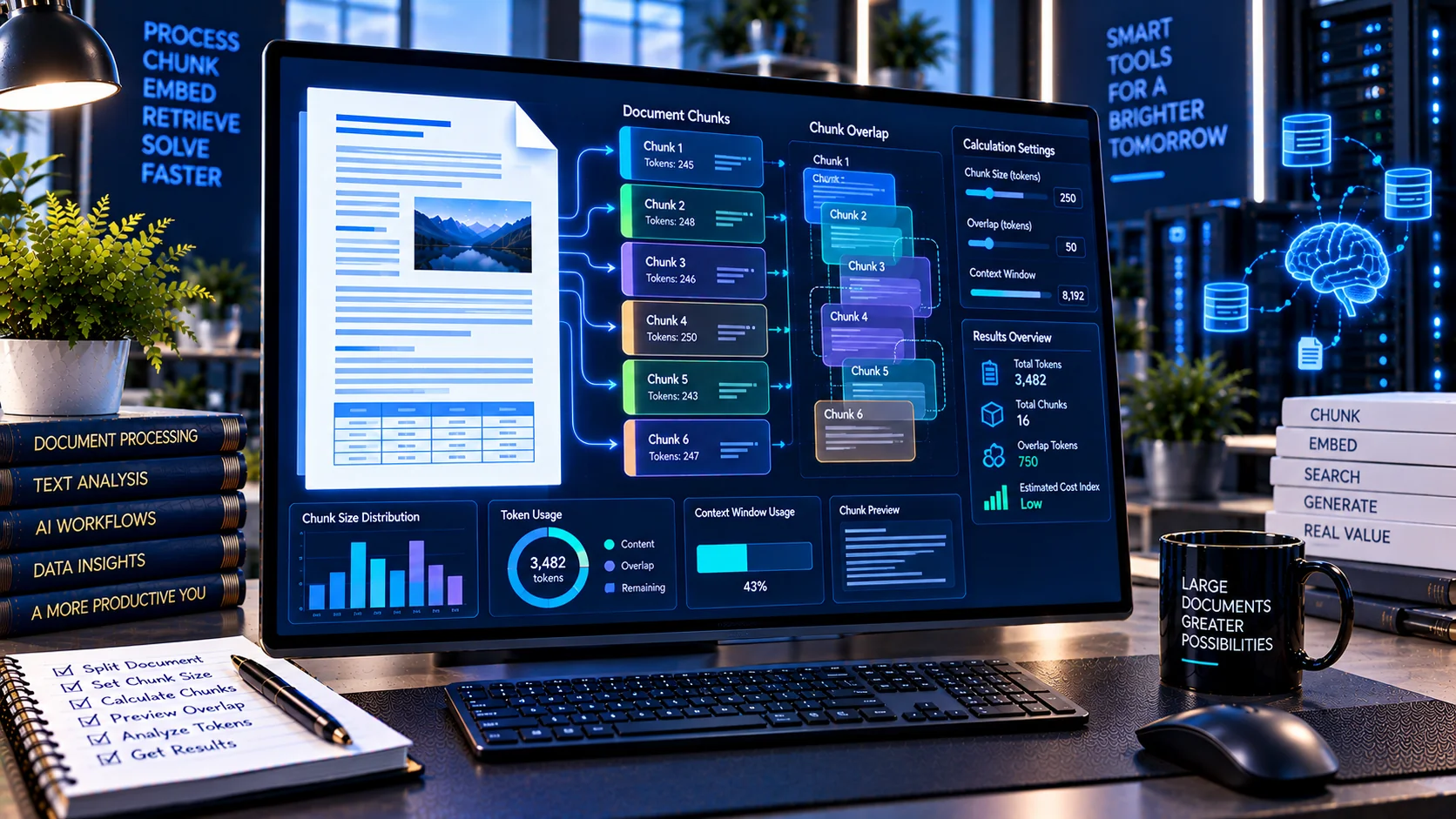
Document Chunking Calculator helps you estimate how many chunks a document may produce and how much token capacity those chunks could require before you prepare content for RAG, embeddings, retrieval, or other AI workflows. Enter your document size, choose a chunk size and overlap, and adjust the token and context-window settings to get a practical estimate of chunk counts, token usage, overlap overhead, and available context budget.
What Is a Document Chunking Calculator?
A Document Chunking Calculator is a planning tool for estimating how a document may be divided into smaller pieces for AI processing. Chunking is commonly used when preparing documents for retrieval-augmented generation (RAG), vector search, embeddings, and other knowledge-base workflows.
Instead of manually estimating how many chunks a document will produce, you can enter the approximate document size and selected chunk settings to calculate the expected workload.
This can help you plan document-processing pipelines before actually splitting and indexing your content.
How Document Chunking Affects AI Workflows
Large documents are often divided into smaller chunks because retrieval systems typically work with individual passages rather than an entire document at once.
Your chunk settings can affect:
- Estimated number of chunks
- Tokens processed per chunk
- Total token usage
- Overlap between adjacent chunks
- Context-window requirements
- Storage and indexing volume
- Retrieval granularity
A smaller chunk size may create more chunks, while a larger chunk size may reduce the number of chunks but produce larger retrieval units.
The right configuration depends on the document structure, retrieval system, embedding model, context limits, and application requirements.
Calculate Estimated Chunk Count
Enter the approximate number of words in your document and specify the desired chunk size.
The calculator estimates how many chunks may be generated from that document.
For example, a document containing thousands of words can produce substantially different chunk counts depending on whether you use small, medium, or large chunks.
The calculation is an estimate rather than an exact prediction of a specific RAG framework’s output because different systems may split text using different tokenization and boundary rules.
Choose a Chunk Size
Chunk size determines approximately how much content each chunk should contain.
A smaller chunk size can provide more granular retrieval units, while a larger chunk size can preserve more surrounding context inside each chunk.
The calculator lets you change the chunk size so you can compare how different configurations affect estimated chunk counts and token requirements.
Account for Chunk Overlap
Chunk overlap represents content repeated between neighboring chunks.
Overlap can help preserve context across chunk boundaries, but it also increases the amount of text that may be processed and stored.
For example, if adjacent chunks share part of their content, the same words can contribute to multiple chunks. The calculator estimates this overlap overhead so you can understand its effect on the overall processing requirement.
Estimate Tokens per Chunk
The calculator includes an estimated tokens-per-word setting so you can convert approximate document words and chunk sizes into token estimates.
Token counts vary depending on the language, tokenizer, punctuation, formatting, and model. Therefore, these values should be treated as planning estimates rather than exact tokenizer output.
For exact tokenization requirements, verify the final content using the tokenizer associated with your target model or processing system.
Estimate Total Token Usage
The calculator can estimate the total tokens represented by the document after accounting for the selected chunk configuration.
This is useful when planning:
- RAG ingestion
- Embedding workloads
- AI document pipelines
- Knowledge-base preparation
- Context-window usage
- Batch processing
- Cost estimates
The estimated total can also help reveal how much additional processing overhead is introduced by chunk overlap.
Calculate Context-Window Requirements
AI systems have context limits that determine how much input can be processed within a single request.
The calculator lets you specify a context-window size and reserve tokens for output. It can then estimate the usable input-token budget remaining for your content.
This provides a practical way to compare your estimated chunk size with the available context capacity.
A chunk that fits within one model’s context window may not fit within another model’s limits, so context-window assumptions should always match the system you actually plan to use.
Estimate Chunks per Context Window
The tool can also estimate how many selected chunks may fit within the available input-token budget.
This can be useful when designing retrieval workflows where multiple retrieved chunks are combined before being sent to an AI model.
For example, if your application retrieves several passages for one question, understanding the approximate token budget can help prevent retrieved content from consuming the entire available context.
Understand Overlap Overhead
Overlap is useful for preserving information around chunk boundaries, but it can increase processing requirements.
The calculator provides an estimate of overlap overhead so you can compare configurations such as:
- Smaller chunks with low overlap
- Smaller chunks with higher overlap
- Larger chunks with low overlap
- Larger chunks with higher overlap
There is no universal chunk-size setting that works for every document or retrieval system. The best configuration depends on the content and the way retrieved information will be used.
Compare Chunking Configurations
A useful workflow is to calculate several configurations before selecting one for a production pipeline.
For example, you can compare:
Configuration A: smaller chunks with limited overlap
Configuration B: medium-sized chunks with moderate overlap
Configuration C: larger chunks with limited overlap
Comparing the estimated chunk count and token requirements can make the trade-offs easier to understand before processing a large document collection.
For a more detailed view of actual chunk boundaries, use the RAG Chunking Analyzer to preview different chunking strategies.
Use It for RAG Planning
RAG systems commonly retrieve relevant document passages and provide them to an AI model as context.
Before indexing a large document collection, it can be useful to estimate:
- How many chunks the collection may generate
- How much text each chunk contains
- How much overlap is introduced
- How many tokens may be processed
- How many retrieved chunks may fit into a context window
The calculator provides a planning layer before you perform the actual chunking and indexing.
For broader document preparation, PKCapra’s RAG Document Readiness Checker can be used to review document structure and retrieval-related characteristics.
Use It Before Building a Knowledge Base
If you are preparing manuals, documentation, policies, research material, FAQs, or other large text collections for a knowledge base, estimating chunk requirements can help with capacity planning.
You can estimate the approximate number of chunks before committing to an indexing workflow.
This can be particularly useful when processing a large collection of documents rather than a single file.
Document Size and Token Estimates Are Not Exact
The calculator provides estimates based on the values you enter.
Actual token counts can differ because tokenization is not simply a fixed number of tokens per word. Languages, punctuation, numbers, code, symbols, and formatting can all affect tokenization.
Similarly, actual chunk counts depend on the chunking algorithm and document boundaries used by your RAG or indexing system.
Use the results as planning estimates rather than billing, capacity, or production guarantees.
Browser-Based and Private
The Document Chunking Calculator is designed to perform its calculations in your browser.
Your document content does not need to be sent to an external AI service simply to perform the calculation. This makes the tool suitable for planning workflows where you want to estimate chunking requirements without submitting document content to an AI API.
Always review your own organization’s privacy and data-handling requirements before processing sensitive material.
A Practical RAG Preparation Workflow
A useful document-preparation workflow can look like this:
- Review the source document structure.
- Remove unnecessary or duplicated content.
- Check whether the document is suitable for AI processing.
- Estimate chunk size and token requirements.
- Compare different chunking configurations.
- Choose an appropriate overlap strategy.
- Perform the actual chunking using your selected RAG pipeline.
- Test retrieval quality using representative queries.
- Adjust chunk settings based on observed results.
PKCapra’s Document Structure Analyzer for AI can help inspect document organization before chunking, while the PDF Text Extractor can help extract text from suitable PDF workflows before further preparation.
Frequently Asked Questions
What does a Document Chunking Calculator do?
It estimates chunk counts, token usage, overlap overhead, and context-window requirements based on document size and the chunk settings you provide.
Why is chunk overlap important?
Overlap repeats some content between neighboring chunks. It can help preserve context across boundaries but may increase the amount of text that must be processed and stored.
Does the calculator produce exact token counts?
No. Token values are estimates based on the settings you provide. Exact tokenization depends on the tokenizer used by your target model or system.
Can I use it for RAG?
Yes. It is designed for planning document chunking and token requirements for workflows such as RAG, embeddings, retrieval, and AI knowledge bases.
What chunk size should I use?
There is no single chunk size that is appropriate for every document. Compare different configurations and consider document structure, retrieval requirements, model context limits, and the behavior of your target RAG system.
Does a larger chunk size always work better?
No. Larger chunks can preserve more context but may reduce retrieval granularity and increase the amount of irrelevant material returned with a relevant passage. Smaller chunks can provide more focused retrieval but may lose surrounding context.
Does overlap increase token usage?
Yes. Repeated content between neighboring chunks can increase the total amount of text represented across the chunk set.
Can the calculator process my private document?
The calculator is intended for browser-side estimation based on the information you enter. For sensitive documents, avoid submitting confidential content to any third-party service unless its data-handling requirements are acceptable to you.
Related AI Document Tools
For a broader AI document workflow, you can also explore PKCapra’s PDF & Document Tools for document-processing utilities.
Use the Document Chunking Calculator when you need to estimate the scale of a chunking workflow, and use more specialized analysis tools when you need to inspect the actual structure or chunk boundaries of your content.