
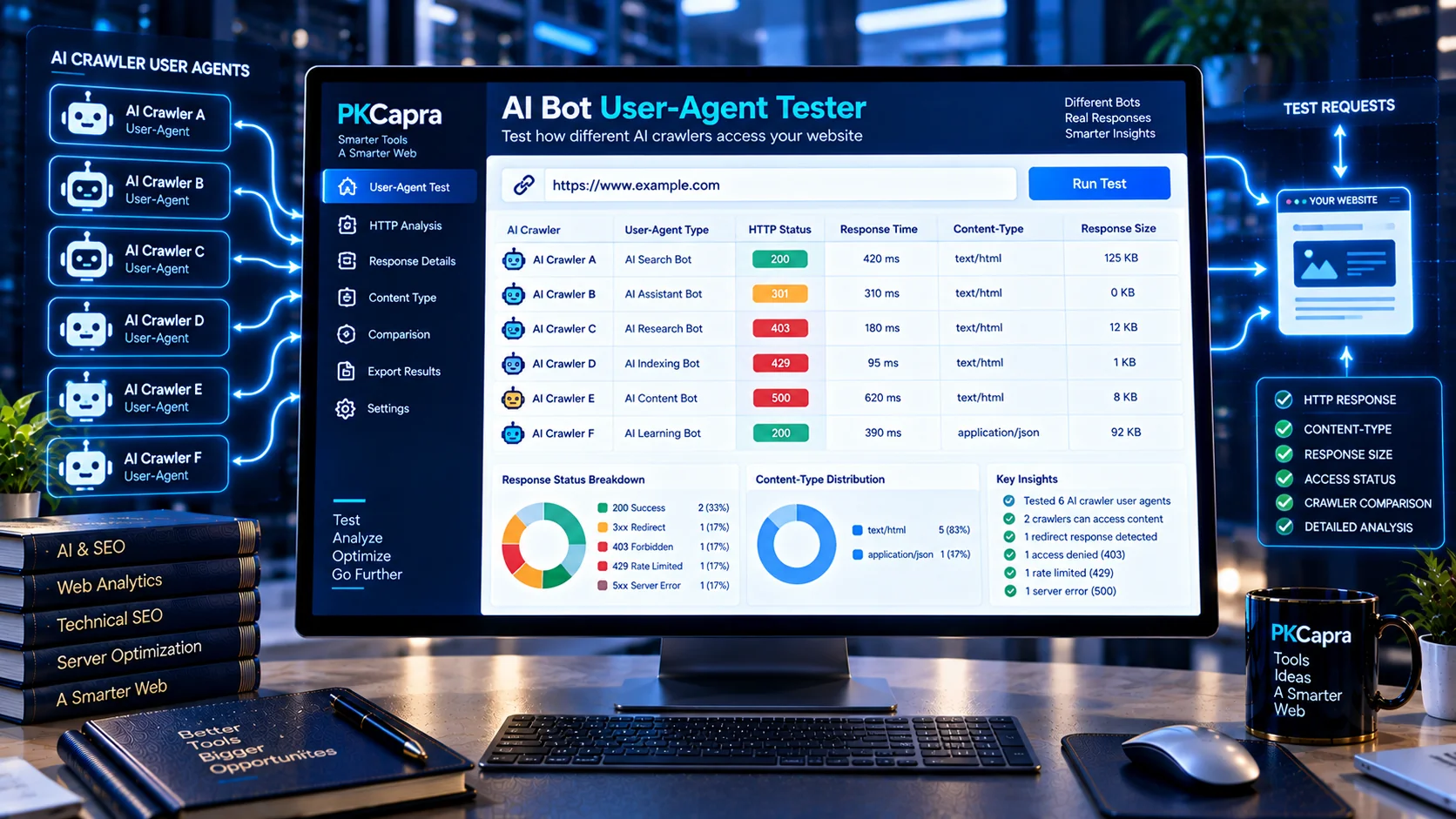
Test How Different AI User-Agents Access Your Website
Different automated systems can send different user-agent strings when requesting web pages. Testing your website with multiple AI-related user agents can help identify differences in HTTP responses, access behavior, content types, redirects, and server responses.
The AI Bot User-Agent Tester by PKCapra lets you test a public URL against a configurable collection of AI-related user agents and compare the returned HTTP results in one report.
Instead of manually changing user-agent values and repeating requests, you can run multiple tests from one interface and review the results side by side.
AI Bot User-Agent Tester
Test a public URL with selected AI crawler user agents and compare HTTP responses.
Only public URLs should be tested. Private, local, loopback, reserved-network and authenticated destinations are rejected.
What the AI Bot User-Agent Tester Checks
AI User-Agent Testing
The tool can test your selected URL using recognized AI-related user-agent profiles, including:
- GPTBot
- OAI-SearchBot
- ClaudeBot
- Claude-SearchBot
- PerplexityBot
- Google-Extended
- Amazonbot
- Bytespider
- Applebot-Extended
- Meta-ExternalAgent
This provides a practical way to compare how your server responds to different crawler identities.
Custom User-Agent Testing
The tool also supports a custom user-agent value.
This can be useful when you want to test a specific crawler identifier, internal testing string, or another automated client representation.
Custom user-agent testing should be used responsibly and only against websites and infrastructure you are authorized to test.
HTTP Status Codes
For each test request, the analyzer reports the returned HTTP status.
Common results include:
- 200 — successful response
- 3xx — redirect response
- 4xx — client or access-related response
- 5xx — server-side error
Comparing status codes across user agents can reveal differences in server behavior.
Content Type
The tool checks the returned content type for each request.
This helps determine whether the tested URL is returning the expected type of web resource.
Response Size
The analyzer reports the response size returned during each test.
Significant differences between user-agent requests can sometimes provide useful clues when investigating server configuration, caching, security controls, or application behavior.
Redirect Behavior
Redirect responses are included in the diagnostic results.
This helps you identify whether different user-agent tests encounter redirects rather than directly receiving the requested resource.
Comparative Results
The tester presents the results for the selected user agents together so you can compare their responses.
This makes it easier to spot patterns such as:
- One crawler receiving 200 while another receives 403
- Different redirect behavior
- Different content types
- Server errors for particular user agents
- Unexpected response differences
Why Test AI User-Agents?
A website can respond differently depending on the requesting user agent.
Security systems, WAF rules, bot-management tools, server configuration, caching layers, or application logic may treat automated requests differently.
Testing several AI-related user agents can therefore help identify response differences that would not be visible from a normal browser request alone.
The tool provides a technical comparison so you can investigate those differences within your own infrastructure.
How to Use the AI Bot User-Agent Tester
Step 1: Enter a Public URL
Enter the public webpage URL you want to test.
The URL should be accessible without authentication.
Step 2: Select User-Agents
Choose one or more AI-related user agents from the available options.
You can also provide a custom user-agent when required.
Step 3: Start the Test
Run the analysis.
PKCapra sends the selected HTTP requests and records the relevant response information.
Step 4: Compare the Results
Review each user-agent result for:
- HTTP status
- Response type
- Response size
- Redirect behavior
- Errors
- Access differences
Step 5: Investigate Unexpected Differences
If one user agent receives a different response from another, investigate your server, CDN, WAF, security, caching, or application configuration to determine why.
Understanding the Test Results
A successful 200 response indicates that the tested request received a successful HTTP response.
A 403 response can indicate that access was denied.
A 404 response indicates that the requested resource was not found.
A 429 response can indicate rate limiting.
A 5xx response indicates a server-side error.
A redirect does not necessarily represent a problem. Websites commonly redirect HTTP requests, outdated URLs, canonical variants, or other URL forms.
The results should therefore be interpreted in the context of your website’s intended configuration.
AI User-Agent Testing vs. Robots.txt Analysis
The AI Bot User-Agent Tester focuses on the HTTP response received when a URL is requested with a particular user-agent.
Robots.txt provides a different type of crawler-access signal.
For dedicated robots.txt analysis, use the Robots.txt Analyzer.
For crawler-specific robots and HTTP testing, the AI Crawler Checker provides a more focused diagnostic.
Together, these tools can help distinguish declared crawler policies from observed HTTP behavior.
AI User-Agent Testing and Server Security
A different response for an AI-related user agent does not automatically mean that your server is incorrectly configured.
Security systems may intentionally apply different controls to automated traffic.
Potential causes of different responses include:
- Web application firewalls
- Bot-management systems
- Rate limits
- Security plugins
- CDN rules
- Server configuration
- Application-level logic
- Authentication requirements
- Caching behavior
Investigate the underlying configuration before changing crawler policies.
AI Bot User-Agent Testing and AI Search
Testing crawler user agents can be one component of broader AI search infrastructure diagnostics.
The AI Search Readiness Analyzer can review broader AI search readiness signals.
The AI Crawler vs Robots/Sitemap Alignment Checker can compare crawler access with robots.txt, sitemap, canonical, and indexability signals.
The AI Bot Traffic Analyzer can analyze historical server-log data to identify recognized AI crawler activity.
Important Limitations
The tester evaluates the HTTP responses available from the public URL at the time of testing.
A user-agent string does not prove the identity of the underlying client. User-agent values can be spoofed.
The test also does not guarantee that a particular AI platform will crawl, index, retrieve, cite, or use the tested page.
A successful HTTP response is therefore only one technical signal among many.
Privacy and Processing
The tool is designed to test publicly accessible URLs.
No website credentials are required.
Do not submit private, internal, authenticated, or confidential URLs.
Only test websites and resources that you are authorized to access and evaluate.
Frequently Asked Questions
What is an AI Bot User-Agent Tester?
An AI Bot User-Agent Tester sends HTTP requests to a public URL using different AI-related user-agent strings and compares the resulting responses.
Which AI user agents can I test?
The tool includes several recognized AI-related user agents, including GPTBot, OAI-SearchBot, ClaudeBot, Claude-SearchBot, PerplexityBot, Google-Extended, Amazonbot, Bytespider, Applebot-Extended, and Meta-ExternalAgent.
Can I enter a custom user agent?
Yes. The tester supports custom user-agent testing in addition to the predefined profiles.
What HTTP information does the tool show?
The report can show the HTTP status, content type, response size, redirect behavior, and relevant test findings.
Why might two AI user agents receive different responses?
Server security rules, WAF configuration, bot-management systems, rate limiting, caching, application logic, or other infrastructure settings can produce different responses.
Does a 403 response mean the AI crawler is permanently blocked?
Not necessarily. A 403 response only describes the response received during the test. The underlying reason should be investigated in the site’s server or security configuration.
Does this tool replace robots.txt testing?
No. HTTP user-agent testing and robots.txt analysis examine different technical signals.
Does the tool verify that a user agent belongs to a real AI company?
No. User-agent strings can be spoofed, so the test should not be treated as proof of client identity.
Can I test my own website?
Yes. Testing your own public website is an appropriate use case. Only test third-party resources when you have authorization to do so.
Does a successful response guarantee AI visibility?
No. HTTP accessibility alone does not guarantee AI crawling, indexing, retrieval, citation, or visibility.
Continue Your AI Crawler Diagnostics
Use the AI Crawler Checker for crawler-specific robots and HTTP behavior checks.
Use the AI Bot Traffic Analyzer to analyze historical AI crawler activity from server access logs.
Use the AI Crawler vs Robots/Sitemap Alignment Checker to review crawler, robots.txt, sitemap, canonical, and indexability alignment.