
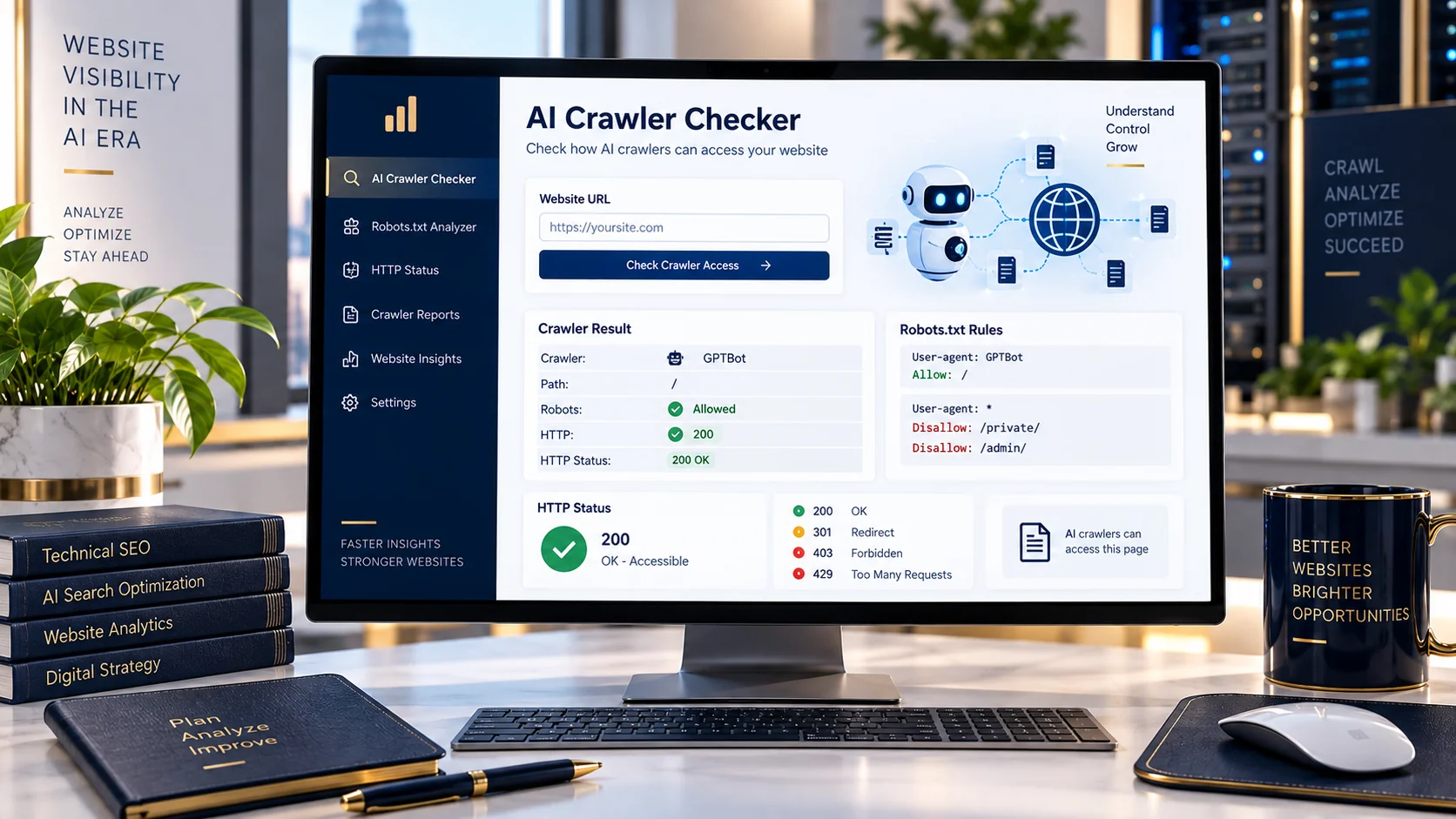
Test a specific AI crawler against your website and see how robots.txt rules and observed HTTP behavior affect access to a selected URL path.
AI Crawler Checker
Check one known AI crawler against a specific website path using its robots.txt rules and observed HTTP behavior.
Check AI Crawler Access to Your Website
AI crawlers can interact with websites differently depending on robots.txt directives, server responses, rate limiting and other network controls.
The PKCapra AI Crawler Checker lets you select a known AI crawler, enter a website URL and test a specific path such as /, /blog/ or another publicly accessible URL path.
The tool reports the robots.txt policy it can identify and, where supported, an observed HTTP response from the requested website.
What Does the AI Crawler Checker Test?
H3: Robots.txt Rules
The checker retrieves the website’s robots.txt file and determines which rules apply to the selected AI crawler.
H3: Specific URL Paths
You can test the homepage or a particular path instead of checking only the domain generally.
For example:
//blog//about-us//products/example/
H3: Observed HTTP Response
For supported crawler user agents, the tool makes an HTTP request and reports the observed response status separately from the robots.txt result.
This distinction is important because a crawler can be permitted by robots.txt while the server still returns a response such as 403 or 429.
H3: Known AI Crawlers
The checker supports selected AI crawler user agents including:
- OAI-SearchBot
- GPTBot
- Claude-SearchBot
- ClaudeBot
- PerplexityBot
- Google-Extended
How to Use the AI Crawler Checker
1. Enter Your Website URL
Enter the public website URL you want to test.
2. Select an AI Crawler
Choose the specific crawler you want to investigate.
3. Enter the Path
Use / for the homepage or enter another path you want to test.
4. Run the Check
Click Check Crawler.
5. Review the Results
Review the applicable robots.txt rule, observed HTTP status where available, and the robots.txt information returned by the website.
Important Interpretation
Robots.txt Access vs HTTP Access
These are two different signals.
A robots.txt result indicates what the site’s published crawler rules say about the selected path.
An HTTP result shows what happened when PKCapra attempted an HTTP request using the selected crawler user-agent.
For example:
Robots: Allowed
HTTP: 429
This does not mean the robots.txt rule is blocking the crawler. It means the robots policy permits the path while the observed HTTP request received a rate-limit response.
This distinction should be clearly explained on the page because it is one of the main practical purposes of A2.
Key Features
AI Crawler Checker Features
- Specific AI crawler selection
- Website URL testing
- Custom path testing
- robots.txt retrieval
- Crawler-specific robots rule evaluation
- Wildcard robots rule handling
- Allow/Disallow rule comparison
- Observed HTTP status reporting
- Robots.txt excerpt
- Robots.txt response details
- Separate robots and HTTP results
- Public URL validation
- Rate-limited requests
- No account required for the basic tool
Privacy / Processing Note
Privacy and Processing
The checker works with the public website URL you provide and retrieves publicly accessible website information required for the analysis.
Do not submit private, internal or restricted URLs.
The HTTP result is an observed response from the checking request and should not be treated as proof of the identity or behavior of a real AI crawler.
Limitations
Important Limitations
The tool checks publicly observable robots.txt rules and HTTP behavior from its checking environment.
A user-agent string alone cannot prove that a request originated from the genuine AI crawler operated by a particular company.
Actual crawler behavior can also be affected by:
- CDN rules
- Web Application Firewalls
- rate limiting
- server configuration
- geographic/network differences
- authentication requirements
- temporary server errors
Therefore, the result should be treated as a diagnostic observation, not a guarantee of how a crawler will behave from every network or infrastructure environment.
Related Tools
- AI Crawler Access Analyzer
- AI Crawl Coverage Analyzer
Frequently Asked Questions
What is an AI Crawler Checker?
An AI Crawler Checker is a diagnostic tool that helps you inspect how a selected AI crawler is treated by a website’s robots.txt rules and, where supported, what HTTP response is observed.
What path should I check?
Use / to check the homepage. You can also enter a specific path such as /blog/ or /about-us/.
Does an allowed robots.txt result guarantee that an AI crawler can access the page?
No. Robots.txt rules and HTTP access are separate signals. A site can allow a crawler in robots.txt while its server, CDN or WAF returns an HTTP error or rate-limit response.
Which AI crawlers can I check?
The tool currently supports OAI-SearchBot, GPTBot, Claude-SearchBot, ClaudeBot, PerplexityBot and Google-Extended.
What does an HTTP 429 result mean?
HTTP 429 generally indicates that the server or an intermediary has applied rate limiting to the request. It is reported separately from the robots.txt policy.
Does the tool prove that a request came from the real AI crawler?
No. The checker uses a crawler user-agent for its diagnostic request. A user-agent string alone does not establish the identity of the underlying requester.