
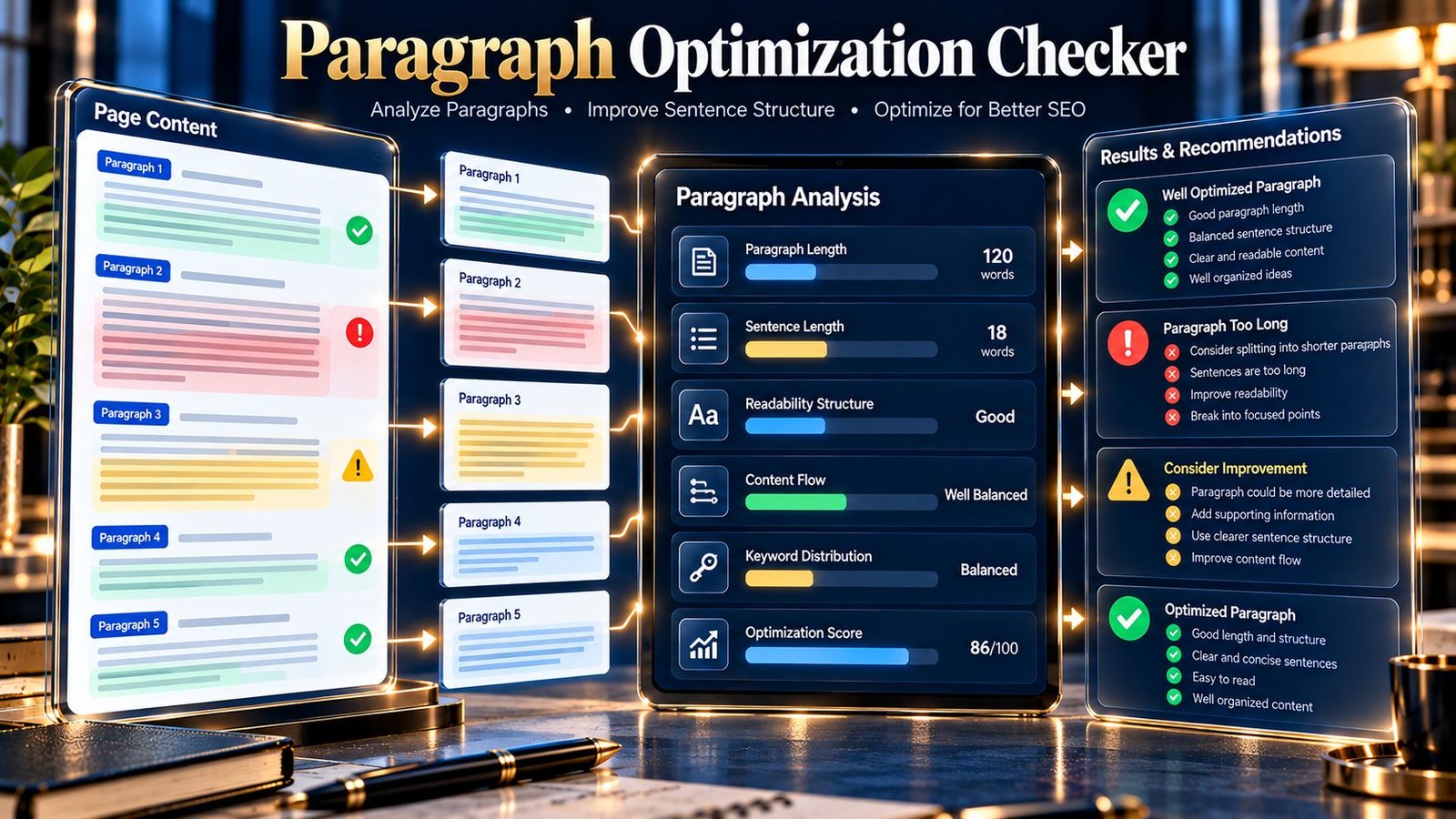
Paragraph Optimization Checker helps you review paragraph-level content structure and readability signals before publishing or revising a webpage. Enter a public URL or paste HTML/text to analyze paragraph length, sentence length, short paragraphs, empty paragraphs, single-sentence paragraphs, paragraph distribution, and other measurable writing signals. The tool provides an optimization score, grade, per-paragraph details, and practical findings to help you identify paragraphs that may need editing.
Paragraph Optimization Checker
Review paragraph length, sentence structure, dense paragraphs, very short blocks, and paragraph-level readability signals in a webpage or pasted content.
| Signal | Result | Meaning |
|---|
| # | Words | Sentences | Long sentences | Status | Suggestion |
|---|
The score is a PKCapra diagnostic heuristic. It is not a Google ranking score and does not determine whether writing is good, accurate, original, or useful.
When a public URL is supplied, the page HTML is fetched by the PKCapra WordPress endpoint for analysis. Pasted content is sent to the same endpoint. Do not submit confidential, personal, or sensitive material.
What Is a Paragraph Optimization Checker?
A Paragraph Optimization Checker examines individual paragraphs and their sentences instead of evaluating an entire page as one block of text.
Paragraphs that are extremely long can contain several ideas that may be easier to understand when separated. Very short fragments can sometimes interrupt the flow of an article. Long sentences can also become harder to process when they contain many clauses or ideas.
PKCapra’s Paragraph Optimization Checker uses deterministic content analysis to identify these signals in the supplied source. The results are intended as an editing aid rather than a universal writing rule or search-engine ranking score.
What the Paragraph Optimization Checker Checks
The tool analyzes several paragraph and sentence-level signals.
| Signal | What it examines |
|---|---|
| Paragraph count | Number of detected paragraph blocks |
| Total word count | Total words across analyzed paragraphs |
| Average paragraph length | Average number of words per paragraph |
| Long paragraphs | Paragraphs exceeding 100 words |
| Short paragraphs | Paragraphs containing fewer than 10 words |
| Empty paragraphs | Empty paragraph elements in supplied HTML |
| Sentence count | Number of detected sentences |
| Average sentence length | Average words per detected sentence |
| Long sentences | Sentences exceeding 25 words |
| Single-sentence paragraphs | Paragraphs containing only one detected sentence |
| Paragraph distribution | How paragraph content is distributed across the source |
| Per-paragraph analysis | Individual paragraph statistics and optimization suggestions |
| Optimization signals | Combined paragraph-level indicators used for the diagnostic score |
The tool does not treat every flagged condition as automatically wrong. Each signal should be interpreted in the context of the content.
How to Use the Tool
Analyze a Public URL
Enter an accessible public webpage URL and run the analysis.
The tool fetches the available page content through the PKCapra WordPress endpoint and analyzes the returned source for paragraph-level signals.
Public URL analysis is subject to the tool’s implemented fetching and security limits.
Analyze Pasted Content
Leave the URL field empty and paste HTML or text into the content field.
This is useful for:
- Draft articles
- Unpublished content
- Existing HTML
- Content being edited before publication
- Individual sections of longer documents
The pasted-content limit is 200,000 characters.
Analyze One Source at a Time
For the clearest results, provide either a public URL or pasted content for each analysis.
Understanding Paragraph Length
The analyzer flags paragraphs containing more than 100 words as long paragraphs.
A long paragraph is not automatically bad. Some subjects require detailed explanations, and some writing styles naturally use longer paragraphs.
The signal is intended to identify places worth reviewing.
For example, a paragraph containing several separate ideas about crawling, indexing, redirects, canonical URLs, and internal links may be easier to read when those ideas are separated.
Example
A dense paragraph might discuss:
- What crawling means
- Why indexing matters
- How redirects work
- Why canonical URLs are used
If these ideas are independent, separating them can make the content easier to scan.
Short Paragraph Detection
The analyzer identifies paragraphs containing fewer than 10 words.
Short paragraphs can be useful for emphasis, transitions, introductions, conclusions, or conversational writing. However, repeated fragments may sometimes indicate that content has been broken into unnecessarily small blocks.
Use the finding as an editing signal rather than automatically expanding every short paragraph.
Empty Paragraph Detection
When HTML contains an empty paragraph element, the analyzer can identify it.
For example, an empty paragraph such as <p></p> does not provide meaningful textual content and may indicate unnecessary markup in the source.
Removing unnecessary empty paragraph elements can make the document structure cleaner.
Sentence Length Analysis
The tool calculates sentence-level statistics and flags sentences containing more than 25 words.
Long sentences are not automatically incorrect. Technical subjects sometimes require complex sentences to express a complete relationship between ideas.
The useful question is whether the sentence remains clear.
When a long sentence contains several independent ideas, splitting it into two or more sentences may improve clarity.
Single-Sentence Paragraphs
The analyzer identifies paragraphs containing a single detected sentence.
A single-sentence paragraph can be perfectly appropriate. It may be used for:
- A concise explanation
- A transition
- An important statement
- A short introduction
- A conclusion
The signal becomes more useful when many paragraphs throughout the page contain only one sentence and the overall content becomes excessively fragmented.
Average Paragraph Length
The tool calculates average words per paragraph.
Average paragraph length gives context to individual long or short paragraphs.
For example, one 120-word paragraph on an otherwise consistently structured page may require a different editorial decision from a page where nearly every paragraph is extremely long.
Review the average together with the individual paragraph results.
Average Sentence Length
Average sentence length provides a broader view of sentence structure.
A high average can indicate that the content frequently uses long sentences, while a lower average may indicate shorter sentence construction.
Neither value is automatically a quality judgment. Subject matter, audience, writing style, and purpose should influence the final editorial decision.
Per-Paragraph Analysis
The results include individual paragraph information so you can identify where an issue occurs instead of receiving only an overall score.
Depending on the supplied source, the analysis can show paragraph-level information such as:
- Paragraph number
- Word count
- Sentence count
- Average sentence length
- Structural signals
- Optimization suggestions
This makes it easier to locate the paragraphs that deserve manual review.
Optimization Score and Grade
The tool produces an overall optimization score out of 100 and assigns a diagnostic grade.
The score combines the implemented paragraph and sentence signals rather than measuring search-engine performance.
The grades are:
| Score | Grade |
|---|---|
| 90–100 | Strong |
| 75–89 | Good |
| 60–74 | Needs Review |
| 0–59 | Limited |
The score should be used as a summary of the detected paragraph-level signals.
Do not rewrite content simply to obtain a higher score if the original writing is clearer and more appropriate for its audience.
What the Findings Mean
The analyzer generates findings based on detected conditions.
For example:
- A long paragraph may be recommended for review.
- Multiple very short paragraphs may indicate fragmented structure.
- Long sentences may deserve simplification.
- Empty paragraphs may indicate unnecessary markup.
- A high concentration of single-sentence paragraphs may deserve editorial review.
These findings are deliberately diagnostic. They do not mean that every flagged paragraph must be changed.
Practical Paragraph Optimization Workflow
A useful workflow is:
- Analyze the page or draft.
- Review total paragraphs and word count.
- Check average paragraph length.
- Review paragraphs exceeding 100 words.
- Review paragraphs containing fewer than 10 words.
- Examine sentences exceeding 25 words.
- Check empty paragraph elements when analyzing HTML.
- Review single-sentence paragraph distribution.
- Open the per-paragraph findings.
- Edit only where the change improves clarity, flow, or scanability.
- Run the analysis again after editing.
- Compare the new findings with the original structure.
Example: Improving a Dense Paragraph
Consider a paragraph that explains several unrelated technical concepts in one block.
Instead of keeping crawling, indexing, redirects, and canonical URLs in one very long paragraph, you can separate the ideas into focused paragraphs.
A clearer structure might be:
- One paragraph explaining crawling.
- One paragraph explaining indexing.
- One paragraph explaining redirects.
- One paragraph explaining canonical URLs.
The purpose is not to make every paragraph short. The purpose is to give each paragraph a clear and manageable idea where that improves comprehension.
Example: When Not to Split a Paragraph
A paragraph may contain 80 or 90 words but still work well if all of the sentences develop the same idea.
Likewise, a paragraph containing only one sentence may be intentional.
The analyzer provides signals; the editor makes the final decision.
Paragraph Optimization and SEO
Paragraph structure can contribute to how easily readers scan and understand content, but paragraph length alone is not a ranking formula.
The Paragraph Optimization Checker does not determine whether Google will rank a page and does not reproduce Google’s internal systems.
For broader on-page analysis, the On-Page SEO Checker can examine additional page-level signals.
For heading-focused analysis, the SEO Heading Analyzer provides a more specialized heading review.
For readability-related analysis, use the SEO Content Readability Analyzer.
For basic content measurement, the Word Count tool can help determine the overall length of written content.
Common Paragraph Problems
Extremely Long Paragraphs
Several ideas may be combined into one large block. Review whether separate paragraphs would improve clarity.
Extremely Short Paragraphs
Repeated short fragments may make an article feel unnecessarily fragmented. Consider combining closely related ideas where appropriate.
Long Sentences
A sentence with many clauses may be difficult to scan. Look for opportunities to separate independent ideas.
Empty Paragraphs
Empty HTML paragraph elements can add unnecessary markup and should be reviewed when they serve no structural purpose.
Excessive Single-Sentence Paragraphs
Single-sentence paragraphs can be useful, but using them throughout an article may create an overly fragmented reading experience.
Related PKCapra Tools
Use the Content Structure Analyzer to examine broader content structure, including headings and other content blocks.
Use the SEO Content Readability Analyzer for readability-related signals.
Use the SEO Heading Analyzer when your primary concern is heading structure and hierarchy.
Use Word Count when you need a focused measurement of content length.
Use the Keyword Density Checker when you need to examine keyword frequency and density.
For broader page-level inspection, use the On-Page SEO Checker.
You can also explore the All Free Online Tools collection for additional utilities.
Limitations
The Paragraph Optimization Checker has several important limitations:
- Its score is a PKCapra diagnostic heuristic, not a Google ranking score.
- Long paragraphs are not automatically poor-quality paragraphs.
- Short paragraphs are not automatically problematic.
- Single-sentence paragraphs can be appropriate depending on context.
- Sentence detection is based on the parser and source supplied to the tool.
- HTML structure can affect paragraph extraction.
- Unusual or malformed HTML may affect extraction accuracy.
- The tool does not evaluate factual accuracy.
- It does not determine whether content demonstrates expertise.
- It does not determine originality or plagiarism.
- It does not determine search intent satisfaction.
- It does not predict Google rankings.
- It does not reproduce Google’s internal content-quality systems.
- Public URL analysis depends on the accessibility of the supplied webpage.
- Pasted content is limited to 200,000 characters.
- Public page fetching is limited by the tool’s implemented 3 MB fetch limit.
Privacy and Processing
When you analyze a public URL, the webpage content is fetched through the PKCapra WordPress endpoint for analysis.
When you paste HTML or text, the supplied content is submitted to the same WordPress endpoint for processing.
Do not submit confidential, private, personal, proprietary, or otherwise sensitive information.
The analysis is generated from the source supplied for the individual check. The score and findings should be treated as editing guidance rather than a search-engine guarantee.
Frequently Asked Questions
What does the Paragraph Optimization Checker do?
It analyzes paragraph and sentence-level structure, including paragraph length, sentence length, short paragraphs, empty paragraphs, single-sentence paragraphs, and related optimization signals.
What is considered a long paragraph?
The tool flags paragraphs containing more than 100 words for review.
What is considered a long sentence?
The tool flags sentences containing more than 25 words for review.
Are short paragraphs bad for SEO?
Not necessarily. Short paragraphs can improve readability and emphasis. The tool identifies very short paragraphs as a signal for review rather than declaring them automatically wrong.
Should I split every long paragraph?
No. Split a paragraph when doing so improves clarity, separates distinct ideas, or makes the content easier to scan.
Does the tool analyze a live webpage?
Yes, when the supplied public URL is accessible and remains within the implemented fetching limits.
Can I analyze unpublished content?
Yes. Paste the HTML or text directly into the analyzer instead of providing a public URL.
Does the tool require an API key?
No API key is required for the analyzer.
Is the optimization score a Google score?
No. The score is a PKCapra heuristic based on the paragraph and sentence signals implemented by the tool.
Why does the tool flag a single-sentence paragraph?
Single-sentence paragraphs are reported as a structural signal because a page containing many such paragraphs can become fragmented. However, individual single-sentence paragraphs can be completely appropriate.
What should I do after receiving a warning?
Open the individual paragraph findings, read the affected paragraph in context, and change it only if the revision improves clarity, flow, or comprehension.