
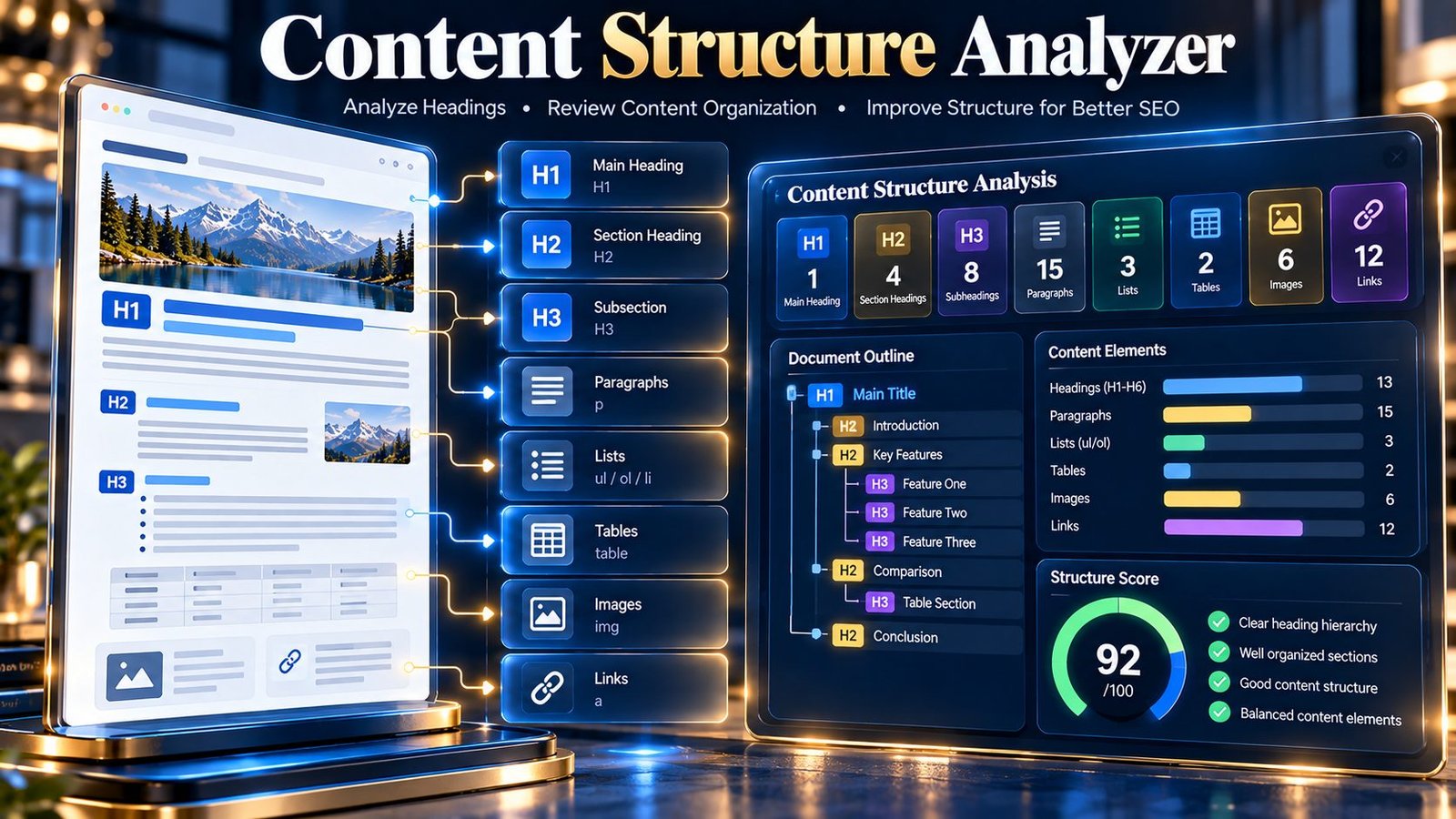
Content Structure Analyzer helps you inspect how a webpage or article is organized before you publish or revise it. Enter a public page URL or paste HTML/text to examine headings, heading hierarchy, paragraphs, lists, tables, links, images, blockquotes, content blocks, and other structural signals. The tool produces a transparent diagnostic score and prioritized findings so you can identify structural weaknesses without treating the result as a Google ranking score.
Content Structure Analyzer
Inspect headings, hierarchy, paragraphs, lists, tables, links, media, section balance, and other structural signals in a webpage or pasted content.
| Signal | Result | Meaning |
|---|
The score is a PKCapra diagnostic heuristic based on the supplied source. It is not a Google ranking score and does not predict search performance.
When a public URL is supplied, the page HTML is fetched by the PKCapra WordPress endpoint for analysis. Pasted content is sent to the same endpoint. Do not submit confidential, personal, or sensitive material.
What Is a Content Structure Analyzer?
A content structure analyzer examines the organization of a page rather than judging the topic or writing quality alone. Good structure makes long content easier to scan, helps readers understand relationships between sections, and gives editors a practical way to identify structural inconsistencies.
PKCapra’s Content Structure Analyzer evaluates the supplied page source or pasted content using deterministic structural checks. It reports the detected content elements, heading outline, structural signals, and areas that may deserve review.
The tool does not attempt to reproduce Google’s internal ranking systems. Its score is a PKCapra diagnostic heuristic based on the source provided for analysis.
What the Content Structure Analyzer Checks
The analyzer evaluates several structural areas.
| Check | What it examines |
|---|---|
| H1 count | Whether one, zero, or multiple H1 headings are detected |
| H2 sections | Whether the content contains second-level sections |
| Heading hierarchy | Whether heading levels progress without jumps such as H2 to H4 |
| Empty headings | Whether detected heading elements contain text |
| Content size | Approximate word count of the supplied content |
| Paragraph structure | Number and distribution of paragraph blocks |
| Paragraph length | Average paragraph length |
| Long paragraphs | Paragraphs containing more than 120 words |
| Opening structure | Amount of text before the first heading |
| Duplicate headings | Repeated heading labels after normalization |
| Lists | Detected list blocks and list items |
| Tables | Detected table elements |
| Links | Detected links in supplied HTML |
| Heading density | Heading frequency relative to the amount of text |
| Content blocks | Detected structural HTML block types |
| Images | Detected image elements |
| Blockquotes | Detected blockquote elements |
These checks are intended to help editors understand the structure of the supplied source, not to establish a universal SEO requirement for every page.
How to Use the Tool
Option 1: Analyze a Public Page
Enter an accessible public URL in the Public page URL field and leave the HTML/text field empty.
The PKCapra WordPress endpoint fetches the page HTML and analyzes the returned source. The results include the requested URL, HTTP status when available, final URL when available, parser information, and structural metrics.
Option 2: Analyze Pasted HTML or Text
Leave the URL field empty and paste article HTML or plain text into the HTML or text to analyze field.
This is useful when you are working on unpublished content, drafting an article, reviewing exported HTML, or checking a page before putting it online.
The pasted-content limit is 200,000 characters.
Use One Source at a Time
For the clearest test and interpretation, provide either a public URL or pasted content. The tool is designed around a single supplied source for each analysis.
Understanding the Structure Score
The tool starts with a diagnostic score of 100 and applies penalties when specific structural conditions require review.
The resulting grade is:
| Score | Grade |
|---|---|
| 90–100 | Strong |
| 75–89 | Good |
| 60–74 | Needs Review |
| 0–59 | Limited |
The score should be treated as a diagnostic summary rather than an SEO ranking metric.
For example, the tool may reduce the score when it detects multiple H1 headings, missing H1 content, heading-level jumps, empty headings, insufficient content, problematic paragraph structure, repeated headings, or unusually dense heading usage.
A page can still be useful even when a particular signal receives a warning. Review the individual findings rather than changing a page simply to maximize the numerical score.
Heading Hierarchy
Heading hierarchy is one of the most useful structural checks in the analyzer.
A logical structure can look like:
- H1 — Main page topic
- H2 — Major topic
- H3 — Supporting topic
- H3 — Supporting topic
- H2 — Another major topic
- H2 — Major topic
The analyzer identifies heading-level jumps. For example, moving directly from H2 to H4 is reported as a hierarchy skip because the supplied outline contains a missing intermediate level.
This does not mean every page must mechanically use every heading level. The finding is a structural signal that gives you an opportunity to review whether the hierarchy accurately represents the relationship between sections.
H1 Analysis
The analyzer checks how many H1 headings are present.
A single H1 produces a positive structural signal. No H1 or multiple H1 elements produce a review signal.
The tool is counting the H1 elements present in the supplied source. It does not determine which heading should be your final WordPress page title.
H2 Section Analysis
H2 headings are treated as major section boundaries.
For longer content, the analyzer checks whether major sections are present. For shorter content, having no H2 elements can be reasonable, so the tool does not automatically treat the absence of H2 headings as a problem in every case.
This distinction helps avoid applying the same structural rule to a short page and a long article.
Paragraph Structure
The analyzer counts paragraph elements and calculates their average word length.
It also identifies paragraphs containing more than 120 words.
Long paragraphs are not automatically incorrect. The finding simply highlights dense blocks that may be worth splitting when several ideas are being presented together.
For example, a long paragraph containing several independent explanations could potentially be separated into smaller paragraphs with a relevant heading or list where appropriate.
Opening Structure
The tool measures the amount of text appearing before the first detected heading.
An opening section with meaningful introductory content can help establish context before the reader reaches the first major section. If a heading appears immediately or with very little introductory text, the analyzer can flag the opening structure for review.
For short content, this signal is intentionally less significant.
Duplicate Headings
The analyzer normalizes detected heading labels and checks for repeated heading names.
For example:
BenefitsHow It WorksBenefitsPricing
contains a repeated Benefits heading.
Repeated labels are not automatically wrong, but they can make a page outline less descriptive. Where appropriate, more specific headings can make the structure easier to understand.
Lists, Tables, Links, Images, and Blockquotes
The analyzer also identifies common structural elements.
Lists
List blocks and list items are counted. Lists can be useful when information naturally forms a collection of items, steps, requirements, or comparisons.
The tool does not require every page to contain a list.
Tables
Table elements are detected and counted. Tables can be useful for structured comparisons, specifications, or other information that benefits from rows and columns.
Links
Links in supplied HTML are counted. The Content Structure Analyzer is not a replacement for a dedicated link analysis tool; it simply reports the presence of links as part of the page’s structural profile.
Images
Image elements are detected as part of the structural content inventory.
For detailed image-related SEO checks, use the dedicated image analysis tools available through PKCapra.
Blockquotes
Blockquote elements are detected and counted as another type of content block.
Heading Outline
The results include a Heading Outline showing the detected heading levels in document order.
This gives you a quick visual representation of the page’s hierarchy and can make problems such as missing levels, repeated headings, or unexpected nesting easier to identify.
A simplified outline might look like:
| Level | Heading |
|---|---|
| H1 | Technical SEO Guide |
| H2 | Crawling |
| H3 | Crawlability |
| H3 | Internal Links |
| H2 | Indexing |
| H3 | Index Coverage |
Use this outline to review whether the headings accurately describe the relationship between the sections beneath them.
Content Blocks
The tool also summarizes detected structural blocks in the supplied source.
This can help you understand whether a page is primarily composed of paragraphs, headings, lists, tables, images, links, and other supported HTML structures.
The block inventory is descriptive rather than a ranking recommendation.
Priorities and Findings
After calculating the structural signals, the tool generates prioritized findings when a condition produces a diagnostic penalty.
Examples include:
- Review heading jumps so nested sections follow a logical hierarchy.
- Review long paragraph blocks and add breaks where they improve readability.
- Repeated heading labels may make an outline ambiguous.
- Longer content with few paragraph blocks may be harder to scan.
- A longer source without H2 sections may benefit from clearer major sections.
Use these findings as an editing checklist rather than applying every recommendation mechanically.
Practical Content Structure Workflow
A useful workflow is:
- Analyze the page before making changes.
- Review the H1, H2, and heading outline.
- Check for heading-level jumps.
- Review repeated or empty headings.
- Examine paragraph count and average paragraph length.
- Identify paragraphs exceeding 120 words.
- Review the opening content before the first heading.
- Check the distribution of lists, tables, links, images, and blockquotes.
- Read the prioritized findings.
- Make only the structural changes that improve clarity and organization.
- Run the analysis again to compare the resulting structure.
Example of a Structural Problem
Suppose a page contains:
- H1 — Technical SEO
- H2 — Crawling
- H4 — Crawl Errors
- H2 — Indexing
The analyzer can identify the H2 → H4 jump.
A clearer structure could be:
- H1 — Technical SEO
- H2 — Crawling
- H3 — Crawl Errors
- H2 — Indexing
The goal is not to force a particular number of headings. The goal is to make the hierarchy accurately represent the relationship between sections.
Content Structure vs. Content Quality
A structurally organized page can still contain inaccurate, outdated, repetitive, or low-value information.
The Content Structure Analyzer does not determine:
- Whether claims are factually correct
- Whether content satisfies a particular search query
- Whether information demonstrates expertise
- Whether a topic is comprehensively covered
- Whether content is original
- Whether Google will rank a page
- Whether a page satisfies a particular search intent
Use the structural results together with appropriate content, technical SEO, and editorial review.
For broader on-page analysis, the On-Page SEO Checker can inspect additional page-level signals.
Related PKCapra Tools
Use the SEO Heading Analyzer when you need a more focused heading analysis.
Use Word Count when your primary requirement is measuring written content length.
Use the SEO Content Readability Analyzer when you want to examine readability-related content signals.
Use the Keyword Density Checker when you need to examine keyword frequency and density.
Use the On-Page SEO Checker for a broader page-level SEO inspection.
You can also explore the All Free Online Tools collection for additional utilities.
Limitations
The Content Structure Analyzer has several important limitations:
- It analyzes the source supplied to the tool rather than understanding a page in the same way as a human editor.
- The score is a PKCapra diagnostic heuristic and is not a Google ranking score.
- The tool does not predict search performance.
- Structural recommendations are not universal SEO requirements.
- Heading hierarchy signals are based on detected heading levels in the supplied source.
- Paragraph-length analysis uses a 120-word threshold for its long-paragraph signal.
- The tool analyzes up to 200,000 characters of pasted content.
- Public URL analysis is subject to the 3 MB fetched-content limit implemented by the tool.
- Very unusual or malformed HTML may affect structural extraction.
- Plain text provides fewer HTML-specific structural signals than complete HTML.
- The analyzer does not evaluate the factual accuracy, originality, expertise, or usefulness of the content.
- It does not reproduce Google’s internal ranking or content-quality systems.
Privacy and Processing
When you provide a public URL, the page HTML is fetched through the PKCapra WordPress endpoint for analysis.
When you paste HTML or text, the supplied content is sent to the same WordPress endpoint for processing.
Do not submit confidential, personal, proprietary, or otherwise sensitive material.
The generated analysis is based on the source supplied for that individual check. The tool’s diagnostic score and findings should be interpreted as structural guidance rather than as a search-engine guarantee.
Frequently Asked Questions
What does the Content Structure Analyzer do?
It analyzes the structural organization of a public webpage or pasted HTML/text, including headings, hierarchy, paragraphs, lists, tables, links, images, blockquotes, content blocks, and related structural signals.
Can I analyze HTML without publishing the page?
Yes. Leave the URL field empty and paste the HTML or text into the analyzer.
Can I analyze a live webpage?
Yes, if the public URL is accessible to the PKCapra WordPress endpoint and the fetched content remains within the tool’s implemented limits.
Does the tool require an API key?
No API key is required for the analyzer.
Is the score a Google SEO score?
No. It is a PKCapra diagnostic heuristic and does not reproduce Google’s internal ranking systems or predict search performance.
What does an H2 → H4 warning mean?
It means the analyzer detected a heading-level jump from H2 to H4 in the supplied heading sequence. Review whether an H3 should exist or whether the section structure should be changed.
Are long paragraphs always bad?
No. The analyzer flags paragraphs over 120 words as a structural signal. A long paragraph may be perfectly appropriate in some contexts, so review it based on readability and the ideas it contains.
Does the tool require lists and tables?
No. Lists and tables are optional structural elements. Their absence is reported rather than automatically treated as a problem.
What happens if my content has no H1?
The analyzer reports that no H1 was detected and applies a diagnostic penalty. Review the page structure and ensure the primary page heading is represented appropriately in the actual document.
Can I use the tool for SEO content editing?
Yes. It can be used as one part of a content-editing workflow to identify structural issues before or after revisions. It should be combined with editorial judgment and other relevant SEO checks.