
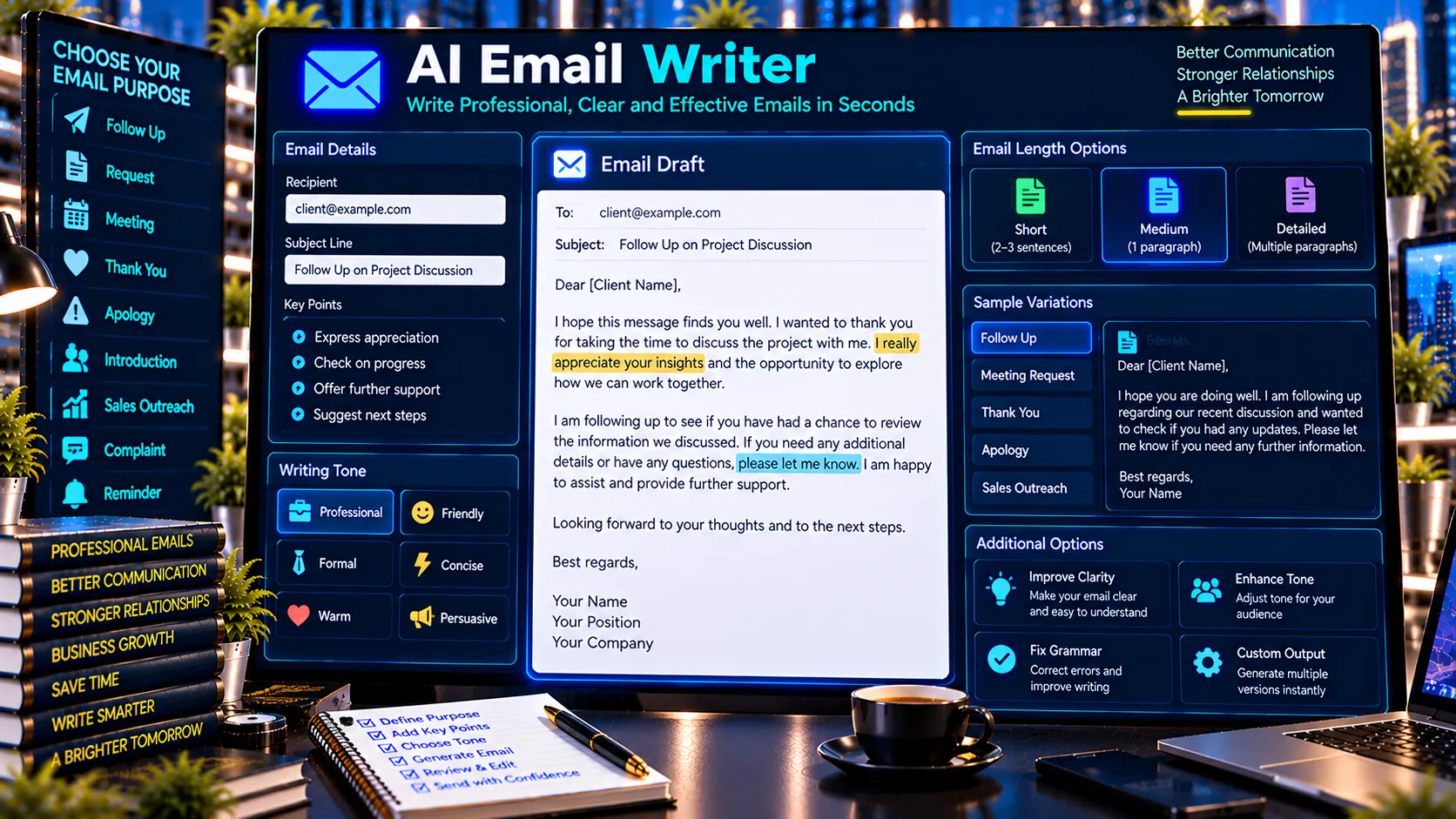
PKCapra’s AI Email Writer helps create structured professional email drafts for common business and personal communication needs. Choose an email purpose, tone, and length, provide the recipient and key context, and generate a ready-to-edit email with a subject line directly in your browser.
AI Email Writer
Create a polished email draft from your purpose, audience, tone, and key points. The browser-based writer uses structured templates and does not require an external AI API.
Template-based browser-side email drafting utility. Review the generated draft before sending.
What Does an AI Email Writer Do?
An AI email writer helps turn instructions, notes, or a short description into a structured email draft. It can help you organize the message, choose an appropriate tone, and express your purpose more clearly. Use the generated draft as a starting point: review the details, personalize the wording, and confirm the recipient and facts before sending.
When to Use an AI Email Writer
Email drafting is useful when you know what you need to say but want help arranging the message into a clear, professional format.
Professional Communication
Prepare a first draft for business inquiries, client updates, meeting requests, follow-ups, or workplace communication.
Customer Support
Organize a response to a customer question, service issue, product inquiry, or request for additional information.
Applications and Requests
Draft a polite request, appointment message, application email, or introduction while keeping the important details visible.
Follow-Up Messages
Write a concise follow-up after a meeting, quotation, unanswered inquiry, or previously discussed task.
Rewriting Rough Notes
Convert informal notes or fragmented ideas into a readable email draft without losing the intended meaning.
Adjusting the Tone
Start with a draft and refine it to sound more formal, friendly, direct, appreciative, or concise.
How to Write a Useful Email Prompt
The quality of a draft depends in part on how clearly you describe the purpose, recipient, context, and desired result.
Include These Details
- Purpose: What should the email accomplish?
- Recipient: Who will read the message?
- Context: What does the recipient need to know?
- Key points: Which facts or requests must be included?
- Tone: Formal, friendly, persuasive, neutral, or apologetic?
- Length: Short reply, standard email, or detailed explanation?
- Call to action: What should the recipient do next?
A Simple Prompt Structure
Use this outline when preparing instructions for an email draft:
Write an email to: [recipient or role]
Purpose: [reason for writing]
Background: [relevant context]
Include: [important facts or requests]
Tone and length: [style and preferred length]
Next step: [what the recipient should do]
Replace the bracketed instructions with your own information. Do not include confidential details unless you have checked how the tool handles submitted content.
From a Short Note to an Email Draft
A clear prompt gives the writing tool enough context to organize the message instead of guessing what you mean.
Starting Notes
Need to email a client. The project report is ready. Ask them to review it and send feedback by Friday. Keep the email polite and short.
What the Prompt Specifies
- The recipient is a client.
- The report is ready for review.
- Feedback is requested by Friday.
- The tone should be polite and concise.
Illustrative Email Draft
Subject: Project Report for Review
Hello [Client Name],
The project report is ready for your review. When you have a chance, please share your feedback by Friday.
Thank you,
[Your Name]
This example is a sample draft, not an email sent by the tool. Replace placeholders and verify the deadline before sending.
Email Tone and Writing Style
Tone should fit the relationship with the recipient and the purpose of the message. A professional email does not always need to sound formal.
| Style | Suitable For | Writing Characteristics |
|---|---|---|
| Professional | Clients, colleagues, business contacts | Clear, respectful, organized, and neutral |
| Formal | Official requests, applications, senior recipients | Careful wording, complete sentences, courteous language |
| Friendly | Familiar colleagues, regular customers, personal contacts | Warm, natural, and conversational |
| Concise | Quick updates, confirmations, simple questions | Short paragraphs and only essential details |
| Persuasive | Proposals, introductions, product or service inquiries | Explains value and supports a specific request without exaggeration |
| Apologetic | Corrections, delays, service problems | Acknowledges the issue, explains relevant facts, and states the next step |
Writing tip: Specify the tone directly in your instructions. “Write a polite, concise email to a client” is more useful than simply asking for “a good email.”
How to Improve an AI-Generated Email
Treat the generated message as an editable draft. A final human review helps keep the email accurate, appropriate, and personal.
Content and Accuracy
- Confirm names, dates, figures, and deadlines.
- Check that the message reflects your actual intention.
- Remove claims or promises you cannot support.
- Make sure the requested action is clear.
- Replace generic wording with relevant details.
Professional Presentation
- Choose a subject line that describes the message.
- Use a suitable greeting and sign-off.
- Break long paragraphs into readable sections.
- Remove repeated or unnecessary sentences.
- Check attachments and recipient addresses separately.
Email Writing Mistakes to Avoid
A draft can sound polished and still be unsuitable for sending. Watch for these common issues.
| Problem | Why It Matters | Better Approach |
|---|---|---|
| Vague instructions | The draft may miss the main purpose. | State the goal and essential points clearly. |
| Invented details | A generated draft may contain assumptions or incorrect facts. | Verify every factual statement before sending. |
| Overly formal wording | The message may feel unnatural or distant. | Match the tone to the recipient and relationship. |
| Too much text | The key request may become difficult to find. | Ask for a concise draft and remove unnecessary context. |
| Unclear next step | The recipient may not know how to respond. | End with a specific, reasonable request when needed. |
| Sending without review | Errors, placeholders, or unsuitable wording may remain. | Read the complete email before sending it. |
Privacy and Confidentiality When Drafting Emails
Email content can include personal information, business details, customer records, or confidential discussions. Consider what you submit to an online writing service.
Use Caution With
- Passwords, access tokens, and login credentials
- Payment details or financial account information
- Private customer or employee records
- Confidential contracts and internal documents
- Personal information that is not needed for the draft
Safer Drafting Practices
- Use placeholders for sensitive names or identifiers.
- Share only the context needed to write the message.
- Review the service’s privacy information.
- Check the handling of submitted prompts and content.
- Do not assume that an online tool has no data retention.
For information about PKCapra’s site-level data practices, review the PKCapra Privacy Policy. Data handling may depend on the specific tool and its implementation.
Explore More PKCapra Tools
Use these related utilities when your email needs additional writing review or when you want to explore other AI tools.
AI Email Writer FAQs
Answers to common questions about AI-assisted email drafting.
What is an AI email writer?
An AI email writer is a writing assistant that uses instructions and context to help prepare an email draft. It can help organize ideas, structure the message, and adjust its tone.
How do I write a good prompt for an email?
Explain who the email is for, why you are writing, the important details to include, the desired tone, and the action you want the recipient to take.
Can an AI email writer create professional emails?
It can help prepare a professional-style draft for business communication, requests, follow-ups, and other common situations. Review the wording and facts before using it.
Can I use an AI email writer for customer support replies?
You can use email drafting assistance to organize a customer response, explain a process, or prepare a polite reply. Confirm that the response follows your actual policies and accurately addresses the customer’s issue.
Can an AI email writer change the tone of a message?
You can request a different tone when drafting or revising, such as more formal, friendly, concise, direct, or appreciative. Check that the revised tone still suits the recipient.
Should I send an AI-generated email without editing it?
No. Review the message for factual accuracy, context, names, dates, tone, and placeholders. You are responsible for the final email you send.
Can an AI email writer make mistakes?
Yes. Generated text may misunderstand instructions, omit important details, or include incorrect assumptions. Verify the draft before relying on it.
Is it safe to enter confidential information into an email tool?
Avoid submitting sensitive information unless you have reviewed the tool’s privacy and data-handling terms and are authorized to share that information. Use placeholders when possible.
What should an effective email subject line include?
A useful subject line briefly identifies the topic or requested action. Keep it specific enough for the recipient to understand the purpose without opening the message.
Does an AI email writer send the email automatically?
Email drafting and email sending are different functions. This page’s writing tool should be used according to the controls and capabilities available in its interface. Do not assume a draft has been sent.