
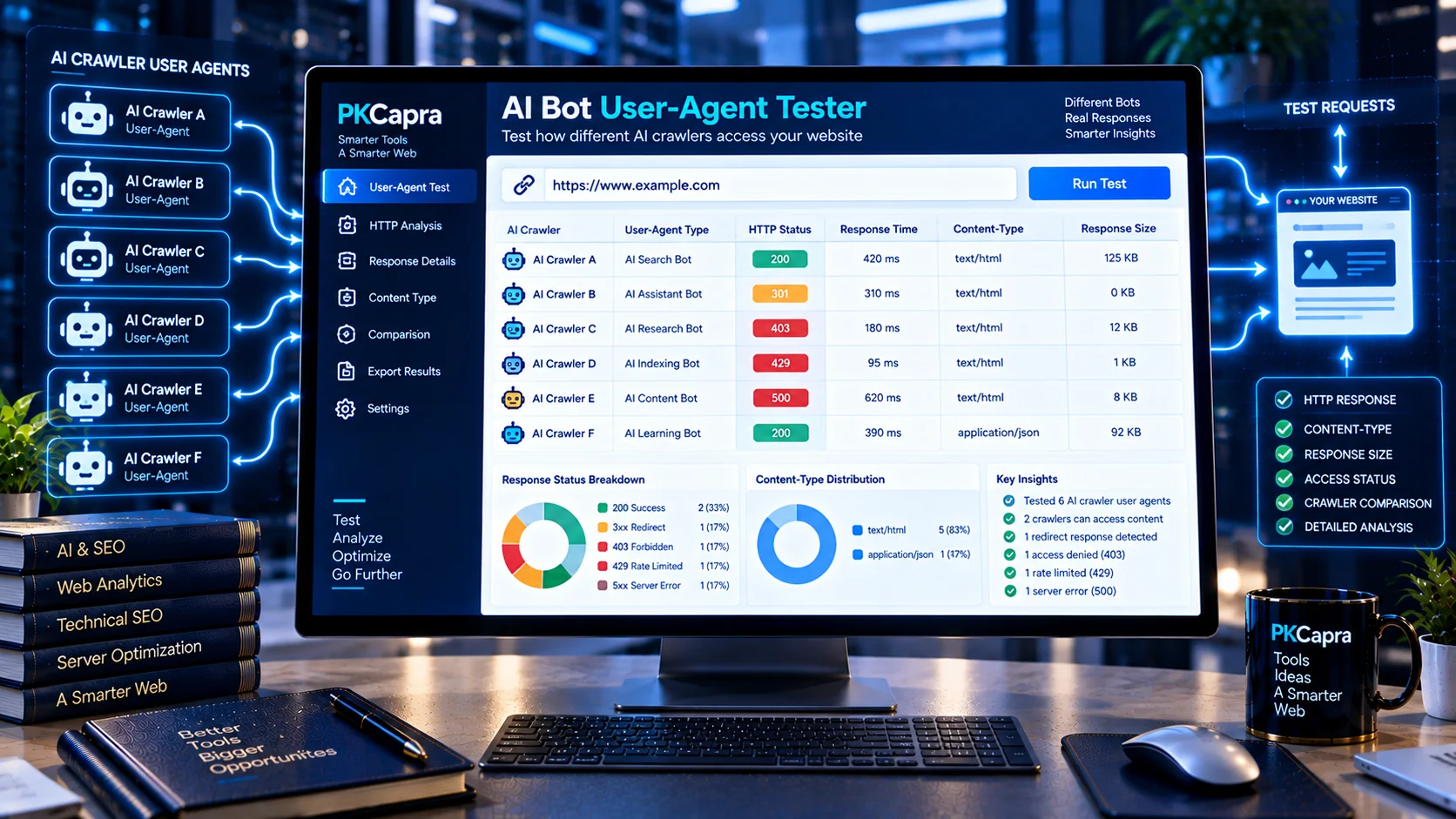
Test How Different AI User-Agents Access Your Website
Different automated systems can send different user-agent strings when requesting web pages. Testing your website with multiple AI-related user agents can help identify differences in HTTP responses, access behavior, content types, redirects, and server responses.
The AI Bot User-Agent Tester by PKCapra lets you test a public URL against a configurable collection of AI-related user agents and compare the returned HTTP results in one report.
Instead of manually changing user-agent values and repeating requests, you can run multiple tests from one interface and review the results side by side.
AI Bot User-Agent Tester
Test a public URL with selected AI crawler user agents and compare HTTP responses.
Only public URLs should be tested. Private, local, loopback, reserved-network and authenticated destinations are rejected.
What Does an AI Bot User-Agent Tester Do?
An AI bot user-agent tester helps you examine a user-agent string and understand what it may indicate about the software making an HTTP request. User-agent strings can identify browsers, operating systems, automated clients, search crawlers, and some AI-related bots.
Use the tester to inspect a user-agent value, recognize common naming patterns, and investigate whether a request may come from an AI crawler or another automated client. A user-agent string is a useful clue—not proof of identity, authorization, or actual bot behavior.
Why AI Bot User-Agent Identification Matters
Web servers, CDNs, security platforms, and analytics systems often record a user-agent string with each request. Reviewing these values can help website owners understand automated access and investigate unusual traffic.
Understand crawler requests
Identify strings that appear to belong to search crawlers, AI-related crawlers, preview fetchers, monitoring tools, or other automated clients.
Review server logs
Use user-agent patterns as one field when examining access logs, request frequency, response codes, and requested resources.
Investigate suspicious traffic
Compare an unfamiliar user-agent with its request behavior, IP information, and other available evidence before deciding how to handle it.
Improve crawler visibility
Separate likely automated requests from ordinary browser traffic when reviewing server-side reporting and crawl activity.
What Is a User-Agent String?
A user-agent is a request header that a client may send to describe itself. Historically, browsers used it to identify their browser engine, operating system, and compatibility details. Automated clients also send user-agent values, often including a product name or bot identifier.
A typical HTTP request may contain a header such as:
User-Agent: ExampleCrawler/1.0 (+https://example.com/bot)
This is an illustrative string, not a real crawler identity. Its components might indicate a client name, version, or information page. Actual user-agent formats vary widely, and some clients use generic or misleading values.
Common Types of AI and Automated User-Agents
Automated web traffic does not come from one single class of bot. Different clients may access pages for search discovery, AI product features, link previews, training-related collection, monitoring, or ordinary website operations.
| Traffic category | Typical purpose | What to investigate |
|---|---|---|
| AI search or retrieval crawler | May discover or retrieve web content for an AI search or answer service. | Published crawler documentation, request patterns, and verified network identity. |
| AI training-related crawler | May collect publicly accessible content for model development or related datasets. | The provider’s stated crawler purpose and applicable site access policies. |
| User-triggered fetcher | May retrieve a page after a person submits a URL or requests a page preview. | Whether the request is associated with a user action and how the provider documents it. |
| Traditional search crawler | May crawl pages to support search indexing and discovery. | Search engine documentation, crawl behavior, and verified identity. |
| Generic automation | May perform scraping, testing, monitoring, or other automated tasks. | Request rate, paths, response patterns, and the operator’s purpose where known. |
| Unverified or spoofed client | May use a misleading, copied, or deliberately altered user-agent. | Do not trust the name alone; investigate independent evidence. |
These categories describe possible purposes, not a definitive classification based only on text. A client name may be ambiguous, and providers can change their user-agent formats over time.
How to Test an AI Bot User-Agent
Use the available user-agent testing interface above this guide according to its input instructions. The following process explains how to interpret a user-agent value during a website or crawler investigation.
- Collect the exact string. Copy the complete user-agent value from the relevant request or server log. Preserve punctuation, version numbers, and spacing.
- Inspect the value. Look for a product name, crawler identifier, version, or documented URL within the string.
- Compare it with reliable documentation. Check the relevant provider’s official crawler or bot documentation rather than relying only on third-party lists.
- Review the request context. Examine the requested path, timestamp, HTTP method, response status, frequency, and source information available in your logs.
- Confirm identity where necessary. For access-control or security decisions, use the provider’s published verification process or other appropriate evidence.
- Record your conclusion carefully. Distinguish between a recognized user-agent pattern and a verified client identity.
User-Agent Testing vs. Bot Verification
Testing a user-agent string and verifying a bot are related but different tasks. Understanding this distinction prevents false positives and incorrect security rules.
| Method | What it can tell you | What it cannot establish by itself |
|---|---|---|
| User-agent inspection | Whether the text resembles a known client or crawler pattern. | That the request genuinely came from the named organization. |
| Server access-log review | Request paths, timestamps, methods, status codes, and recorded client details. | The complete purpose of every request or whether content was used by an AI system. |
| Network or provider verification | Additional evidence about the source of a request, when a reliable verification method is available. | That the crawler indexed, trained on, or cited a particular page. |
| Analytics referral analysis | Visits attributed to AI platforms when referral data is available. | All crawler requests, because many bots do not execute browser analytics or send referrals. |
Where to Find User-Agent Information
The user-agent value is commonly available in web server access logs and may also appear in CDN, reverse-proxy, web application firewall, or security monitoring records.
Web server logs
Access logs often record the request method, URL path, status code, source address, and user-agent. The exact fields depend on the server’s logging configuration.
CDN and edge logs
CDN or edge logs can provide request information before traffic reaches the origin server. These records may help investigate crawler behavior, blocked requests, and unusual request volumes.
Security and monitoring tools
Security platforms may display user-agent values alongside rule matches, rate limits, or other request attributes. Interpret these records according to the platform’s logging and detection behavior.
How to Interpret Bot Testing Results
A user-agent inspection result should be treated as an indication based on the text provided—not as a security verdict or a guarantee of crawler behavior.
- Recognized pattern: The string resembles a documented or commonly observed client format. Confirm the source before relying on it.
- Unrecognized pattern: The string may belong to a new, custom, or uncommon client. It is not automatically malicious.
- Ambiguous value: Several clients may use similar text. Review the full request and available evidence.
- Potentially spoofed value: A client may claim to be a trusted crawler. Do not grant privileges based solely on its user-agent.
Even a genuine crawler request does not prove that a page was indexed, used for model training, included in an AI answer, or cited by a search product. Those outcomes depend on separate systems and policies.
Common Mistakes When Testing AI Bot User-Agents
Trusting the name alone
A familiar crawler name can be copied. Validate important identities using independent evidence.
Blocking every unknown bot
Unrecognized automation may include legitimate monitoring, accessibility services, or new crawlers. Assess its behavior before applying a broad block.
Confusing crawlers with referrals
Requests from bots and visits referred by AI platforms are different types of traffic. Use the appropriate data source for each question.
Assuming robots.txt is security
Robots.txt communicates crawl preferences to compliant crawlers. It does not authenticate clients or prevent unauthorized access.
Best Practices for Managing AI Crawler Access
- Keep server and edge request logs available for the period needed to investigate traffic.
- Use documented crawler identities and verification guidance from the relevant provider.
- Separate crawler request analysis from AI-platform referral reporting.
- Review request rates and response codes before making traffic-management decisions.
- Use authentication, authorization, and network controls for protected resources.
- Use robots.txt for crawler guidance, not as a replacement for access controls.
- Recheck bot identification rules periodically because user-agent formats and crawler behavior can change.
Related PKCapra AI and Website Tools
For a more complete crawler and website review, combine user-agent investigation with the relevant tools below. Each tool addresses a different part of the analysis.
Frequently Asked Questions
What is an AI bot user-agent?
An AI bot user-agent is a request-header value associated with an automated client that may retrieve web content for an AI-related service. The exact format and purpose depend on the crawler or client.
Can a user-agent tester confirm that a bot is genuine?
User-agent inspection can identify a recognizable pattern, but the string can be spoofed. Genuine identity requires additional verification appropriate to the provider and use case.
Does an AI crawler user-agent mean my page was used by AI?
No. A request indicates that a client attempted to access a resource. It does not prove that the page was indexed, used for training, included in an answer, or cited.
Where can I find AI bot user-agent strings?
Check server access logs, CDN or edge logs, reverse-proxy records, and security monitoring systems. These sources may record the user-agent sent with an HTTP request.
Why might my analytics not show AI crawler visits?
Many crawlers do not execute browser JavaScript or generate normal analytics events. Server-side request logs can provide a more complete view of automated HTTP requests.
Should I block every unknown AI bot?
Not automatically. An unfamiliar user-agent may belong to a legitimate or newly introduced client. Review its request behavior, purpose, and verification evidence before applying a block.
Does robots.txt stop AI bots from accessing my website?
Robots.txt provides crawl instructions to compliant bots. It is not an access-control mechanism, and clients that ignore the rules may still request publicly accessible resources.
What is the difference between an AI crawler and an AI referral visitor?
An AI crawler makes automated HTTP requests to retrieve content. An AI referral visitor is a person who arrives at your website from an AI platform or service. These activities are measured using different data sources.
Make Better Decisions from Bot Traffic Data
User-agent analysis is most useful when combined with request context and reliable verification. Treat the string as an identification clue, investigate unfamiliar traffic carefully, and avoid drawing conclusions about indexing, training, or AI visibility from a single request.
PKCapra provides practical website and AI-related utilities to help you inspect technical signals and organize your next investigation.