
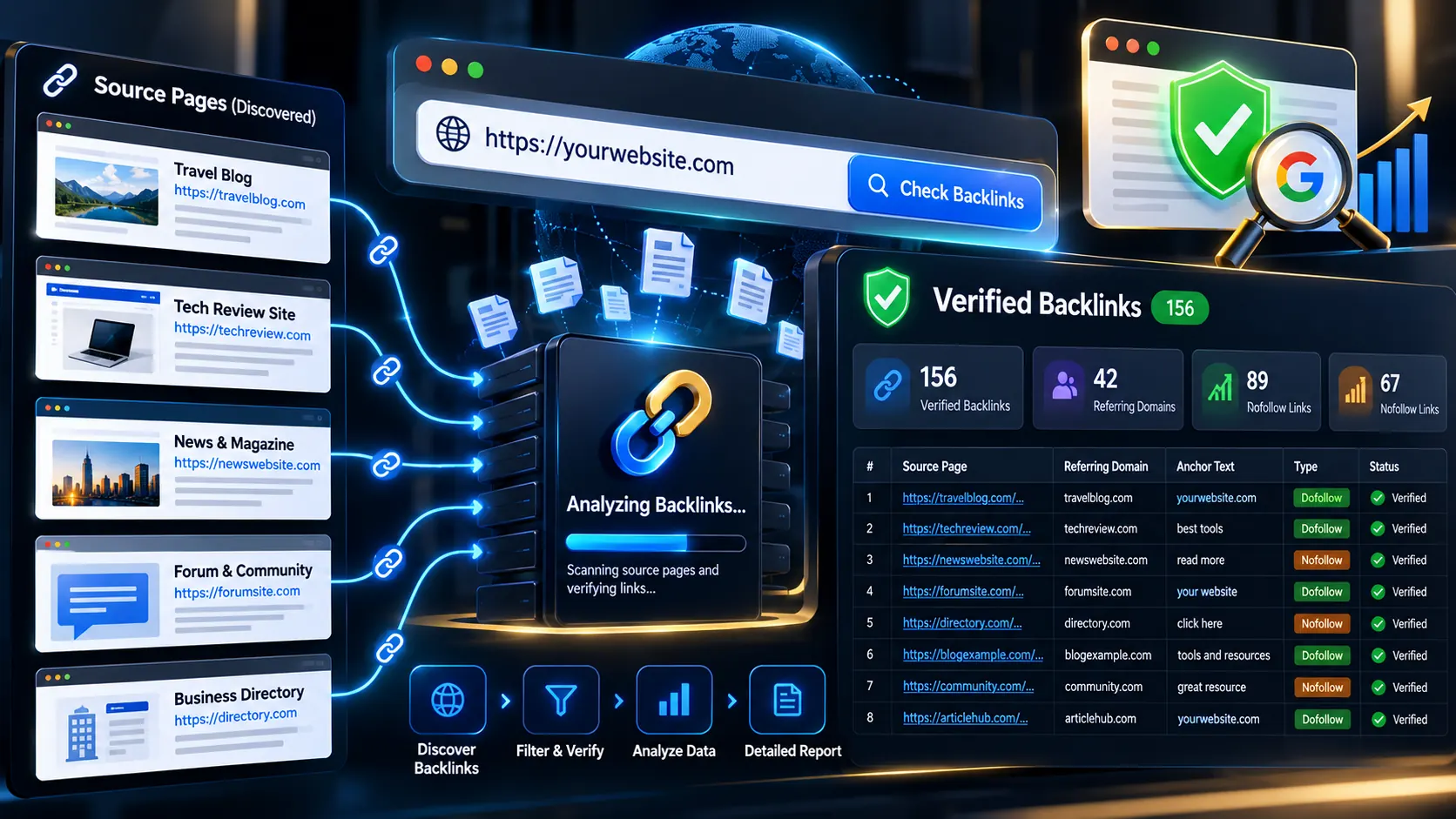
Free Backlink Checker — Find and Verify Website Backlinks
Finding a backlink is only half the job. The harder question is whether the reported backlink actually exists on the source page.
PKCapra Backlink Checker searches publicly indexed web pages for backlink candidates, then independently verifies the source HTML in your browser to confirm whether a real link to your website is present.
Enter a domain or URL, choose your checking scope, and run a backlink scan to discover publicly indexed pages that may link to your site.
Backlink Checker
Search public web indexes from your browser, collect backlink candidates, then verify each source page through rotating client-side proxies. No WordPress server search request is used.
Backlink Verification Summary
Every reported backlink must be found as a real HTML link on a publicly fetched source page.
Verified Backlinks
Only links independently found in fetched source HTML are counted. Search mentions alone are never counted as backlinks.
| Source page | Anchor | Target | Rel | Status | Signal |
|---|
Accuracy & coverage
<a href> element in fetched source HTML matched the requested domain or exact URL.nofollow, sponsored, or ugc in its rel attribute.100% browser-side analysis. Public search/discovery pages and public source pages are fetched from your browser through public CORS proxy services. Do not submit private, authenticated, local, or sensitive URLs.
What Is a Backlink?
A backlink is a hyperlink on another website that points to your website or one of its pages. For example, if another website publishes an article containing a link to example.com, that link is a backlink for example.com.
Backlinks can help you understand:
- Which websites mention or link to your domain
- Which pages may be referring visitors to your site
- What anchor text is being used
- Whether links are marked
nofollow - Which referring domains appear in your discovered backlink profile
- Where potential link-building opportunities may exist
But search-engine mentions are not automatically backlinks. A reliable backlink check should distinguish between a page that merely mentions your brand and a page containing an actual HTML link.
Why Verify a Backlink Instead of Trusting Search Results?
Search results can contain mentions, cached information, duplicate pages, redirects, directory entries, and other URLs that do not necessarily contain a live hyperlink.
That is why PKCapra separates discovery from verification.
The tool first searches public web indexes to build a candidate list. It then fetches candidate pages through the browser and inspects their HTML for actual <a href> elements pointing to the requested target.
This creates an important distinction:
A search result is a backlink candidate. A matching HTML link on the fetched source page is a verified backlink.
How the PKCapra Backlink Checker Works
1. Enter your website or target URL
Paste the domain or URL you want to investigate.
You can use the tool to research your own website, a specific URL, or another publicly accessible website for competitive backlink research.
2. Choose the checking scope
Select whether you want to investigate the entire domain or a more specific target.
This helps you decide whether your research is focused on the whole backlink profile or a particular page.
3. Select the discovery depth
The discovery mode controls how broadly the tool searches public indexes.
Broader discovery can use additional search queries and sources to uncover more potential referring pages.
4. Review discovered candidates
PKCapra collects candidate source pages from its browser-side discovery process and removes duplicate or unsuitable URLs before verification.
The expanded discovery layer can use multiple search sources, including DuckDuckGo, Mojeek, SearXNG instances, and additional targeted directory-oriented searches.
5. Verify the actual source page
Each candidate is independently fetched and inspected.
The verification process looks for real HTML links rather than counting a search-engine mention as a backlink.
When a matching link is found, the report can show information such as:
- Source page
- Anchor text
- Target
relattributes- HTTP status
- Verification status
- Link signal information
What Does a Verified Backlink Mean?
A verified backlink means the tool found a matching HTML hyperlink on the fetched source page.
For domain-level checking, the verifier normalizes the target domain and examines available <a> elements for matching destination URLs. Relative links, absolute links, protocol-relative URLs, and other normal HTML link formats can be handled during verification.
This is more useful than simply assuming that every search result containing your brand name is a backlink.
Dofollow vs. Nofollow Links
Not every backlink carries the same link attributes.
The report distinguishes links based on their rel attributes so you can identify links marked with values such as:
nofollowsponsoredugc
A link without those attributes can be treated as a dofollow-style link for the purposes of the report’s classification.
However, dofollow does not mean that a link automatically improves rankings. Link quality, relevance, context, source-page quality, editorial intent, and Google’s interpretation all matter.
Backlink Discovery vs. Complete Backlink Indexes
There is an important limitation to understand before interpreting any free backlink checker.
PKCapra does not claim to maintain a proprietary crawler index containing every backlink on the live web.
Instead, it searches publicly accessible web indexes and then verifies the pages it can successfully retrieve.
That means the results can be affected by:
- Search-engine indexing coverage
- Public search result availability
- Search-query variations
- CORS proxy availability
- Source-page accessibility
- Robots or anti-bot restrictions
- Network conditions
- Pages that have recently changed or disappeared
- Pages that are not publicly indexed
A zero result does not prove that a website has zero backlinks. It means no backlink was discovered and independently verified within the available search and verification coverage.
This distinction is essential when using free backlink research tools.
Why Browser-Side Verification Matters
PKCapra performs the live verification stage in the visitor’s browser rather than relying on the WordPress server to crawl every source page.
The current architecture keeps the verification workflow browser-side and uses public client-side proxy routes to retrieve candidate pages. The HTML is then parsed locally with the browser’s native DOMParser. PKCapra_UNIQUE_MASTER_WORKFLOW_…
This approach helps avoid putting a large crawling workload on the WordPress hosting server.
It also makes the verification process transparent: the report is based on HTML actually retrieved and inspected during the scan rather than treating a search-engine result as proof.
What Can You Use a Backlink Check For?
Monitor your own backlink profile
Check which external pages are currently linking to your website and investigate links that deserve attention.
Research competitor backlinks
Enter a competitor’s domain to discover publicly indexed pages that may be linking to them.
This can reveal websites, directories, articles, profiles, and other sources that may be relevant to your own outreach strategy.
Find link-building opportunities
A discovered referring page can become a research lead.
For example, if a relevant industry directory links to several businesses in your niche, it may be worth investigating whether your business is eligible for inclusion.
Verify suspected backlinks
If you already know about a potential backlink, use the tool to check whether the source page currently contains an actual link to your target.
Common Backlink Checking Mistakes
Counting brand mentions as backlinks
A page can mention your company without linking to your website.
Always distinguish between a mention and a hyperlink.
Assuming search results are proof
Search engines provide discovery signals. They do not guarantee that the current source page still contains the link.
Treating every backlink as equally valuable
A large number of links does not automatically mean a stronger backlink profile.
Relevance, editorial context, source quality, destination relevance, and link attributes should all be considered.
Ignoring nofollow and other link attributes
A backlink report should tell you whether the source link contains relevant rel attributes so you can interpret the result correctly.
Expecting one free tool to find every backlink
No public search-based checker should be presented as a complete live-web backlink database unless it genuinely operates such an index.
PKCapra deliberately keeps this limitation transparent.
How to Use Backlink Data for SEO
Once you have verified backlink candidates, organize them by practical value.
Look for:
- Relevant referring domains — websites operating in your industry or topic area.
- Useful source pages — pages that are genuinely related to your content.
- Natural anchor text — links that make sense within the surrounding content.
- Editorial opportunities — articles, resources, directories, organizations, or publications where a relationship could be useful.
- Competitor patterns — recurring sources that link to multiple sites in your niche.
- Potentially lost links — previously known sources that no longer contain the expected link.
For deeper technical investigation after backlink discovery, you can use PKCapra’s Internal Links Crawl Path Analyzer to examine how links are structured within your own site, or use the Meta Tags Analyzer and SEO Heading Analyzer when evaluating the pages receiving your organic traffic.
For broader technical SEO work, the SEO & Website Tools category brings the site’s SEO utilities together in one place.
Key Takeaways
- A backlink should be verified as an actual HTML link rather than assumed from a search mention.
- PKCapra separates candidate discovery from independent source-page verification.
- The tool searches multiple public discovery sources to widen candidate coverage.
- Verified results are based on matching links found in fetched source HTML.
- Dofollow, nofollow, sponsored, and UGC attributes can be distinguished from the source link.
- Search-based discovery cannot guarantee a complete live-web backlink inventory.
- A useful backlink analysis focuses on relevance and quality, not simply the number of links.
Frequently Asked Questions
What is a backlink checker?
A backlink checker is an SEO tool that helps identify external web pages linking to a particular website or URL. Backlink research can be used for SEO monitoring, competitor research, link-building research, and link verification.
Can I check backlinks for a competitor?
Yes. You can enter a competitor’s publicly accessible domain or URL and use the discovered results for competitive backlink research.
Does PKCapra verify that the backlink actually exists?
Yes. A candidate is only reported as verified when the tool finds a matching HTML link in the fetched source-page content.
Does the tool find every backlink on the internet?
No. PKCapra does not claim complete live-web backlink coverage. Discovery depends on publicly available search indexes, candidate URLs returned by those sources, source-page accessibility, browser/network conditions, and proxy availability.
What is the difference between a backlink and a mention?
A mention is simply a reference to your brand, company, URL, or topic. A backlink contains an actual hyperlink pointing to your website or page.
What is a referring domain?
A referring domain is a distinct external domain that contains one or more links to your website. Multiple backlinks can therefore come from the same referring domain.
Are nofollow links backlinks?
Yes. A nofollow link is still an external hyperlink and can be counted as a backlink, but its rel attribute tells search engines not to treat it in the same way as a standard followed link.
Why did the tool find fewer backlinks than another SEO platform?
Different backlink tools use different indexes, crawlers, databases, search sources, freshness levels, and filtering systems. A proprietary backlink index can have much broader historical coverage than a browser-side public-search discovery tool.
PKCapra therefore focuses on something narrower but important: independently verifying that a discovered source page actually contains the target link.
Start Checking Your Backlinks
Your backlink profile is more useful when you know which links are actually present.
Enter your domain or target URL above and run a backlink check to discover publicly indexed candidates and verify the source pages that can be fetched and inspected.