
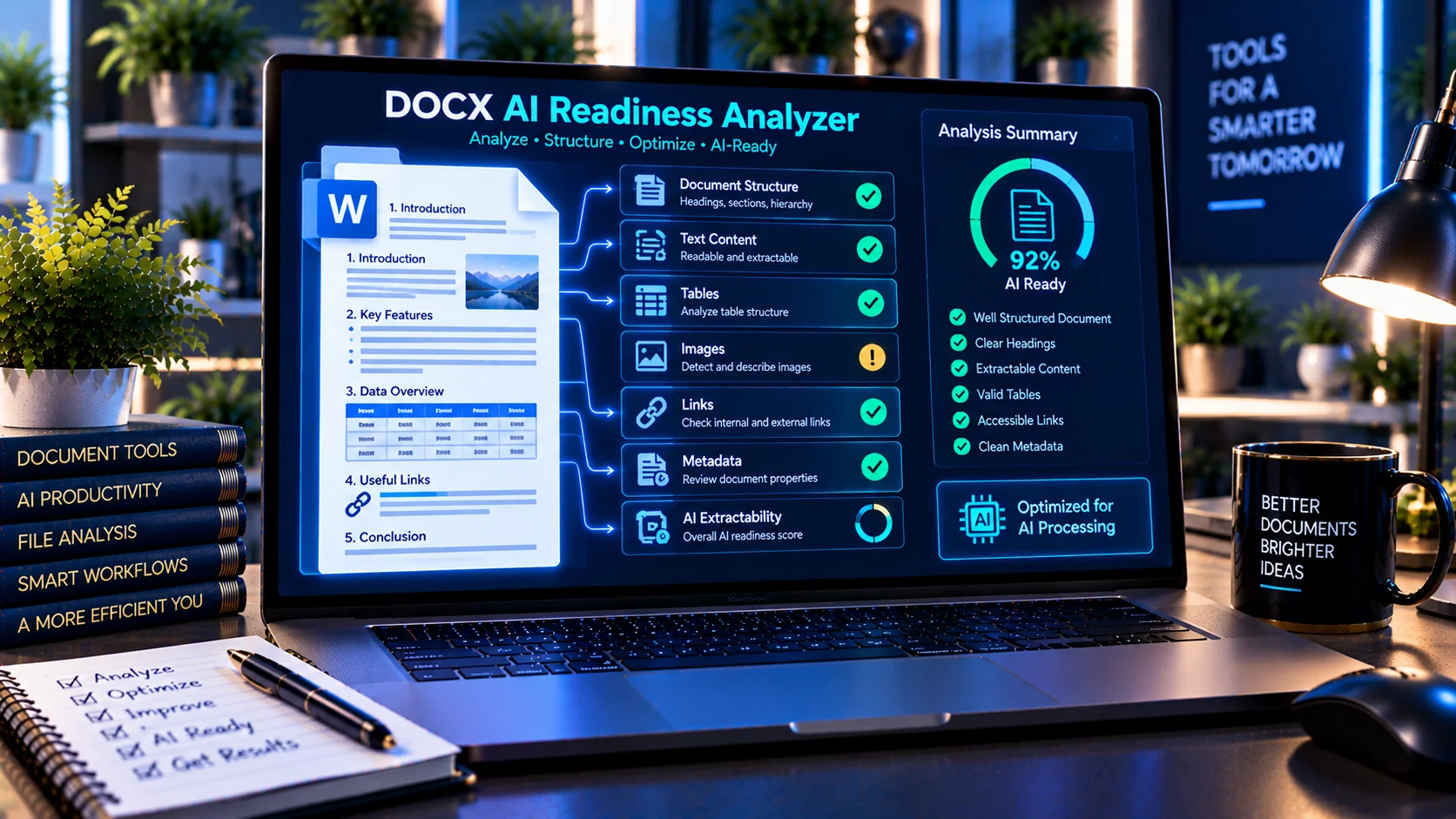
A DOCX file can look perfectly clean in Microsoft Word while still containing structural, metadata, embedded-content, or extractability issues that may affect how reliably its content can be processed by AI systems. PKCapra’s AI-Ready DOCX Checker analyzes the internal structure and content indicators of a Word document to help identify potential problems before the file is submitted to AI tools, document-processing workflows, RAG pipelines, or automated extraction systems.
AI-Ready DOCX Checker
Inspect a DOCX for document-package structure, text extractability indicators, metadata, embedded content, links, and AI-readiness signals. Analysis runs in your browser.
This is a diagnostic heuristic. Browser-only analysis cannot fully decompress and interpret every DOCX package, so optional extracted text enables deeper structure checks.
Check DOCX Files for AI Readiness
A DOCX file can look perfectly clean in Microsoft Word while still containing structural, metadata, embedded-content, or extractability issues that may affect how reliably its content can be processed by AI systems. PKCapra’s AI-Ready DOCX Checker analyzes the internal structure and content indicators of a Word document to help identify potential problems before the file is submitted to AI tools, document-processing workflows, RAG pipelines, or automated extraction systems.
What Is an AI-Ready DOCX?
An AI-ready DOCX is a Word document whose content and internal structure can be interpreted and extracted with fewer unexpected problems.
Unlike a simple visual inspection, AI processing may depend on information stored inside the DOCX package, including:
- Document structure
- Headings and styles
- Lists and numbering
- Tables
- Hyperlinks
- Relationships
- Metadata
- Headers and footers
- Embedded media
- Embedded files
- Custom XML
- Macros or VBA indicators
- Extractable document text
A document may therefore appear correct to a human reader while containing internal elements that deserve additional inspection before automated processing.
What the AI-Ready DOCX Checker Analyzes
PKCapra’s checker examines several DOCX structure and content indicators and produces a diagnostic report.
DOCX Package Structure
A DOCX file is an Office Open XML package containing multiple XML files and related resources.
The checker looks for important package components and verifies indicators such as:
word/document.xml- Document relationships
- Styles
- Numbering definitions
- Header and footer components
- Other structural XML components
These checks help determine whether the uploaded file has the expected document-package structure.
Headings and Document Structure
Clear heading hierarchy can make a document easier to process and interpret.
The checker can identify heading-related information and structural indicators that may help reveal whether a document has an organized hierarchy rather than relying entirely on visual formatting.
Well-structured documents can be easier to use in workflows involving:
- AI extraction
- Document analysis
- Knowledge bases
- RAG systems
- Search indexing
- Automated summarization
Lists and Numbering
Lists are common in reports, procedures, policies, manuals, and business documents.
The checker examines numbering and list-related indicators to help identify whether structured list information exists inside the DOCX package.
This can be useful because list structure may carry meaning that is not obvious from plain extracted text alone.
Tables
Tables often contain important structured information such as:
- Pricing
- Specifications
- Comparisons
- Financial information
- Schedules
- Product data
- Reports
The checker identifies table-related content and structural indicators so you can understand whether the document contains significant tabular information that may require additional review during AI processing.
Hyperlinks and Document Relationships
DOCX hyperlinks and other relationships can connect a document to external or internal resources.
The AI-Ready DOCX Checker examines relationship indicators and hyperlink-related information to help identify documents containing linked resources.
This is useful when preparing documents for automated processing because links may represent additional context, references, or destinations outside the visible document text.
For documents requiring dedicated hyperlink auditing, you can also use an appropriate document link-analysis workflow after the initial readiness check.
Metadata and Document Properties
DOCX files can contain metadata such as document properties and author-related information.
Depending on how a document was created and edited, metadata may contain information that is not visible in the main document body.
Before uploading sensitive documents to AI systems, reviewing metadata can therefore be useful for privacy and document-governance workflows.
PKCapra also provides the PDF Metadata Viewer & Remover for PDF-specific metadata inspection.
Embedded Media
Word documents can contain images and other embedded media.
The checker identifies embedded-media indicators within the DOCX package so you can determine whether the document contains resources beyond its primary text content.
This matters when an AI workflow depends on text extraction because important information may exist inside images rather than directly in the document’s text layer.
For PDF-based documents, OCR PDF can help convert image-based document content into machine-readable text.
Embedded Files
A DOCX document can contain additional embedded resources or files.
The checker identifies embedded-file indicators so potentially relevant non-text content is not overlooked during document preparation.
If a document contains embedded material that is important to the intended AI workflow, it should be reviewed separately rather than assuming that extracting the main document text will capture everything.
Headers and Footers
Headers and footers can contain meaningful information such as:
- Document titles
- Company information
- Page identifiers
- Confidentiality notices
- Dates
- References
- Repeating instructions
The checker identifies header and footer components within the DOCX package, helping you determine whether important information may exist outside the main document body.
Custom XML and Additional Document Data
Some DOCX files contain custom XML or additional structured data.
The checker looks for custom XML indicators so these components can be identified during document preparation.
This is particularly useful when working with documents generated by enterprise systems, templates, automated workflows, or specialized document-management software.
Macros and VBA Indicators
Some Microsoft Office documents may contain macro-related components.
The checker identifies VBA or macro-related indicators when present so potentially executable document content can be flagged for review.
A document containing macro-related components should receive additional security consideration before being supplied to an automated AI-processing workflow.
For broader document-security inspection, PKCapra’s AI Document Safety Scanner can be used as part of a document safety workflow.
Extracted Text and AI Processing
Text extractability is one of the most important considerations when preparing documents for AI.
A DOCX can contain visually meaningful content that is not represented in a straightforward text sequence. Tables, headings, lists, links, headers, footers, and embedded objects may all affect how the document is interpreted by downstream software.
The checker can analyze available document text and identify structural indicators that help you understand the document’s extraction characteristics.
For PDF documents, PDF Text Extractor provides a dedicated text-extraction workflow.
Duplicate Content Indicators
Repeated content can increase document noise and may affect downstream processing.
Examples include:
- Repeated paragraphs
- Duplicate sections
- Repeated boilerplate
- Duplicate extracted text
- Repeated document elements
The checker can identify duplicate-content indicators that deserve review before using the document in an AI or RAG workflow.
Removing unnecessary repetition can make the source document cleaner and easier to process.
Why DOCX Structure Matters for AI
AI systems generally work with information that has been extracted, transformed, chunked, indexed, or otherwise represented in machine-readable form.
A visually polished Word document does not automatically guarantee an equally clean machine-readable representation.
Structural problems can potentially affect:
- Text extraction
- Heading recognition
- Section boundaries
- Table interpretation
- List interpretation
- Link preservation
- Metadata handling
- Document chunking
- Retrieval quality
The purpose of an AI-readiness checker is therefore not to determine whether an AI model will definitely understand a document correctly. Instead, it provides structural and content indicators that can help identify areas requiring review.
Prepare DOCX Files for RAG Workflows
Retrieval-Augmented Generation (RAG) systems commonly process source documents before making their content available for retrieval.
A practical DOCX preparation workflow can include:
- Inspect the document structure.
- Check headings and sections.
- Review tables and lists.
- Identify hyperlinks and relationships.
- Review metadata.
- Check embedded content.
- Look for macro or VBA indicators.
- Examine text extractability.
- Check for unnecessary duplication.
- Review the resulting AI-readiness findings before ingestion.
The [AI-Ready DOCX Checker](/ai-ready-docx-checker/) can be used as the structural inspection step in this workflow.
AI-Readiness Score and Diagnostic Findings
The checker provides an AI-readiness assessment based on the document indicators it can inspect.
The score should be treated as a diagnostic signal rather than a guarantee of AI compatibility.
A lower score does not necessarily mean that a document is unusable. Similarly, a higher score does not guarantee perfect extraction, retrieval, or interpretation by every AI system.
The detailed findings are therefore important because they show which document characteristics may require attention.
AI-Ready DOCX Checker for Different Workflows
The tool can be useful before submitting Word documents to:
- AI assistants
- RAG systems
- Knowledge bases
- Document extraction pipelines
- Search indexing systems
- Automated document analysis
- Enterprise AI workflows
- Internal knowledge-management systems
- AI-powered document processing
It can also be useful when auditing older Word documents before migrating them into a new document-processing system.
Browser-Based DOCX Analysis
PKCapra’s AI-Ready DOCX Checker is designed as a browser-based diagnostic utility.
The analysis is performed locally in the browser without requiring an external AI API for the checking process.
This makes it suitable for preliminary document inspection when you want to review structural indicators before sending document content to an external AI service.
Important Limitations
AI readiness is not a universal binary property.
Different AI systems, document parsers, RAG platforms, and extraction libraries can process the same DOCX differently.
The checker therefore should not be treated as:
- A guarantee of successful AI extraction
- A guarantee of perfect table interpretation
- A guarantee of RAG retrieval quality
- A malware scanner
- A complete privacy audit
- A replacement for human document review
Sensitive or business-critical documents should still be reviewed using appropriate security, privacy, and document-governance procedures.
A Practical AI Document Preparation Workflow
For a broader document-preparation process, you can combine several PKCapra tools:
DOCX → Safety Check → Structure Check → Extraction Review → AI Processing
Start with the AI Document Safety Scanner when security-related content needs inspection. Then use the AI-Ready DOCX Checker to examine document structure, metadata, embedded resources, links, and extractability.
For PDF workflows, use the AI-Ready PDF Checker to inspect PDF-specific structure and extraction characteristics.
This approach helps separate document security concerns from document-structure and AI-readiness concerns.
Frequently Asked Questions
What is an AI-Ready DOCX Checker?
It is a diagnostic tool that examines a DOCX document for structural, metadata, embedded-content, link, and extractability indicators that may matter when the document is processed by AI systems.
Can it check DOCX headings?
Yes. The checker analyzes heading-related document structure and provides structural findings that can help identify how organized the document is.
Does it check DOCX tables?
Yes. Table-related document content and structural indicators are included in the analysis.
Does it inspect DOCX metadata?
Yes. The checker identifies document metadata/property indicators that may require review.
Can it detect embedded files?
It checks for embedded-file indicators within the DOCX package.
Does it check hyperlinks?
Yes. Hyperlink and relationship indicators are included in the document analysis.
Does a high AI-readiness score guarantee good AI results?
No. The score is a diagnostic indicator. Actual results can vary depending on the AI model, parser, extraction system, RAG pipeline, and document-processing workflow.
Is the DOCX sent to an AI API?
The checker is designed for browser-based analysis and does not require an external AI/API call for its diagnostic process.
Can I use it before uploading documents to a RAG system?
Yes. It can be used as a preliminary document-structure and extractability check before ingestion into an AI or RAG workflow.
Is an AI-ready document automatically secure?
No. AI readiness and document security are different concerns. Use the AI Document Safety Scanner when you also need to inspect document-safety indicators.
Related AI and Document Tools
For broader document preparation, explore: