
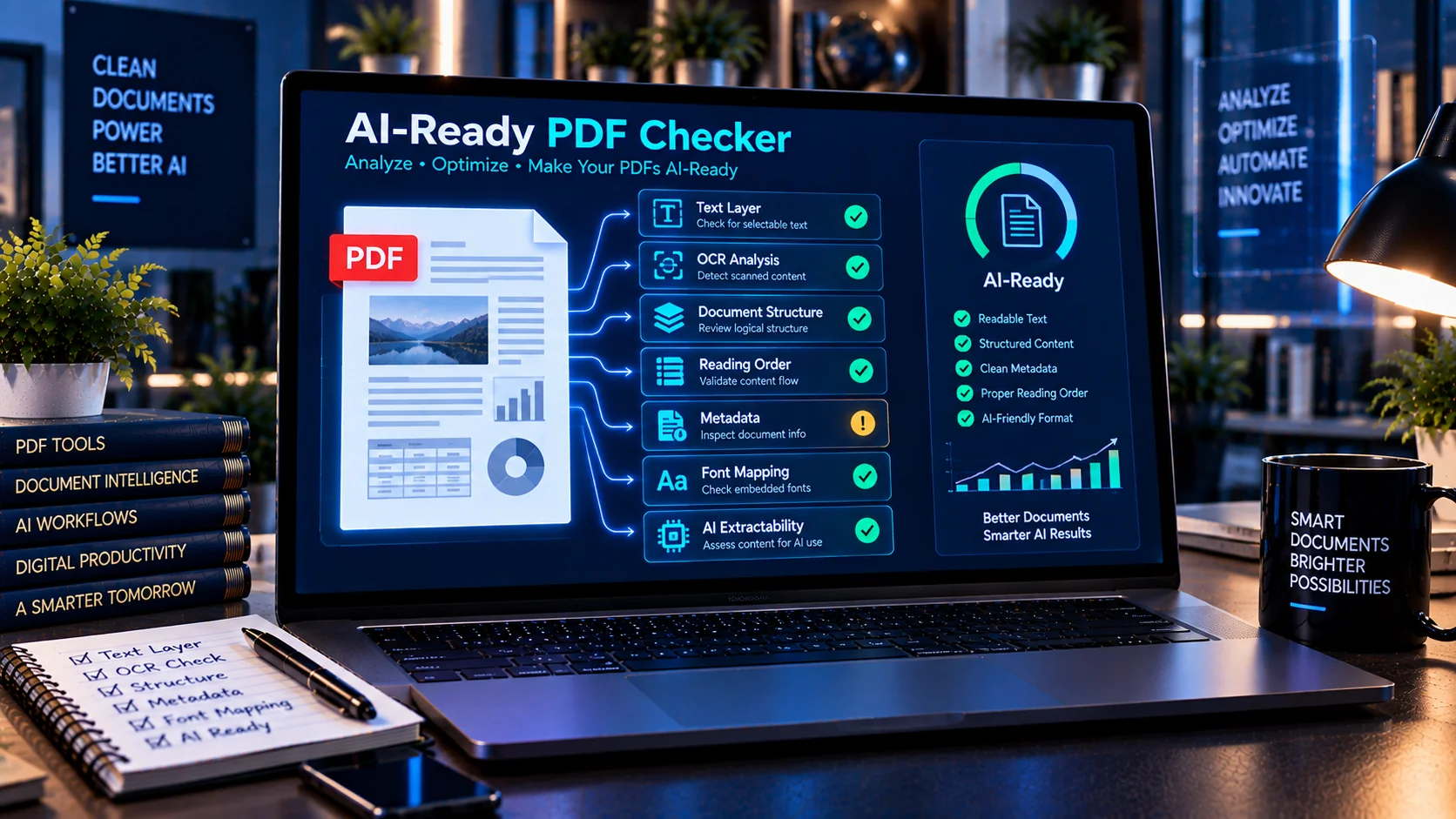
PDFs can look perfectly readable to people while still containing structural or extraction problems that make them harder for AI systems to process reliably. Issues such as missing text layers, image-only pages, weak document structure, unusual reading order, metadata, embedded content, and font extraction problems can affect how PDF content is interpreted by downstream AI workflows. PKCapra’s AI-Ready PDF Checker helps inspect these characteristics and provides an AI-readiness assessment before a PDF is used for AI analysis, document extraction, or RAG workflows.
AI-Ready PDF Checker
Inspect a PDF for text-layer availability, document structure, metadata, extractability indicators, and AI-readiness signals. Analysis runs in your browser.
This is a diagnostic heuristic. A browser-only scan cannot fully render every PDF, reconstruct exact reading order, or verify OCR accuracy without extracting the PDF's visual and text layers. Use the findings as a review aid.
What Is an AI-Ready PDF?
An AI-ready PDF is a document whose text and underlying structure can be accessed and interpreted consistently by software.
A PDF may appear visually correct but still contain:
- Scanned pages without a usable text layer
- Image-heavy content
- Poor text extraction
- Missing or incomplete font mappings
- Difficult reading order
- Limited document structure
- Unexpected metadata
- Embedded files
- JavaScript or PDF actions
- Duplicate or unusual content
Checking these characteristics before AI processing can help identify documents that may require cleanup or additional preparation.
What the AI-Ready PDF Checker Analyzes
PKCapra examines multiple PDF characteristics that can affect machine readability and AI processing.
Text Layer
A usable text layer is important when an AI system needs to extract text directly from a PDF.
The checker looks for indicators related to text availability and helps identify PDFs that may depend heavily on rendered images instead of accessible text.
OCR and Image-Heavy Pages
Scanned PDFs may contain pages where the visible information exists primarily as images.
The checker identifies image-heavy or OCR-related indicators that may require additional processing before the document is used by an AI system.
Document Structure
PDFs can contain structural information that helps software understand how content is organized.
The checker examines available structural indicators and can highlight documents where the underlying organization may need further review.
Reading Order
Text extraction does not always follow the visual order that a person sees on the page.
Multi-column layouts, sidebars, tables, floating elements, and complex designs can make reading order more difficult for automated systems. The checker provides indicators that can help identify PDFs requiring closer inspection.
Metadata
PDF files may contain metadata such as author, title, creator application, or other document properties.
The checker identifies metadata-related information so it can be reviewed before the PDF enters an AI workflow.
Embedded Files
A PDF can contain additional embedded files or objects. These may deserve review when preparing a document for automated processing.
JavaScript and PDF Actions
Some PDFs can contain JavaScript or interactive actions.
The checker identifies relevant indicators so potentially unnecessary or unexpected active content can be reviewed before the document is supplied to an AI system.
Font and Text Extraction Information
Fonts and character mappings can affect whether PDF text is extracted correctly.
The checker examines relevant font and ToUnicode indicators to help identify potential text-extraction problems.
Duplicate Content
Repeated or duplicated content can make extracted PDF text unnecessarily noisy.
The checker includes duplicate-content indicators that can help identify documents requiring additional cleanup.
Why PDF Structure Matters for AI
AI systems generally work with extracted or transformed document content rather than simply seeing a PDF exactly as a human reader sees it.
A person may easily understand a page visually, while an automated extraction process may encounter:
- Text in the wrong order
- Missing characters
- Repeated text
- Missing headings
- Unrecognized scanned content
- Broken table relationships
- Unexpected metadata
- Image-only sections
Checking the underlying PDF characteristics can therefore be useful before the document is introduced into an AI pipeline.
Prepare PDFs for RAG Workflows
PDF files are frequently converted into text and added to retrieval-augmented generation (RAG) systems.
Before ingestion, it can be useful to check whether the PDF has characteristics that may interfere with extraction or downstream retrieval.
A practical workflow is:
- Upload or inspect the PDF.
- Run the AI-Ready PDF Checker.
- Review the readiness score and findings.
- Identify text-layer, OCR, structure, reading-order, or metadata issues.
- Clean or preprocess the PDF when necessary.
- Extract the document content.
- Review the extracted content.
- Continue with RAG ingestion or AI processing.
AI-Readiness Score and Diagnostic Findings
The checker provides an overall AI-readiness assessment together with individual diagnostic findings.
The score is intended to make document review easier, while the detailed findings provide additional context about specific PDF characteristics.
A score should be treated as a diagnostic indicator rather than a guarantee that a PDF will behave perfectly with every AI model, extraction library, OCR system, or RAG pipeline.
Useful for Different PDF Workflows
The AI-Ready PDF Checker can be useful when preparing documents for:
- AI document analysis
- RAG knowledge bases
- PDF text extraction
- Document-processing pipelines
- AI research workflows
- OCR workflows
- Automated document classification
- Enterprise document repositories
- AI assistants
- Machine-readable document archives
Browser-Based PDF Analysis
PKCapra’s AI-Ready PDF Checker is designed for browser-side analysis and does not require an external AI API for its diagnostic process.
This can be useful when performing an initial document-readiness check before moving the PDF into another AI or document-processing system.
Important Limitations
An AI-readiness score cannot guarantee how a particular AI model or document-processing system will interpret a PDF.
Different PDF extraction libraries, OCR engines, RAG pipelines, and AI systems may handle the same document differently. A PDF that passes structural checks can still contain extraction errors that require human review.
For important documents, review the extracted text and actual document content in addition to the automated diagnostic results.
A Practical PDF-to-AI Workflow
For more reliable document preparation, PDF readiness can be treated as one stage of a larger workflow:
PDF → AI-Ready Check → Security Review → OCR/Text Extraction → Content Review → Cleanup → AI/RAG Processing
This approach helps identify structural and content-related problems before the document becomes part of an AI workflow.
Frequently Asked Questions
What is an AI-ready PDF?
An AI-ready PDF is a PDF with accessible content and characteristics that make its information easier for software and AI systems to extract and process reliably.
Can a visually readable PDF still have AI-readiness problems?
Yes. A PDF can look normal to a human reader while containing image-only pages, difficult reading order, missing text mappings, or other extraction-related issues.
Does an AI-ready PDF need OCR?
Not necessarily. OCR is particularly important for scanned or image-only documents. A digitally generated PDF may already contain an accessible text layer.
Why is reading order important for AI?
If extracted text does not follow the logical order of the document, an AI system may receive information in a confusing sequence. Complex layouts can increase this risk.
Does the checker fix PDF problems?
The checker is primarily a diagnostic tool. It identifies characteristics and potential issues so the PDF can be reviewed or processed appropriately.
Can I use the tool before adding PDFs to a RAG system?
Yes. Checking PDFs before ingestion can help identify extraction, OCR, structure, metadata, and other characteristics that may deserve attention before RAG processing.
Does the tool use an external AI API?
No. The diagnostic process is designed for browser-side analysis and does not require an external AI or API call.
Related PDF and AI Document Tools
Preparing a PDF for AI often requires more than checking its technical structure. You can use OCR PDF when scanned content needs OCR processing, PDF Text Extractor when you need to inspect extracted text, PDF Metadata Viewer & Remover to review or remove PDF metadata, and AI Document Safety Scanner for broader document-security checks before AI processing.