
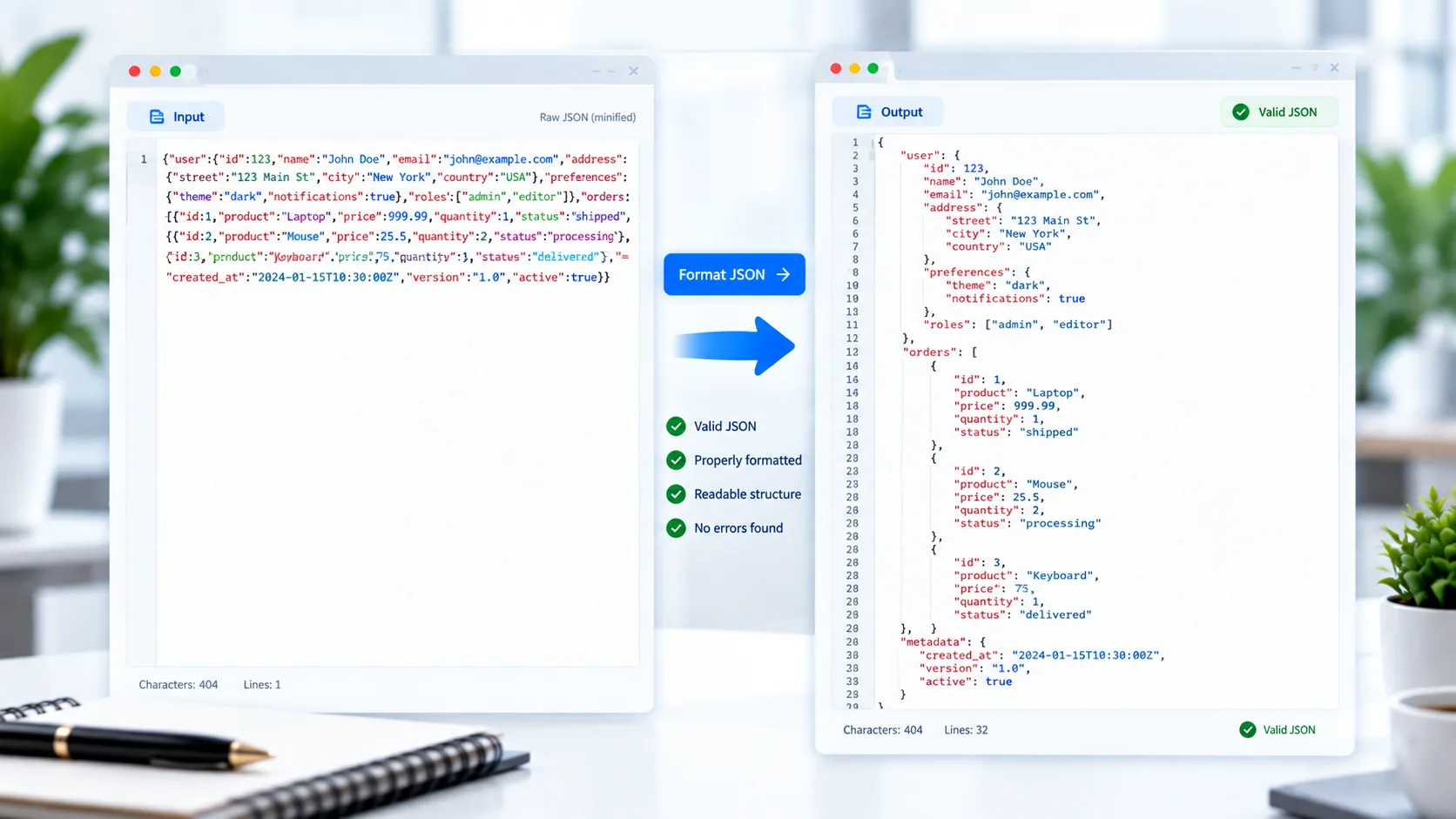
Format JSON Online
JSON is widely used for APIs, configuration files, web applications, and data exchange. However, JSON copied from an API response or generated by software can sometimes appear compressed into a single line, making it difficult to read.
PKCapra JSON Formatter makes JSON easier to read by formatting it into a structured, indented layout directly in your browser.
You can paste JSON into the tool or upload a .json file, validate the syntax, pretty-print the data, minify it again, copy the result, or download it.
JSON Formatter
Format, validate, minify, copy, or download JSON directly in your browser.
What Is a JSON Formatter?
A JSON formatter takes valid JSON and presents it in a more readable structure.
For example, compact JSON such as:
{"name":"PKCapra","free":true,"features":["Format","Minify","Validate"]}can be formatted into a readable structure with indentation and line breaks.
This makes nested objects and arrays much easier to inspect.
How to Format JSON
Using PKCapra JSON Formatter is simple:
- Paste your JSON or upload a
.jsonfile. - Validate the JSON.
- Select Format / Pretty Print.
- Review the formatted result.
- Copy or download the JSON if needed.
You can also minify the formatted JSON when you need a compact version.
JSON Pretty Print
Pretty printing means adding indentation and line breaks to valid JSON without changing its underlying data structure.
This is particularly helpful when working with:
- API responses
- Configuration files
- Application data
- Web development
- Database exports
- JSON documents
- Structured datasets
Readable formatting can make it much easier to locate a particular property or understand nested data.
Validate JSON Syntax
Formatting only makes sense when the JSON is valid.
PKCapra JSON Formatter includes JSON validation so you can check whether the supplied data follows valid JSON syntax.
If the JSON contains a syntax problem, the tool provides an error instead of silently treating invalid data as valid.
For the JavaScript JSON object and its parsing/stringifying behavior, see the MDN JSON Reference.
Minify JSON
Sometimes you need the opposite of pretty printing.
JSON minification removes unnecessary whitespace and line breaks while retaining the JSON data itself.
For example, formatted JSON can be converted back into a compact structure that is more convenient when you need a smaller text representation.
A common workflow is:
Validate → Format → Edit/Review → Minify
Format JSON Files
You don’t have to paste JSON manually. PKCapra JSON Formatter also supports uploading a .json file.
This is useful when you already have a JSON response, configuration file, export, or dataset saved on your computer.
After processing, you can download the formatted JSON as a new file.
Work With Nested JSON
Real-world JSON frequently contains nested objects and arrays.
For example, an API response might contain a structure such as:
{
  "user": {
    "name": "Ali",
    "address": {
      "city": "Dubai"
    }
  }
}
Pretty formatting makes relationships between nested properties easier to understand.
Copy Formatted JSON
After formatting your JSON, you can copy the result directly from the tool.
This is useful when moving JSON into:
- Code editors
- API testing tools
- Documentation
- Configuration files
- Development projects
- Debugging workflows
Download Formatted JSON
If you need to keep the formatted result as a file, PKCapra lets you download the processed JSON.
This can be useful when cleaning up an API response or preparing a JSON document for later use.
Process JSON in Your Browser
PKCapra JSON Formatter is designed for browser-side processing. Your JSON is processed directly in the browser rather than requiring the data to be uploaded to a remote processing server.
This is useful when working with configuration data, API responses, or other JSON that you prefer to keep on your own device.
JSON Formatter for Developers and Everyday Users
You don’t need to be an experienced developer to benefit from a JSON formatter.
It can help when you receive a JSON response and simply need to make it readable, check whether it is valid, or convert between formatted and compact versions.
For developers, it can also be a convenient utility during API testing, debugging, and data inspection.
JSON Tools for Data Conversion
If your workflow involves converting structured data between formats, PKCapra also provides an JSON to Excel Converter.
You can also convert spreadsheet data in the other direction with the Excel to JSON Converter.
For XML-based data workflows, the XML to Excel Converter is another useful option.
Features
JSON Formatting
Turn valid JSON into a readable, indented structure.
JSON Validation
Check JSON syntax before formatting or minifying it.
JSON Minification
Convert formatted JSON into a compact representation.
File Upload
Upload a .json file directly into the tool.
Paste JSON
Paste JSON directly into the formatter.
Nested Objects & Arrays
Format complex JSON structures containing nested data.
Copy Result
Copy formatted or minified JSON to your clipboard.
Download JSON
Save the processed JSON as a file.
Browser-Based Processing
Process JSON directly in your browser.
Mobile-Friendly
Use the formatter on desktop, tablet, or mobile.
FAQ
What is a JSON formatter?
A JSON formatter converts valid JSON into a readable structure with indentation and line breaks.
How do I format JSON online?
Paste your JSON or upload a .json file into PKCapra JSON Formatter, validate it, and select the formatting option.
What is JSON beautification?
JSON beautification is another term for pretty-printing JSON. It adds indentation and line breaks to make the structure easier to read.
Can I validate JSON with this tool?
Yes. The tool can validate JSON syntax and report an error when the supplied JSON is invalid.
Can I minify JSON?
Yes. You can convert formatted JSON into a compact version using the minify option.
Can I upload a JSON file?
Yes. The tool supports .json file uploads as well as pasted JSON.
Does formatting change my JSON data?
For valid JSON, formatting changes the presentation by adding whitespace and indentation; it does not intentionally change the underlying data structure.
Is my JSON uploaded to a server?
The tool is designed for browser-side processing, so your JSON is processed locally in your browser.
Is the JSON Formatter free?
Yes. PKCapra provides the JSON Formatter as a free online tool.