
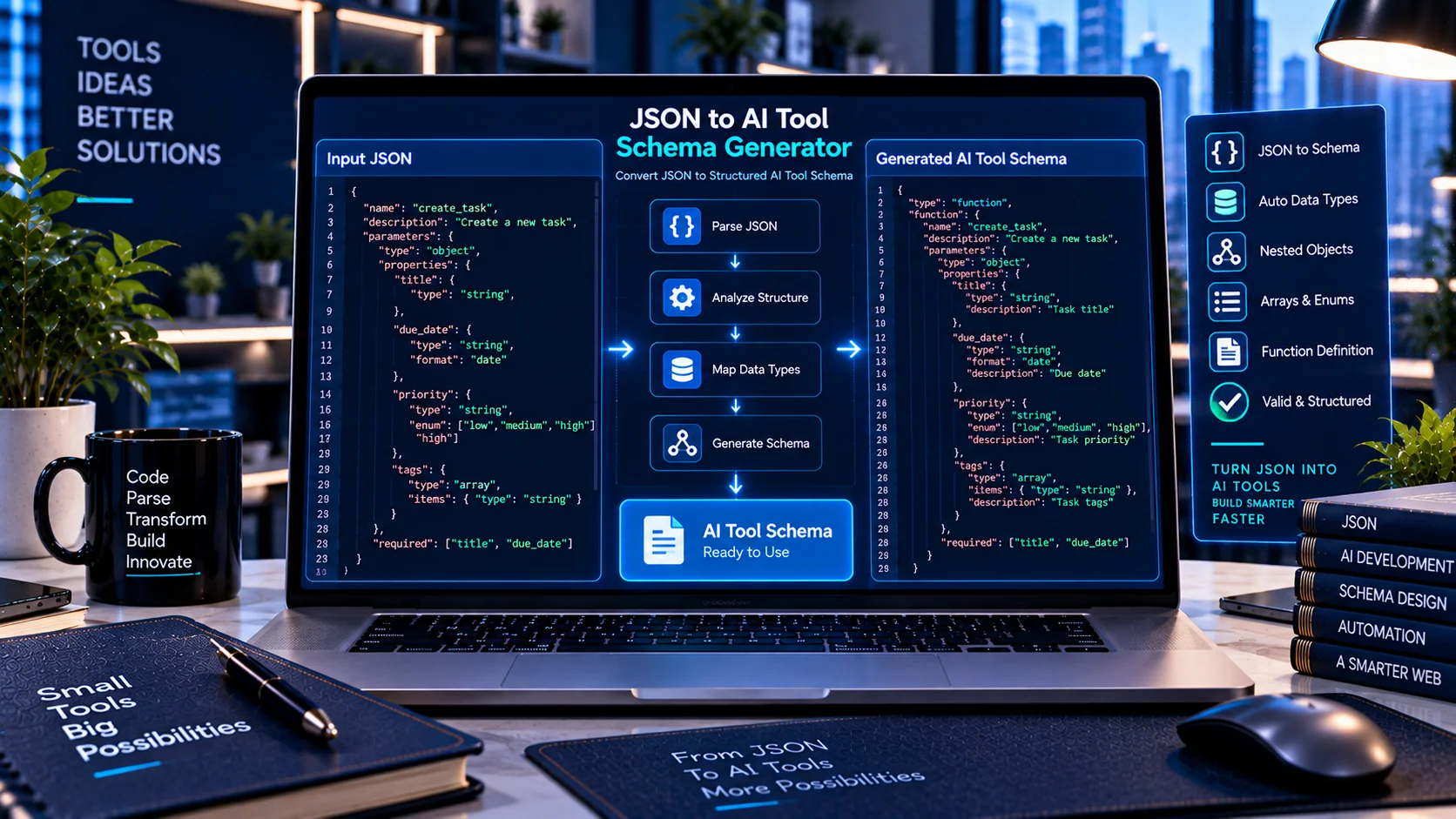
Turning example JSON into a structured AI tool definition can be time-consuming when every property, data type, nested object, array, and required field has to be defined manually.
The JSON to AI Tool Schema Generator helps developers generate AI-ready tool schemas from JSON examples or existing JSON Schema. It can infer common data types and produce structured tool definitions for supported AI development formats.
JSON to AI Tool Schema Generator
Generate an AI tool/function schema from a JSON example or an existing JSON Schema.
Runs locally in your browser. Your JSON is not uploaded to PKCapra or sent to an AI provider.
What Is a JSON to AI Tool Schema Generator?
A JSON to AI Tool Schema Generator analyzes structured JSON and creates a corresponding AI tool schema.
For example, if a JSON example contains:
nameemailageactiveaddressorders
the generator can identify the corresponding data types and build a structured schema representing those properties.
This can provide a useful starting point when creating tools for AI function calling and structured interactions.
Why Generate AI Tool Schemas From JSON?
Manually creating schemas for complex JSON structures can require significant repetitive work.
A JSON example already contains valuable structural information. By analyzing that example, a schema generator can infer many of the basic characteristics needed to create an AI tool definition.
This can be particularly useful when:
- You already have sample API responses or request objects.
- You are converting existing application data into AI tools.
- You are prototyping function-calling workflows.
- You need a starting schema for a new AI function.
- You are working with nested JSON structures.
How the JSON to AI Tool Schema Generator Works
The PKCapra generator can work from either a JSON example or an existing JSON Schema, depending on the selected workflow.
A typical process is:
- Provide a valid JSON example.
- Enter the tool name.
- Add a tool description.
- Let the generator analyze the structure.
- Review inferred properties and data types.
- Select the desired AI tool output format.
- Generate the schema.
- Copy or download the resulting JSON.
The generated schema can then be reviewed and adapted to the requirements of the target AI platform.
Automatic JSON Type Inference
One of the main purposes of the tool is reducing manual type-definition work.
The generator can recognize common JSON data types, including:
- Strings
- Numbers
- Integers
- Booleans
- Objects
- Arrays
- Null values
For example, a JSON value such as:
"customer_name": "John"
can be represented as a string property, while:
"quantity": 4
can be represented as an integer or numeric property depending on the detected structure.
Nested Object Schema Generation
Real-world JSON frequently contains nested objects.
For example, a customer object may contain an address object containing several additional properties.
The generator can inspect nested structures and create corresponding nested schema definitions rather than treating the entire object as an unstructured value.
This can make the generated tool definition more useful for complex AI workflows.
Array Item Inference
Arrays can contain strings, numbers, objects, or other supported structures.
The generator can inspect array content and infer an appropriate item structure where sufficient information is available.
For example, an array containing customer objects can be represented as an array whose items follow an object schema.
Complex arrays should still be reviewed after generation, especially when the supplied example does not contain enough information to represent every possible item variation.
Required Fields
The generator can identify properties present in the supplied JSON structure and use them when constructing the generated schema.
Developers can then review which properties should actually be required by the AI tool.
This distinction is important because an example containing a field does not necessarily mean that the field must always be supplied in production.
Tool Name and Description
AI tool definitions generally benefit from clear names and descriptions.
The PKCapra generator provides fields for defining the generated tool’s name and description so developers can create a more complete tool definition instead of generating only a raw property structure.
A descriptive tool name helps distinguish the function from other available tools, while a precise description can provide context about what the tool is intended to do.
Supported AI Tool Schema Outputs
The generator supports several output representations, including:
- OpenAI tool/function-style output
- Anthropic tool-style output
- Gemini function declaration output
- Generic JSON Schema
This makes the generator useful when working across different AI development environments.
Generated output should always be reviewed against the current requirements of the target API or SDK before production deployment.
JSON Example vs. JSON Schema
A JSON example and a JSON Schema serve different purposes.
A JSON example shows an actual instance of data.
A JSON Schema describes the rules that valid data should follow.
For example, this JSON:
{"name":"John","age":30}
shows one possible data object.
A corresponding schema can describe name as a string and age as an integer and can define which properties are required.
The PKCapra tool can therefore help bridge the gap between example data and a reusable structured schema.
JSON to AI Tool Schema Workflow
A practical workflow can look like this:
JSON Example → Type Inference → Schema Generation → Review → Validation → AI Integration
First provide representative JSON data.
The generator analyzes its structure and creates a schema.
The generated schema should then be reviewed and validated before being integrated into an AI application.
For more complex development workflows, schema validation can help identify structural problems before deployment.
JSON to AI Tool Schema Generator vs. AI Tool Schema Converter
These tools serve different purposes.
The JSON to AI Tool Schema Generator creates a tool schema from JSON examples or JSON Schema.
The AI Tool Schema Converter transforms an existing tool definition from one supported representation into another.
A developer might therefore use them in different situations:
JSON Example → Schema Generator → AI Tool Schema
or:
Existing AI Tool Schema → Schema Converter → Different AI Tool Format
Both can be useful when building multi-platform AI applications.
JSON to AI Tool Schema Generator vs. AI Tool Schema Validator
Generation and validation are also different stages.
The generator creates a schema from structured input.
The AI Tool Schema Validator checks an existing AI tool schema for structural problems and consistency.
A practical workflow can therefore be:
Generate → Review → Validate → Test
This provides an additional check before the schema is used by an application.
JSON to AI Tool Schema Generator vs. AI Tool Response Validator
The AI Tool Response Validator serves a different purpose.
The generator creates tool definitions.
The response validator checks returned tool data against an expected schema.
A complete AI tool workflow may therefore involve both:
Generate Tool Schema → Execute Tool → Validate Tool Response
Common JSON Schema Generation Issues
Incomplete Examples
A single JSON example may not represent every possible property or value variation.
The generated schema should therefore be treated as a starting point rather than automatically assuming that the example represents the complete production data model.
Ambiguous Numeric Types
JSON numbers do not always provide enough information to determine whether an application expects a general number or a specific integer constraint.
Review numeric properties when this distinction matters.
Mixed-Type Arrays
Arrays containing different types or structures can require manual schema refinement.
Optional Properties
A property appearing in an example does not necessarily mean it should be required in every request.
Review required-field settings before using the generated schema.
Null Values
A value that is null in an example may require additional consideration when the property can also contain another data type.
Complex Nested Structures
Deeply nested JSON can produce a large schema. Review the generated structure before integrating it into an AI tool.
Best Practices for Generated AI Tool Schemas
For better results:
- Use representative JSON examples.
- Give tools clear names.
- Write specific descriptions.
- Review automatically inferred data types.
- Review required fields.
- Check nested objects.
- Review array item structures.
- Check nullable properties.
- Validate generated schemas.
- Test generated tools against realistic inputs.
- Adjust provider-specific fields before production deployment.
Browser-Based JSON to AI Tool Schema Generation
PKCapra’s JSON to AI Tool Schema Generator is designed to run directly in the browser.
This provides a convenient way to generate schemas without requiring a separate local script for basic JSON-to-schema conversion tasks.
It can be useful for developers working on prototypes, API integrations, function-calling experiments, documentation, and schema development.
For proprietary or sensitive data, developers should always consider their organization’s data-handling requirements before using any online tool.
Limitations
Automatically generated schemas are based on the information available in the supplied JSON.
An example cannot always describe every possible value, optional property, validation rule, business rule, or edge case in a production application.
The generated result should therefore be reviewed and refined before being used as a production contract.
Platform-specific AI tool requirements may also differ, so developers should verify the generated output against the target API or SDK.
Frequently Asked Questions
What is a JSON to AI Tool Schema Generator?
It is a tool that analyzes JSON examples or JSON Schema and generates a structured AI tool definition.
Can it infer JSON data types?
Yes. It can identify common JSON types such as strings, numbers, integers, booleans, objects, arrays, and null values.
Can it handle nested JSON?
Yes. Nested objects can be analyzed and represented as nested schema structures.
Can it generate schemas for arrays?
Yes. The generator can inspect array content and infer applicable item structures.
Can I define the tool name and description?
Yes. The generator includes fields for defining the tool name and description.
Which AI formats can it generate?
Supported outputs include OpenAI tool/function-style schemas, Anthropic tool-style schemas, Gemini function declarations, and generic JSON Schema.
Is the generated schema automatically production-ready?
Not necessarily. Generated schemas should be reviewed, validated, and tested because an example may not contain every rule or variation required by a production application.
Can I validate the generated schema?
Yes. You can use the AI Tool Schema Validator to check the generated tool schema for structural consistency.
Can I use the generated schema with tool responses?
Yes, but the schema should represent the intended contract for the tool. Returned data can then be checked separately with the AI Tool Response Validator.
Generate an AI Tool Schema From JSON
The PKCapra JSON to AI Tool Schema Generator provides a practical starting point for turning existing JSON structures into AI-ready tool definitions.
Instead of manually creating every property from scratch, developers can start with representative JSON, generate the initial schema, review the inferred structure, validate it, and then adapt it to the requirements of their AI application.