
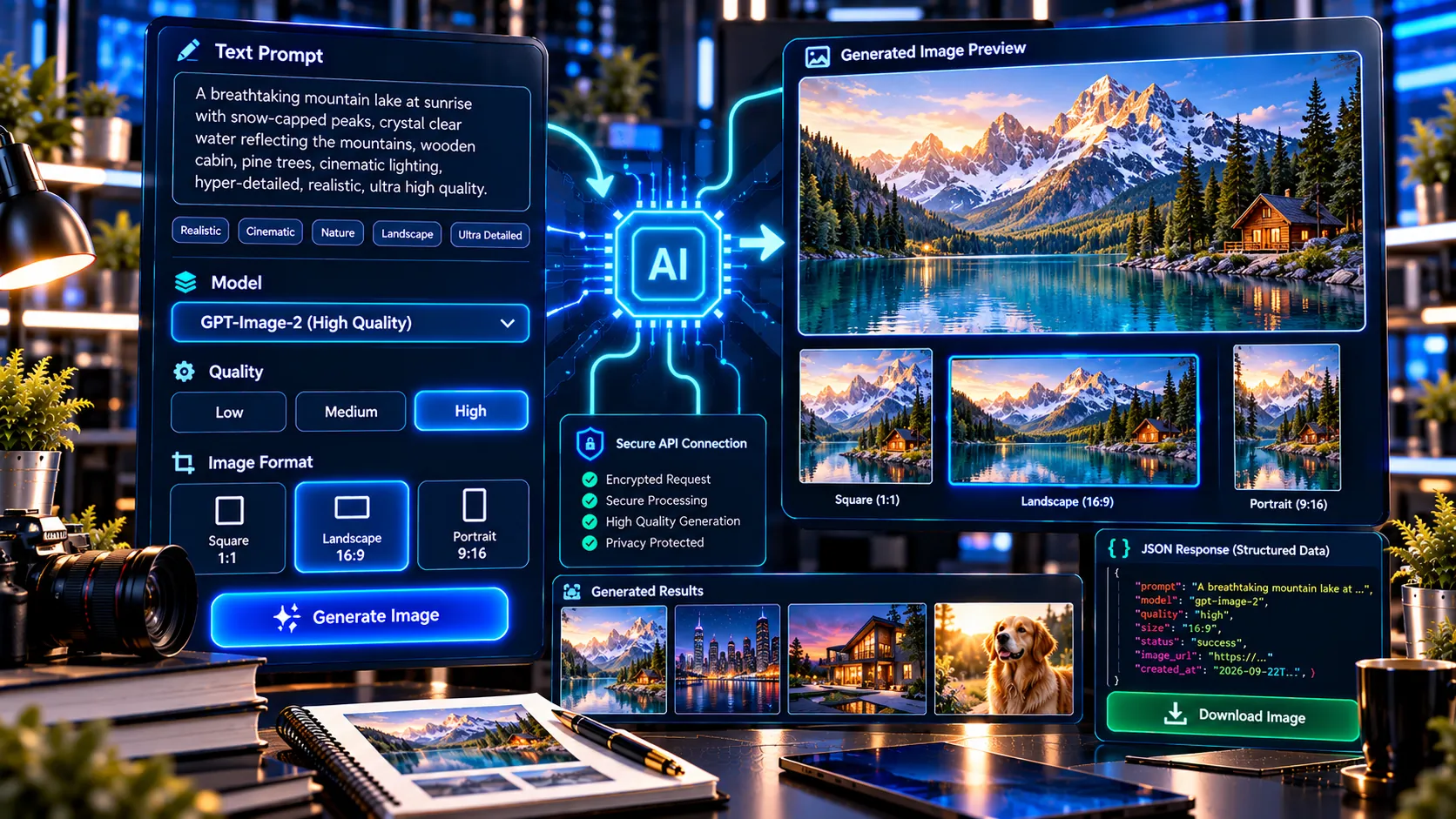
Create images from text prompts with PKCapra’s AI Image Generator. Enter a detailed description, choose your preferred image size and quality, provide your own OpenAI API key, and generate an image directly from your browser.
Privacy: Image generation sends your prompt and API key to the endpoint you specify. PKCapra does not save the key in this tool's database. Check the provider's current terms, privacy policy, pricing, and data-handling rules before use.
Create Images From Text Prompts
Turn written ideas into generated images by describing the subject, environment, composition, lighting, style, colors, mood, and other visual details you want.
The tool is designed for users who already have access to the OpenAI API and want a simple interface for sending image-generation requests without building their own API integration.
Bring Your Own OpenAI API Key
PKCapra uses a Bring Your Own Key (BYOK) approach for this image generator. You provide your own OpenAI API key when using the tool, and your OpenAI API usage is associated with your own API account.
PKCapra does not provide API credits for image generation. Your OpenAI API account must have the required API access and available usage for a generation request to succeed.
For security, never share an OpenAI API key with another person. OpenAI recommends protecting API keys and avoiding exposing them in public applications or source code. OpenAI Help Center
Choose Your Image Size
Select the image dimensions that best match your intended use.
Available options include:
- 1024 × 1024 for square images
- 1536 × 1024 for landscape images
- 1024 × 1536 for portrait images
This makes the generator suitable for different types of creative and content workflows.
Choose Image Quality
Select the quality level according to your requirements:
- Low — useful for quick experimentation
- Medium — suitable for general image generation
- High — suitable when greater generation quality is preferred
Using different quality levels can help you experiment with prompts before making a final generation.
Use Detailed Prompts
The quality of a generated image depends significantly on the prompt you provide. A useful prompt can describe:
- Main subject
- Setting or environment
- Composition
- Camera perspective
- Lighting
- Color palette
- Visual style
- Mood
- Materials and textures
- Background
- Aspect ratio or intended format
For example, instead of writing:
A modern office
you can provide a much more specific description such as a modern technology workspace with floor-to-ceiling windows, cinematic morning light, premium architectural materials, realistic reflections, minimal furniture, and a sophisticated blue-and-gold visual palette.
Preview and Download Generated Images
After a successful generation, the tool provides an image preview so you can inspect the result before saving it.
You can also download the generated image for use in your own projects.
Copy Your Prompt
The generator includes a prompt-copy function so you can quickly reuse or modify successful prompts for future image generations.
This is useful when experimenting with multiple variations of the same visual concept.
Generate a Structured JSON Report
PKCapra can also provide a structured JSON report containing information about the generation request and result.
This can be useful for workflows that require generation details to be recorded or processed programmatically.
What You Need
To use PKCapra’s AI Image Generator, you need:
- An OpenAI account with API access.
- A valid OpenAI API key.
- Available API usage/credits where required.
- A text prompt describing the image you want to create.
OpenAI provides its API keys through the API platform, and the full secret key is shown when it is created. OpenAI Help Center
Frequently Asked Questions
Is PKCapra’s AI Image Generator free?
The PKCapra tool interface does not provide free OpenAI API credits. Image-generation API usage is handled through the OpenAI API account associated with the API key you provide.
Do I need my own OpenAI API key?
Yes. This version uses a BYOK model, so you need to provide your own OpenAI API key to make an image-generation request.
Does PKCapra provide OpenAI API credits?
No. You use your own OpenAI API account and its available API usage.
Which image model does the tool use?
The generator is configured for GPT-Image-2, which OpenAI currently lists as its state-of-the-art image-generation model. OpenAI Platform
Can I generate square images?
Yes. The tool supports 1024 × 1024 square generation.
Can I generate landscape images?
Yes. The 1536 × 1024 option is designed for landscape images.
Can I generate portrait images?
Yes. The 1024 × 1536 option is designed for portrait images.
Should I share my OpenAI API key with anyone?
No. OpenAI advises keeping API keys private and recommends secure key-management practices. OpenAI Help Center
Can I use generated images commercially?
The applicable rights and usage conditions depend on the OpenAI service terms and your specific use case. Review the current OpenAI terms and policies before using generated content commercially.
Start Creating AI Images
Write your image idea as clearly and specifically as possible, select the desired size and quality, provide your own OpenAI API key, and generate your image with PKCapra’s AI Image Generator.