
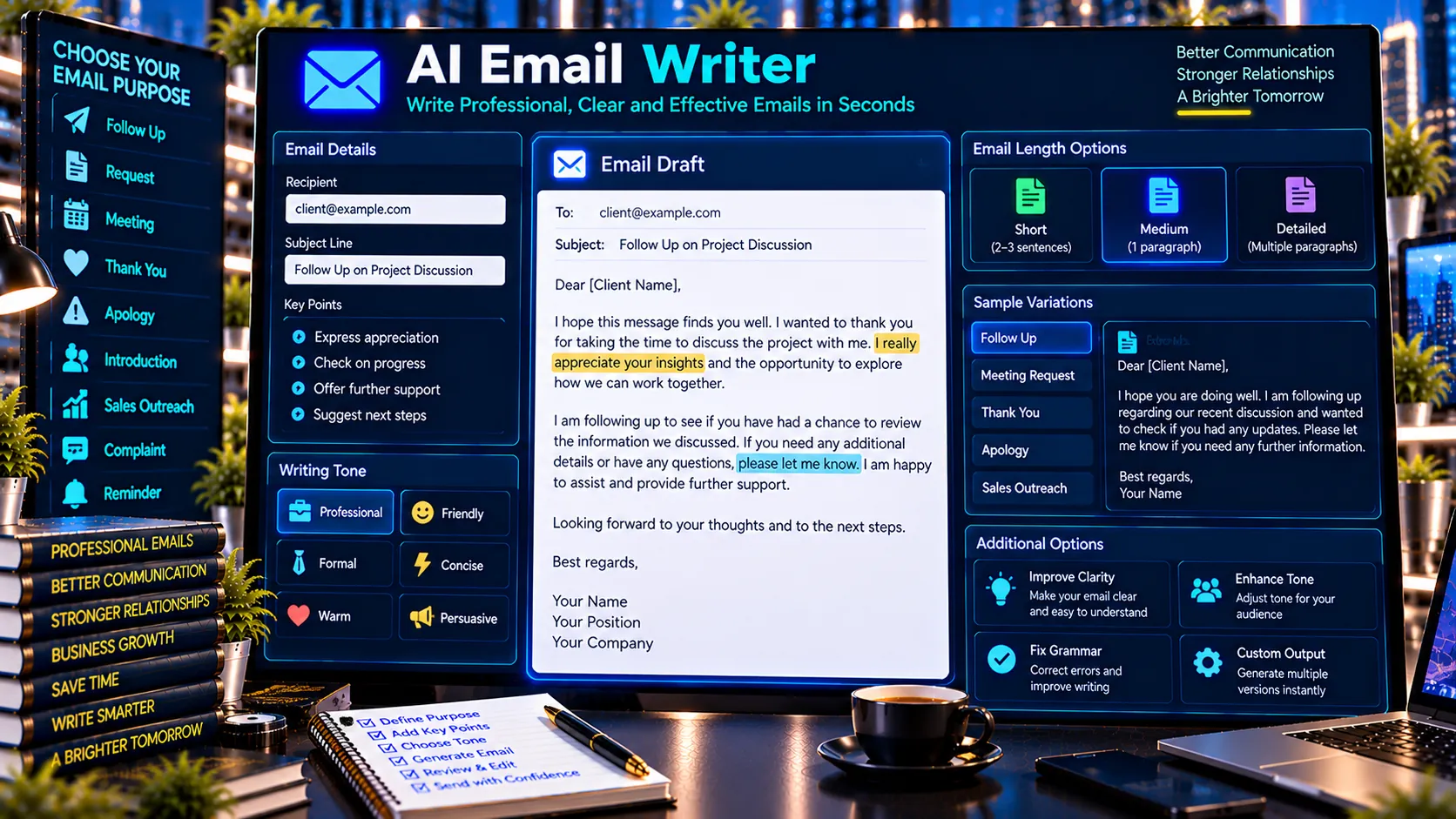
PKCapra’s AI Email Writer helps create structured professional email drafts for common business and personal communication needs. Choose an email purpose, tone, and length, provide the recipient and key context, and generate a ready-to-edit email with a subject line directly in your browser.
AI Email Writer
Create a polished email draft from your purpose, audience, tone, and key points. The browser-based writer uses structured templates and does not require an external AI API.
Template-based browser-side email drafting utility. Review the generated draft before sending.
What Is an AI Email Writer?
An AI Email Writer helps users create email drafts without starting from a blank page.
PKCapra’s AI Email Writer uses structured templates and browser-based generation to turn a selected email purpose, tone, recipient information, and key points into a complete email draft.
The tool is designed for practical email writing rather than requiring an external AI API.
What Can the AI Email Writer Create?
PKCapra supports a range of common email scenarios.
Professional Emails
Create professional messages for workplace communication, business correspondence, client communication, and other formal situations.
Follow-Up Emails
Create follow-up drafts for situations where a previous message, meeting, request, or conversation requires another response.
Request Emails
Create structured emails asking a recipient for information, assistance, approval, documents, action, or other business requirements.
Meeting and Appointment Emails
Draft messages for scheduling meetings, confirming appointments, requesting availability, or following up about a planned discussion.
Thank-You Emails
Create concise thank-you messages for professional interactions, meetings, assistance, introductions, opportunities, or other situations where appreciation needs to be communicated.
Apology Emails
Create professional apology drafts for delays, mistakes, missed commitments, communication problems, or other situations requiring a respectful response.
Introduction Emails
Create introductory emails for connecting with a new client, colleague, business contact, partner, or professional network.
Sales and Business Outreach
Draft structured outreach messages for business introductions, services, partnerships, prospects, and professional opportunities.
Complaint and Issue Emails
Create organized messages for reporting an issue, requesting resolution, explaining a problem, or communicating a complaint professionally.
Reminder Emails
Create polite reminder messages for pending actions, unanswered requests, appointments, payments, documents, or other follow-up requirements.
General Professional Emails
For situations that do not fit a specific category, the general professional email option provides a flexible starting point for creating a structured message.
Choose an Email Tone
The AI Email Writer provides multiple tone options so users can adjust the style of the draft.
Professional
Suitable for everyday business communication, workplace emails, and client correspondence.
Friendly
Useful when the message should remain professional while sounding more approachable.
Formal
Designed for situations that require more traditional or formal business language.
Concise
Useful when the recipient needs a short, direct message with minimal unnecessary wording.
Warm
Suitable for communication where professionalism should be combined with a more personal and considerate tone.
Persuasive
Useful for business outreach, proposals, requests, and messages where the recipient needs to understand the value or reason behind the request.
Choose Email Length
Users can select the desired draft length.
Short
Creates a concise email focused on the essential message.
Medium
Provides additional context while maintaining a practical business-email length.
Detailed
Creates a longer structured draft with more context and supporting information.
Add Recipient and Sender Information
The tool can use recipient and sender information provided by the user.
This can include:
- Recipient name
- Sender name
- Sender signature
- Key points
- Background context
- Requested action
- Additional information
Providing specific context generally produces a more useful draft.
Generate a Subject Line and Email Body
The AI Email Writer creates both a subject line and the main email body.
The subject is designed to reflect the selected purpose and supplied context, while the body follows the selected tone and length.
Users can then review and edit the draft before sending it.
AI Email Writer for Business Communication
Business professionals frequently need to write similar types of emails throughout the day.
PKCapra’s tool can provide a structured starting point for:
- Client communication
- Internal requests
- Follow-ups
- Meeting coordination
- Business introductions
- Sales outreach
- Reminders
- Thank-you messages
- Issue resolution
Instead of beginning with a blank document, users can provide the context and customize the generated draft.
AI Email Writer for Client Communication
Client emails often need to balance clarity, professionalism, and an appropriate tone.
The tool can help create drafts for:
- New client introductions
- Project updates
- Follow-ups
- Requests for information
- Appointment coordination
- Service-related communication
- Thank-you messages
- Issue resolution
The resulting draft should always be reviewed to make sure client-specific facts and commitments are correct.
AI Email Writer for Sales Outreach
Sales and business development teams can use structured email drafts for prospecting and outreach.
The persuasive tone can help organize:
- The reason for contacting the recipient
- The relevant business context
- The proposed action
- A concise value statement
- The desired next step
Users should personalize outreach before sending it rather than relying on an identical template for every recipient.
AI Email Writer for Follow-Ups
Following up can be difficult when you need to remain persistent without sounding repetitive or overly aggressive.
A structured follow-up draft can help organize:
- The previous interaction
- The reason for following up
- Any pending action
- A clear next step
Users can then adjust the wording according to their relationship with the recipient.
Browser-Based Email Drafting
PKCapra’s AI Email Writer is designed to work directly in the browser.
The current tool uses structured browser-side generation and does not require an external AI API to create the draft.
This allows users to provide their email context within the browser without depending on a remote AI writing service.
Review and Edit Before Sending
An automatically generated email should be treated as a draft rather than an automatic message.
Before sending an email, review:
- Names
- Dates
- Numbers
- Prices
- Deadlines
- Meeting details
- Attachments
- Business claims
- Contact information
- Requested actions
Editing the draft ensures that the final message accurately represents the sender and the specific situation.
AI Email Writer vs AI Grammar Checker
These tools serve different purposes.
An AI Email Writer creates a structured email draft based on a selected purpose, tone, length, and context.
An AI Grammar Checker reviews existing text for supported grammar, spelling, punctuation, capitalization, and writing issues.
A useful workflow can involve creating an email draft first and checking the final version for writing issues afterward.
AI Email Writer vs AI Text Rewriter
An AI Email Writer creates an email from a selected communication purpose and supplied context.
An AI Text Rewriter is intended to transform existing text while preserving its underlying meaning.
The two tools therefore support different stages of the writing process.
Privacy-Friendly Email Drafting
Email content can contain sensitive business or personal information.
PKCapra’s browser-based email writer does not require an external AI API for its current structured drafting workflow.
Users should still avoid including unnecessary sensitive information and should review all generated content before using it.
Who Can Use an AI Email Writer?
The tool can be useful for:
- Business owners
- Employees
- Sales teams
- Freelancers
- Consultants
- Marketers
- Customer-support teams
- Entrepreneurs
- Students
- Job seekers
- Professionals
- Agencies
It can be especially useful for people who regularly write similar types of professional emails.
Frequently Asked Questions
Can the AI Email Writer create professional emails?
Yes. The tool includes a Professional tone designed for business and workplace communication.
Can I write a follow-up email?
Yes. Follow-up is one of the supported email purposes.
Can I choose the tone?
Yes. Available tones include Professional, Friendly, Formal, Concise, Warm, and Persuasive.
Can I choose the email length?
Yes. You can choose Short, Medium, or Detailed.
Can I add my own context?
Yes. Recipient information, sender information, key points, and additional context can be supplied to customize the draft.
Does the tool send emails automatically?
No. It creates a draft. Users review, edit, and send the email themselves.
Does PKCapra use an external AI API?
The current AI Email Writer uses structured browser-side generation and does not require an external AI API.
Should I review the generated email before sending it?
Yes. Always verify names, dates, figures, commitments, claims, and other details before sending.
Can I copy or download the generated email?
Yes. The tool provides copy functionality and a downloadable structured email draft.
Create Professional Email Drafts With PKCapra
Use PKCapra’s AI Email Writer to create structured email drafts for follow-ups, requests, meetings, introductions, sales outreach, reminders, thank-you messages, complaints, apologies, and everyday professional communication.