
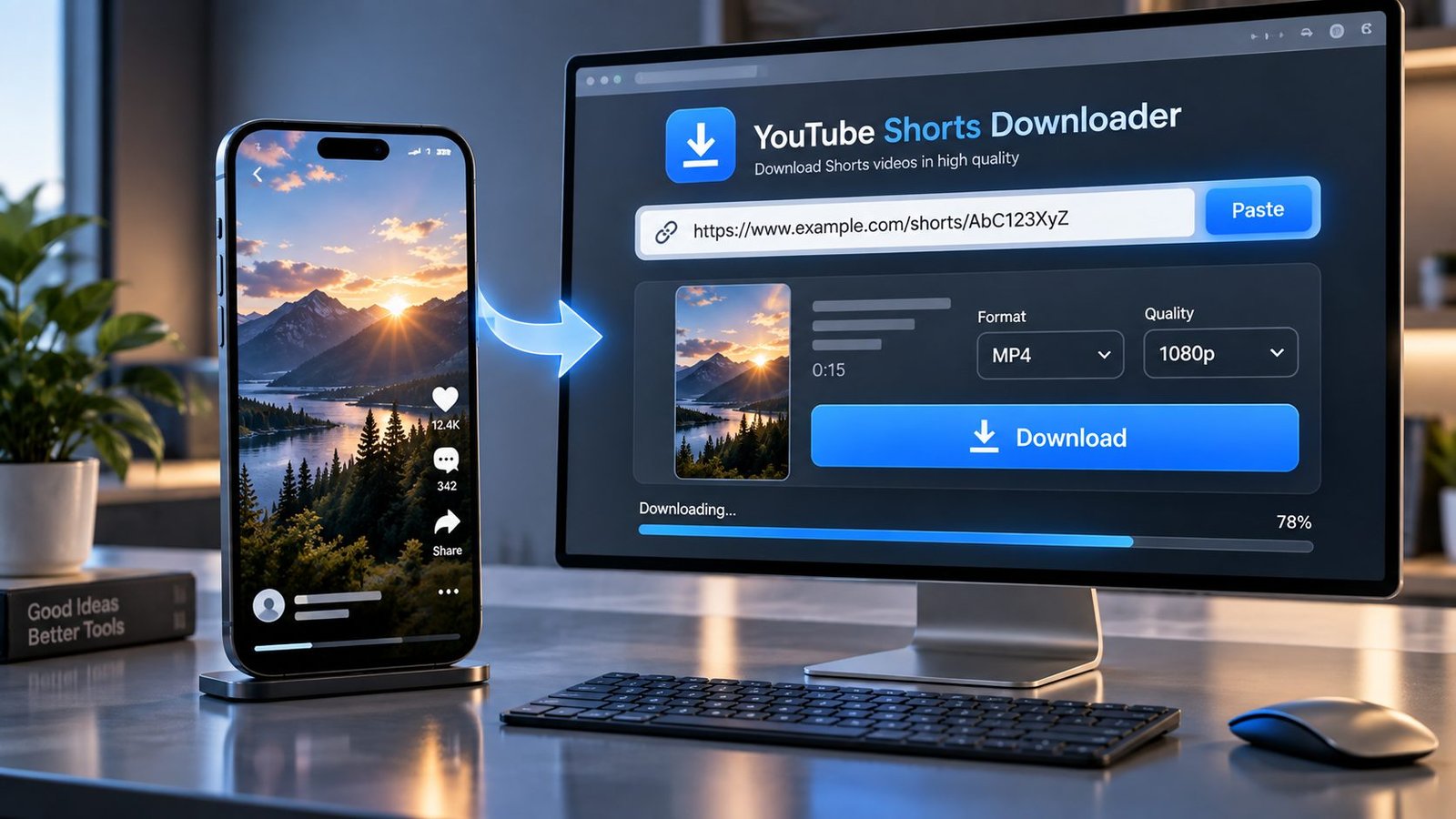
Download public YouTube Shorts online in the available video quality and format. Paste a YouTube Shorts link, let PKCapra check the available options, choose the format or quality you want, and download the Short directly from your browser.
No desktop software is required, and you don’t need to install a browser extension.
Only download Shorts that you have permission to download or that you are otherwise allowed to save and use.
YouTube Shorts Downloader
Paste a public YouTube Shorts link, fetch the available video formats, choose your quality, and download the Short directly from your browser.
YouTube Short
Use this tool only for Shorts you are authorized to download or otherwise permitted to save. PKCapra does not support private/login-required content, DRM, paywall or access-control bypass.
Download YouTube Shorts Online
YouTube Shorts are built for quick viewing, but sometimes you may need a copy of a Short for offline use, personal archiving, editing, research, or another legitimate purpose.
PKCapra’s YouTube Shorts Downloader is built specifically for Shorts URLs.
The process is straightforward:
Copy the Shorts link → Paste it into PKCapra → Check available formats → Choose your download → Save the video.
The exact quality and format options depend on the individual Short and what the extraction service can retrieve.
PKCapra doesn’t pretend that every Short is available in every resolution. It shows the options that can actually be obtained for the video.
How to Download a YouTube Short
Copy the Shorts URL
Open the YouTube Short you want to save and copy its link.
A typical Shorts URL looks like:
A shared link may also contain additional information after the video ID. That’s normal.
Paste the Link Into PKCapra
Open the YouTube Shorts Downloader and paste the copied URL into the input field.
Let PKCapra Check the Short
The downloader processes the public Shorts URL and checks which media options are available.
Select an Available Format or Quality
If multiple options are available, choose the one that best fits your needs.
Depending on the Short, available options may include different resolutions or supported video formats.
Download the Short
Start the download and save the resulting video through your browser.
That’s the whole process.
What Is a YouTube Shorts Downloader?
A YouTube Shorts downloader is an online tool that processes a public YouTube Shorts URL and provides a downloadable video when the content can be legally and technically retrieved.
Instead of installing dedicated software, you can use a browser-based downloader:
Shorts URL → Processing → Available formats → Download
The important part is that availability can vary from one Short to another.
Can I Download YouTube Shorts in MP4?
When an MP4 version is available for the Short, you can select the corresponding MP4 option.
MP4 is a practical choice for many everyday uses because it is widely supported by phones, tablets, computers and media players.
The exact resolution, codec and file characteristics depend on the media option available for that particular Short.
Can I Download YouTube Shorts in 1080p?
If a compatible 1080p format is available for the Short, PKCapra can show it as an available download option.
Not every Short will necessarily provide the same resolution options.
A Short uploaded or delivered at a lower resolution cannot legitimately be turned into a genuine higher-resolution source simply by changing the download setting.
Can I Download YouTube Shorts in 4K?
Only when a compatible 4K source is actually available and can be retrieved.
You should not expect every Short to offer 4K.
The downloader displays the formats it can obtain rather than manufacturing a 4K option where no 4K source exists.
YouTube Shorts Downloader for Mobile
You can use PKCapra from a modern mobile browser.
That means you can download a permitted public Short without installing a dedicated downloader application.
On Android or iPhone
- Open YouTube.
- Find the Short you want to save.
- Copy its link.
- Open PKCapra in your browser.
- Paste the Shorts URL.
- Select an available download option.
- Save the file.
The exact location of downloaded files depends on your phone and browser.
Download YouTube Shorts Without an App
You don’t need a separate desktop or mobile downloader application to use PKCapra.
The tool works through your browser, so the basic workflow is simply:
Open PKCapra → Paste Shorts URL → Select format → Download.
This can be useful when you only need to save a Short occasionally and don’t want another application installed on your device.
Why Don’t I See Every Shorts Quality?
Because the available download formats can vary between individual videos.
Different Shorts can have different:
- Source resolutions
- Video codecs
- Containers
- Frame rates
- Available media streams
- Processing requirements
The extraction service may also return only some of the formats that exist at the source.
For that reason, one Short might offer several download choices while another might provide only one usable video option.
That is normal.
Why Is My YouTube Short Not Downloading?
A Short can sometimes fail to process even when the URL looks correct.
Possible reasons include:
- The Short is unavailable
- The URL is incorrect or incomplete
- The content is private
- The content requires authentication
- Access to the video is restricted
- The extraction service temporarily cannot process it
- A particular format isn’t available
- The source has changed how the media is delivered
- Temporary network or processing problems
If one Short fails, try checking the URL and testing another public Short.
Why Does One Short Work but Another Doesn’t?
This is an important distinction.
A working downloader does not necessarily mean that every YouTube Short will always be downloadable.
Each video can have different technical characteristics and access conditions.
For example, one Short may return several usable formats while another may return only one format or fail to produce a usable media result.
So if Short A works and Short B doesn’t, the problem may be specific to Short B rather than the downloader itself.
Does the YouTube Shorts Downloader Work With Shared Links?
Yes, a normal Shorts sharing link can contain additional URL parameters.
For example:
Those additional parameters don’t necessarily change which Short you’re trying to access.
PKCapra identifies the Shorts video from the URL rather than requiring you to manually remove every parameter first.
Can I Download a Short Without a YouTube Account?
You don’t need a PKCapra account to use the downloader.
However, that does not mean private or authentication-protected Shorts can be downloaded.
The tool is intended for publicly accessible content that can be processed without bypassing access controls.
Can I Download Private YouTube Shorts?
No.
PKCapra is not designed to bypass:
- Private-video restrictions
- Account authentication
- Login requirements
- DRM
- Paywalls
- Technical access controls
If you cannot publicly access the Short without authentication, don’t treat the downloader as a way around that restriction.
Is Downloading YouTube Shorts Legal?
That depends on the particular content, your rights to use it, the copyright owner’s permission, YouTube’s applicable terms, and the laws that apply to your situation.
A public video isn’t automatically free of copyright restrictions.
Use the downloader only when you have permission or another legitimate basis to download and use the content.
Does PKCapra Remove Watermarks From Shorts?
No.
PKCapra does not add a watermark to the downloaded file, but it is not a watermark-removal or attribution-removal tool.
If the original media contains a watermark, downloading the media does not give you permission to remove it.
Does PKCapra Store YouTube Shorts Permanently?
PKCapra is a downloader, not a permanent video-hosting service.
The tool processes the URL and provides an available downloadable result.
You should not use a public downloader as personal cloud storage, and you should avoid submitting content or URLs that you are not comfortable processing through a third-party service.
YouTube Shorts Download Problems? Try These Steps
Check the Shorts URL
Make sure you copied the complete link.
Make Sure the Short Is Public
Private or restricted content may not be processable.
Try Again
Temporary extraction problems can happen.
Try Another Available Format
If multiple options are displayed, another format may work better.
Test Another Short
This is one of the quickest ways to determine whether the problem is specific to one video.
Don’t Try to Bypass Restrictions
PKCapra isn’t designed to circumvent authentication, DRM or other technical protections.
Why Use PKCapra YouTube Shorts Downloader?
Built Specifically for Shorts
The tool has a dedicated workflow for YouTube Shorts URLs rather than treating every video URL as the same search intent.
Browser-Based
No dedicated downloader application is required.
Mobile-Friendly
Use it from a phone, tablet or desktop browser.
Quality-Aware
Available resolutions and formats depend on the actual Short.
Simple Workflow
Paste the link, check the available options and download.
No Artificial Quality Promises
PKCapra doesn’t claim that every Short is available in 1080p or 4K when that option isn’t actually obtainable.
YouTube Shorts Downloader vs. Screen Recording
Downloading a permitted Short and screen recording it are two different things.
Screen recording captures what appears on your display.
A downloader attempts to retrieve an available media file or stream directly.
When you are authorized to save the content, downloading can provide a cleaner result than recording your screen because you’re not capturing the phone or desktop display itself.
What File Quality Should I Choose?
Choose according to what you actually need.
Lower Resolution
Smaller file and generally faster download.
720p
Good for everyday viewing when available.
1080p
Better detail and useful when you want a higher-quality copy.
4K
Only choose it when genuine 4K is available and you actually need the additional resolution.
A higher resolution also generally means a larger file. There is little reason to choose a huge file when a smaller option already meets your needs.
Frequently Asked Questions
What Is a YouTube Shorts Downloader?
It is an online tool that processes a public YouTube Shorts URL and provides available downloadable video formats when the Short can be technically and legally processed.
How Do I Download a YouTube Short?
Copy the Short’s URL, paste it into PKCapra, wait for the available formats, select an option and start the download.
Can I Download YouTube Shorts on My Phone?
Yes. PKCapra works through a modern mobile browser, so you can use it on compatible Android and iPhone devices.
Can I Download YouTube Shorts in MP4?
Yes, when an MP4 format is available for the particular Short.
Can I Download Shorts in 1080p?
Yes, when a compatible 1080p source is available and can be retrieved.
Can I Download Shorts in 4K?
Only when genuine 4K media is available for that Short and can be retrieved by the extraction service.
Why Does My Short Only Show One Download Option?
The available formats depend on the individual Short and the media options returned during processing.
Why Isn’t My YouTube Short Downloading?
The Short may be unavailable, restricted, temporarily inaccessible, unsupported by the extraction service, or experiencing a temporary processing problem.
Can I Download a Private YouTube Short?
No. The tool is not designed to bypass private access, authentication or other restrictions.
Do I Need to Install an App?
No. PKCapra works through your web browser.
Do I Need a PKCapra Account?
No account is required to start using the downloader.
Can I Download Shorts With a Shared URL?
Yes. A Shorts URL may contain additional sharing parameters after the video ID.
Does PKCapra Remove Watermarks?
No. PKCapra does not add a watermark, but it does not bypass attribution or remove watermarks from original content.
Is Every YouTube Short Downloadable?
No. Availability can depend on the video’s accessibility, technical delivery, available formats and temporary extraction conditions.
A Simple Rule for Downloading Shorts
The easiest way to avoid confusion is to remember this:
The URL identifies the Short. The available source determines the download options.
If the Short is publicly accessible and the extraction service can retrieve its media, PKCapra can present the available download options.
If a particular quality isn’t available, the downloader can’t honestly create that source quality.
That is why PKCapra focuses on showing real available options rather than making blanket promises about every YouTube Short.
Before You Download a YouTube Short
Only download content you are authorized to save and use.
Respect copyright, creator rights and applicable platform rules.
PKCapra does not provide a mechanism for bypassing private access, DRM, authentication, paywalls or other technical protections.